I’ve been spending some time with the Maxim Integrated DS3231 “Extremely Accurate I2C Integrated RTC”. Many have recommended it to provide a RTC for an advanced Arduino style board called the Goldilocks, so I looked into putting one of these SOIC16 devices on the board. The bottom line is that the best device price to me is greater than the finished price for a Raspberry Pi compatible module, complete with either a battery or a super capacitor to maintain the time should the main power be lost.
DS3231 RTC Module
The DS3231 also contains an accurate thermometer, used to trim the timing to maintain the +-2ppm accuracy characteristic from 0 to 40 degrees Celcius. The registers for the temperature can be read, and make a useful secondary function for this device.
I purchased some DS3231 modules for my Raspberry Pi devices, and also to test their use as an option for the Goldilocks Analogue. This is to remind myself how the Raspberry Pi needs to be configured to use the DS3231 RTC module.
Arduino
Actually using the DS3231 on the Arduino platform is very easy. Simply, treat it exactly as a DS1307 device. It behaves identically, except it is significantly more accurate.
For the Goldilocks Analogue, the module can simply be plugged into the prepared port, replicating the Raspberry Pi interface.
To contain cost the Raspberry Pi doesn’t have a hardware or real time clock capability. A fake RTC is provided which simply stores the time the Raspberry Pi was shut down, and reads this time out when the Raspberry Pi is booting. Obviously this time can be wrong by anything from 10 seconds to a year, depending on how long the Raspberry Pi is left unused.
The DS3231 module is an I2C device that is attached to IO pins 1 through 5 on the Raspberry Pi. The DS3231 can run from either 3V3 or 5V so it can work with both Arduino and Raspberry Pi I2C bus levels.
SunFounder DS3231 module installed on a Raspberry Pi B+
There are severalInternetreferences on how to get the DS3231 working on the Raspberry Pi. But the most concise version is by Drew Keller. Initially I used these to get started, but the method described activates the RTC at the end of the boot sequence, long after the time is really needed to set logging and disk access times correctly. Fortunately, there is another instruction that describes some minor changes to the hwclock.sh script which enables the DS3231 early in the boot sequence, ensuring that we have the correct time when we need it. Unfortunately it describes insertion of the wrong module, and refers to the DS1307 (although this is essentially the same).
So that I don’t forget what to do, here are the instructions again.
First lets fix something only relevant to those who are running the 3.18+ kernel.
Help, my I2C interface has disappeared. What do I do? Add
# Uncomment some or all of these to enable the optional hardware interfaces
dtparam=i2c1=on
dtparam=i2c1_baudrate=100000
dtparam=i2c_arm=on

# Enable the DS3231 RTC
dtoverlay=i2c-rtc,ds3231
to your /boot/config.txt and reboot. If you are feeling terse you can omit the “=on”, since that is the default option.
Now we have to edit the hwclock.sh file in /etc/init.d/ to add this function to initialise the RTC.
HCTOSYS_DEVICE=rtc0

init_rtc_device()
{
  [ -e /dev/$HCTOSYS_DEVICE ] && return 0;

  # load i2c and RTC kernel modules
  # unnecessary from kernel 3.18 when using above dtoverlay
  # modprobe i2c-bcm2708
  # modprobe rtc-ds1307

  # iterate over every i2c bus as we're supporting Raspberry Pi rev. 1 and 2
  # (different I2C busses on GPIO header!)
  for bus in $(ls -d /sys/bus/i2c/devices/i2c-*);
  do
    echo ds3231 0x68 >> $bus/new_device;
    if [ -e /dev/$HCTOSYS_DEVICE ];
    then
      log_action_msg "RTC found on bus `cat $bus/name`";
      break; # RTC found, bail out of the loop
    else
      echo 0x68 >> $bus/delete_device
    fi
  done
}
Then a bit further down in the start) section add in a call to the initialisation function we’ve just prepared, and also comment out the udev search as it won’t find the DS3231.
case "$1" in
  start)
    # initialise the hardware RTC DS3231
    # this is for the module attached
    init_rtc_device
...
    # As UDEV won't find ds3231, comment this out
    # if [ -d /run/udev ] || [ -d /dev/.udev ]; then
    # return 0
    # fi
...
Then we have to remove the I2C module blacklist entry (by commenting it out) so that it can be loaded on boot. The Raspberry Pi team think that their users won’t use I2C or SPI functions normally, so they’re preemptively disabled.
This step is probably unnecessary, as the I2C interface is no longer disabled by default.
sudo sed -i 's/blacklist i2c-bcm2708/#blacklist i2c-bcm2708/' /etc/modprobe.d/raspi-blacklist.conf
The final thing left is to remove the fake hardware clock function by typing this command from the shell.
sudo update-rc.d fake-hwclock remove
The reboot the Raspberry Pi and check that you can see the /etc/rtc0 and that the hwclock function returns a valid time. By studying the boot log messages relating to the RTC can also be seen. Check that you’re getting no errors. You should see something like this.
[ 10.631809] rtc-ds1307 1-0068: rtc core: registered ds3231 as rtc0
[ 10.650126] i2c i2c-1: new_device: Instantiated device ds3231 at 0x68
Following my initial design article, and the follow up design article, I’ve put quite a lot of thought into how I can make this Goldilocks Analogue device best achieve my stated goals. Pictured is the new 3rd Goldilocks Analogue Prototype
The finished prototype boards are now in my hands, and testing of the PCB configuration the new SPI EEPROM and SRAM capabilities, together with MSPIM interface for the DAC begins. These two features contribute to making the Goldilocks Analogue great analogue synthesiser platform.
This is the working design document. It will grow as I get more stuff done, and notes added here. I’ve pretty much finished the paper design now, and will let it settle for a few weeks over the 2014 holiday season. It is sometimes good to do things again, with a few weeks perspective from the original decisions.
Goldilocks Analogue – Prototype 2
Major Revision in Strategy
Over the past months I’ve been spending time writing code to go along with the latest revision of the Goldilocks Analogue. I have successfully implemented a version of the NASA EEFS simple flash file system, to use to buffer data either for acquisition or for analogue playback, and I’ve been working on streaming functions to get data off the SD card and off the EEFS flash file system. The outcome is that it is not possible to do everything with just one SPI bus, and keep generality when needed. The SD card is just too slow, and can’t be easily interrupted. The FRAM/SRAM/EEPROM doesn’t have enough storage to effectively stream GigaBytes of data, as a uSD card can achieve.
So, what to do? Adafruit uses a software bit-banged SPI outcome to drive their MCP4921 and doesn’t get close to the maximum speed I want to achieve. Fortunately, with the ATmega1284p there is a simple answer at hand. I have decided to move the MCP4822 off the standard SPI pins, and connect it to the USART1 TX and XCK pins, using the USART in its Master SPI mode.
This is a major revision in strategy. Previously I have been very adverse to putting anything on the standards Arduino pins, preferring to keep all of the Goldilocks extra features off the Arduino footprint. However, the outcome is well worth using the USART1 to drive the MCP4822, and nothing is compromised.
USART MSPI mode is available on any ATmega device. On the UNO platform, using the ATmega328p, there is only one USART and so of course it is reserved for serial communications. The Goldilocks ATmega1284p has two USART interfaces, and usually the second one (USART 1) goes unused. Therefore connecting its XCK and TX pins to the MCP4822 is the simplest and best outcome to achieve high throughput and regularity SPI output on a non-shared SPI interface. And, as the MCP4822 DAC has high impedence (~10kOhm) inputs, having the DAC sharing the pins won’t affect normal pin usage to any extent.
And, there’s more win. The USART MSPI has double buffering for the transmit function. This means that we can actually achieve a higher throughput using the USART MSPI than we can using the standard SPI bus! These logic traces demonstrate that the my best implementation of the SPI interface requires 4.58us to transmit a “frame” of information, consisting of two 12 bit samples. Using the USART MSPI interface we can achieve 4.25us per frame.
DAC control using SPI bus.
DAC control using USART MSPI bus.
Either way, achieving 44.1kHz stereo output is not an issue. This trace shows the time spent in the DAC-out interrupt for a simple function, with the samples being played out at 44.1kHz.
44.1kHz samples using USART MSPI output.
Guessing that this would be a great outcome, I ordered new PCBs from Seeed which implement the new pin assignments for the MCP4822. They will be here shortly.
My Revision Plans
Revert the uSD card 3V SPI bus drivers back to the quad and single buffers. The TXB/TXS story remains unresolved, and I can’t be bothered to work out why, when a simple answer is at hand. – DONE
Connect the uSD _CARD_DETECT to PC2 which has no other function except JTAG. – DONE
Remove the FTDI 6 pin for USART0. Or, better to move it to connect to USART1, so that USART1 can be addressed by an external FTDI device. Move it to the end of the board, so it doesn’t block Shield usage. Note the RTS/CTS Reset is not connected because this is replaced by a DAC A/B channel. – DONE
Remove the Analogue outputs from centre of board. Move them to the end of the board and integrate them into the FTDI USART1 socket on the RTS and CTS pin positions (obviously not on Tx or Rx pins, or on Vcc or GND either). – DONE
Connect the MCP4822 _LDAC pin to enable sychronisation of the A and B channels. Connect to PC3 which has no other function except JTAG. Remember the _LDAC is pulled to GND by default. – DONE
Have another look at the output filtering on the DAC, perhaps it could be a little stronger than the prototype with the corner at 23kHz. Single pole R1=68Ω C1=100nF. – DONE
This 2nd order filter is still linear, but filters significantly more (6dB rather than 3dB per decade) than the single pole version on the prototype.
Extend the prototyping area by three columns. – DONE
Add a pin-out to allow the DS3231 RasPi module (battery or super capacitor) from Seeed Studio to be easily attached. Unfortunately, the devices I have don’t implement an _INT/SQW output, so alarms and wake on alarm won’t be possible. – DONE
Push the JTAG pads to the back of the board, without forgetting to flip the pin layout around. – DONE
Add SRAM or FRAM SPI storage. FRAM is non volatile storage, that has no delay. With a reasonable amount of storage we can use it to provide short audio samples, and get them back relatively easily, without file system and uSD card overheads. But FRAM is pretty expensive, and SRAM chips with same pin-out are available for much cheaper, that might fulfil the job of buffering or capturing samples.
MB85RS64V FRAM is the only reasonable device available for 5V supply. And it is a reasonable price of $1.80 per unit. But it is much too small to use as an analogue sample store. Need to use the 128kB MB85RS1MT FRAM version, but this required being driven from Vcc 3V3. At 8kHz sampling, 128kB gives us 16 seconds of sound, which is quite a lot. It costs around $6 which seems to be the sweet spot in pricing now. Will have to add another 3V3 to 5V MISO buffer. Use PC4 as the MB85RS1MT SPI _SS line.
Alternatively, just make the pinout for SPI 5V and implement SRAM using the Microchip 23LC1024 device, which is $2.50 each. We can choose FRAM or SRAM at assembly. Or even both, as there is a spare _SS available. So let’s do two devices at Vcc 5V supply.
Put 10kOhm pull-up resistors on all of these _SS lines, _CARD_DETECT and _HOLD. – DONE
Add 10kOhm pull-down resistors on _LDAC allowing active _LDAC control but not requiring it. – DONE
Convert the 3.3V regulator to AP1117 type in SOT89-3 package. No space for SOT223. Upgrades the 3.3V supply from 150mA to 1000mA. Heat spread on Layer 2 GND and on Layer 15. – DONE
Initial Board Layout
I’ve finished the schematic and the board layout, and now I just have the detailed work of checking all the things, again, and again. I’ve come back to this after letting it stew for a few days with the thought of changing just one component. But, as usual have made a host of minor adjustments that should make it better. These include further clearance of the ground plane under the analogue components, and untangling and straightening signals and vias where possible.
The board is now pretty tightly packed. But, there is still a large number of options for prototyping on the board, or to exit the board with 8-pin headers. Each of Port A, Port B and Port D can be taken off board with one header each. Alternatively, a 2×8 connector can be attached, with the pins assigned and connected as desired.
The DAC A (L) and DAC B (R) channels are integrated into the far right edge of the board, along with TX1 and RX1 pins in the form of a FTDI 6 pin interface (including 5V and GND).
The first 5 pins of Raspberry Pi IO are replicated, to allow DS3231 RTC modules (designed for RaspPi) to be connected. For permanent mounting, the module can be flipped on its back to show the battery, and be mounted over the DAC which keeps the prototyping area clear.
I have been able to fit 2x SPI SRAM (or FRAM or NVRAM or EEPROM) on the board, using the spare JTAG IO pins. It is very tight, but having the option to fit up to an extra 2Mbit of SRAM will be quite useful for buffering and storing large amounts of data (audio, or samples).
15th April
The finished boards are now in my hands, and testing of the new SPI EEPROM and SRAM capabilities, together with MSPIM interface for the DAC begins.
Goldilocks Analogue – Prototype 3
Of course, new features are coming to mind. I’ll be putting them into the fourth prototype, which should come soon.
9th March
The blue PCB are back. Everything looks in order. The board is almost identical to the previous one. Just the change to the SPI attachment of the MCP4822 DAC to use the second ATmega1284p USART in MSPI mode.
The boards are now being built, and should be finished by the end of March. Looking forward to testing. I’ve requested that the boards be build with 2Mbit EEPROM and 1Mbit EEPROM combined with 1Mbit SRAM options. I don’t think having FRAM will be useful as the storage capability will be too small and too expensive. The EEPROM option will allow up to 16 seconds of high quality audio samples to be stored (without using an SD card). The SRAM option will allow samples of audio to be stored, and then used to play back, but given quality will only be 8 or 10 bits because of the inbuilt ADC capability, up to about 16 seconds can again be recorded.
Goldilocks Analogue – 2x SPI Memory Devices
16th February
Major revision. Moved the DAC control to use the USART1 MSPI function. It will be connected to Arduino Pin 4 XCK1 and Pin 3 TX1. This will ensure that we can stream data from the uSD card or the FRAM/SRAM/EEPROM on the main SPI bus to the DAC on the USARTt1 MSPI bus with no contention issues.
PCB with the revised connections is on its way.
21st January
The boards are back. Everything looks in order. The concept of using the keep-out layer to write in silkscreen works as hoped, so the labels on the edge are legible.
Time to get to ordering the new components, and building.
Goldilocks Analogue – Prototype 3
31st December
Cleaned up the board to allow more labels to be applied, trying to make it self-documenting. Packed the analogue section a bit tighter, and improved the power routing.
21st December
Cleaned up many traces and cleared the Layer 2 GND plane even more. Discovered the DS3231 modules don’t implement the _INT/SQW function, but leaving the connection to PB2 (INT2) on the pin-out for the future.
16th December
Top Layer
Labels for the DAC A and DAC B and FTDI interface have been put into the keep-out layer in the silk screen on the edge. They will appear when the silk is printed.
Added Test Points for the 3.3V SPI signals, which are the only signals that can’t be tested off a pin-out somewhere.
31st December
Added labels for the I2C (Raspberry Pi IO1 through IO5) pin out, by moving the analogue section left.
21st December
16th December
Layer 2 – GND
The GND plane remains whole under the DAC and Amplifiers.
31st December
Moving the analogue section to the left and compressing it moves components more over the solid ground plane.
21st December
Improved the ground plane by moving traces out from under components, and re-routing AVCC line.
16th December
Layer 15 – 5V (and 3.3V)
The 5V layer, with the 3.3V and AVCC 5V supplies too.
31st December
Resolved the S-bend power to the I2C 5V pin out, and removed some dead traces.
21st December
Kept the 5V AVCC line on this layer which makes it longer, but avoids using vias. Tidied up some other power routing.
16th December
Bottom Layer
All the pin-outs are defined on the bottom. Unfortunately, there is no space on the top layer.
The JTAG is now pushed to the back of the board. This will make using the JTAG more difficult, but at least it will not interfere with shields, should the solution require testing when in a system.
9th March 2015
The back side is clean, and all of the labels are unchanged.
Goldilocks Analogue – Prototype 3
21st January 2015
The back side is clean, and all of the labelling will ensure that the board is self documenting. I was unsure whether putting text in the keep-out layer would work, but it seems to work very well. That’s a win.
Goldilocks Analogue – Prototype 3
31st December
Added labels for the “FTDI like” pin out, combined with the DAC outputs, to improve self documentation.
21st December
Added more accurate descriptions, and tidied some routing.
16th December
Pin Mapping
This the map of the ATmega1284p pins to the Arduino physical platform, and their usage on the Goldilocks Analogue
Arduino
UNO R3
328p Feature
328p Pin
1284p Pin
1284p Feature
Comment
Analog 0
PC0
PA0
Analog 1
PC1
PA1
Analog 2
PC2
PA2
Analog 3
PC3
PA3
Analog 4
SDA
PC4
PA4
PC1 I2C -> Bridge Pads
Analog 5
SCL
PC5
PA5
PC0 I2C -> Bridge Pads
Reset
Reset
PC6
RESET
Separate Pin
Digital 0
RX
PD0
PDO
RX0
Digital 1
TX
PD1
PD1
TX0
Digital 2
INT0
PD2
PD2
INT0 / RX1
USART1
Digital 3
INT1 / PWM2
PD3
PD3
INT1 / TX1
USART1
-> MCP4822 MOSI
Digital 4
PD4
PD4
PWM1 / XCK1
16bit PWM
-> MCP4822 SCK
Digital 5
PWM0
PD5
PD5
PWM1
16bit PWM
Digital 6
PWM0
PD6
PD6
PWM2
Digital 7
PD7
PD7
PWM2
Digital 8
PB0
PB2
INT2
<- _INT/SQW
Digital 9
PWM1
PB1
PB3
PWM0
Digital 10
_SS / PWM1
PB2
PB4
_SS / PWM0
SPI
Digital 11
MOSI / PWM2
PB3
PB5
MOSI
SPI
Digital 12
MISO
PB4
PB6
MISO
SPI
Digital 13
SCK
PB5
PB7
SCK
SPI
(Digital 14)
PB0
T0
-> SDCard SPI _SS 3V3
(Digital 15)
PB1
T1
-> MCP4822 SPI _SS
SCL
PC0
SCL
I2C – Separate
SDA
PC1
SDA
I2C – Separate
PC2
TCK JTAG
<- _CARD_DETECT
for uSD Card
PC3
TMS JTAG
-> MCP4822 _LDAC
PC4
TDO JTAG
-> RAM SPI _SS_RAM0
PC5
TDI JTAG
-> RAM SPI _SS_RAM1
PC6
TOSC1
<- 32768Hz Crystal
PC7
TOSC2
-> 32768Hz Crystal
XTAL1
PB6
XTAL2
PB7
(Analog 6)
PA6
-> Pad / Hole
(Analog 7)
PA7
-> Pad / Hole
Discussion on RTC
At the end of the day, the DS3232 / DS3231 device is around $8 best case to me. But modules are available complete with super capacitors from Seeed for around $6. There’s no win here. Stick to the crystal and existing solution, but make it easier to use the Seeed RasPi solution.
Digikey has the DS3231 at $8 per piece. This is pretty expensive, for what it delivers. And there are solutions available with super capacitor backing for under $6 from Seeed.
Design in the DS3232 on the TOSC1 input for the TCXO 32kHz clock and PC5 input for the INT/SQW line. Supply from 3V3 Vcc. Read that the I2C lines can run to 5V5 without issue. INT/SQW outputs are open drain and the INT/SQW can be disabled (high impedance). Let the ATmega1284p switch on its pull-ups for INT/SQW to function. Make sure 20kOhm pull ups on the SCL/SDA lines too.
The DS3232 has 236 Bytes of SRAM, and a push-pull output on TCXO 32kHz line so this is better as an asynchronous clock input.There is an accurate (0.25°C) thermometer function included. It comes in an 20SOIC package which is quite large. Having some SRAM will be very useful for storing configurations that change often (where EEPROM would wear out).
The DS3232M has 236 Bytes of SRAM, and a push-pull output on 32kHz line so this is better as an asynchronous clock input. Having some SRAM will be very useful for storing configurations that change often (where EEPROM would wear out). But, it doesn’t have 5.5V capability on its I2C lines. – Deselect
The DS3231 version comes in an 16SOIC package, which might be better, but it doesn’t have any SRAM, and the TXCO is open drain. – If we need smaller then this is where we go.
The DS3231M MEMS version comes in an 8SOIC package, which might be better, but it is only +-5ppm (rather than +-2ppm). – Don’t need the small package, so go for XTAL version DS3231 in the SOIC16 package.
Digikey has the DS3232 at $8.60 per piece. This is pretty expensive, for what it delivers.
Delete the 32kHz crystal, and capacitors.
Add on a 3V Lithium battery holder. Or a Super Capacitor and a charging diode
Leave the TOSC2 pin floating, as it is not useable when the Timer 2 Asynchronous Clock Input is enabled on TOSC1.
Remove pull-up resistors from RST, as the DS3231 has pull-ups as does the ATmega1284p. The DS3231 has a debounce and 250ms delay function to manage the MCU start up.
Design Input from Angus
IC6 is missing silkscreen marking for pin 1. – DONE
Designator layer needs a cleanup. I had to spend a lot of time in
EAGLE checking which components were which, and what orientations
they had. On such a full board with close-spaced components this is
very important – ideally place each designator between the pads it
refers to, with a consistent orientation relative to the pads. – DONE
Some 0603/0402 components seemed to have wrong pad sizes compared to
BOM output, ie R17 & C13. I placed according to what parts were
supplied. I know this has been revised further but it might be worth
checking BOM output for any remaining anomalies. – CHECKED
If possible move components away from IC bodies, for example C36 is
very close. Even for a pick & place machine I suspect this would be
hard. – DONE
Labels on silkscreens would be very helpful. For instance the power
selection & DTR jumpers, other pin breakouts. For Freetronics boards
we aim to have all of these connections self-documenting, ie each
option labelled somehow. This can be difficult but part of the
appeal of a development board is being able to easily make
customisations without requiring an external reference. – DONE
It’d be great if you could find a way to better convey the offset
pin numbering for pins 8-13. – NO BETTER ANSWER
The MCU 1284p solder stencil paste layer has too large of an
aperture for the thermal pad. If you look at the paste layer of IC1
and compare to IC2 then you’ll see what I mean. The aperture needs
to be cut down in this way or the central pad gets too much paste
and “floats” up, leading to the outer connections not forming
correctly. – OK Can’t change Library
Suggest adding test points for likely problem connections. ie
analogue section power rails, 3.3V SPI connections, raw DAC
outputs. These can just be bare SMD pads on top or bottom of
board. Label with a designator (at least) or a descriptive label if
possible. For an example of what I mean, the OpenVizsla boards have
a really nice set of 4 power test points near the bottom of the
board. – DONE Power is easy off pins. Added 3.3V SPI test points. Other pins all have pin-outs.
Keep the JTAG header, but also distribute the pins to the 2nd Non-Arduino shield pins. – Going to push the JTAG to the back of the board. It will be inconvenient to use, but won’t block the use of Shields when it is actually being used so this is better. This also frees more space for a RTC and battery option. – DONE
Add a RTC option. – Using the 32kHz crystal on Timer 2 the RTC is working fine. Battery and power options can be off board, and as comprehensive and accurate as needed. – DONE
Other RTC options include using the DS3231, which would be more accurate than a 32kHz crystal, and includes an integrated RST debounce timer. Can use the 32kHz output to feed the ATmega1284p Timer 2 and therefore have both devices locked to the same clock. Chronodot as an example for using this RTC. – DONE
Both devices output excellent looking 43.1Hz sine waves, at 44.1kHz reconstruction rate, from the previous 16 bit 1024 sample Sine Wave.
The Goldilocks Analogue produces 0V to 4.096V 1:1 buffered signals from its DC outputs, and an AC amplified headphone output in parallel. The Audio Codec Shield produces 0V to +3V line level signals into 10kOhm, together with an amplified headphone signal.
OML Audio Codec Shield 43.1Hz Sine wave, one channel inverted.
Open Media Labs – Audio Codec Shield
The Audio Codec Shield uses a very capable Wolfson Audio WM8731 device to generate its output. The WM8731 has stereo 24-bit multi-bit sigma delta ADCs and DACs complete with oversampling digital interpolation and decimation filters. Digital audio input word lengths from 16-32 bits and sampling rates from 8kHz to 96kHz are supported. The WM8731 has stereo audio outputs which are buffered for driving headphones from a programmable volume control and line level outputs are also provided complete with anti-thump mute and power up/down circuitry.
Nominally, it is unfair to compare the MCP4822 12 bit DAC against the 24 bit 96kHz WM8731 DAC, but let us see how this looks, when both are driven with 44.1kHz 16 bit inputs. But, based on pricing information from Digikey, they are available at around the same price range, so this has to be a reasonable test.
Head to Head
Testing was done using a 16 bit 1024 sample Sine Wave file. Outputs were generated by a timer triggered to interrupt every 22.7us (44.1kHz), and produce a new output level. Testing should show only a main signal at 43.1Hz, and the reproduction frequency of 44.1kHz. The Goldilocks Analogue discards the lower 4 bits of the samples and only outputs the 12 most significant bits. The WM8731 could produce 24 bit audio from its DAC, but in this test it will be run at 16 bits only.
OML Audio Codec Shield & Goldilocks Analogue with Red Pitaya
All outputs generated by a 1024 sample 16 bit Sine wave, generated with a 44.1kHz reconstruction sample rate, triggered by an interrupt timer.
The OML Audio Codec Shield produces very nice Sine waves.
OML Audio Codec Shield 43.1Hz Sine wave, one channel inverted.
The top of the wave form
and the bottom of the waveform. Show some high frequency noise. This could be removed by the on-board digital filters on the WM8731, but in this testing situation the have not been turned on.
Looking at the spectra generated by both implementations up to 953Hz it is possible to see harmonics from the Sine Wave, and other low frequency noise.
Goldilocks Analogue – 43.1Hz Sine Wave – 953Hz Spectrum
The Audio Codec Shield has a significant noise present at 50Hz, which may be caused by noise leakage through the PC USB power supply not being completely filtered before the supply is provided to the WM8731. Other noise rises up to 80dB, and is present right across the spectrum.
It seems that the Wiznet W5100 Ethernet Shield has been around since the very beginning of the Arduino movement. Its integrated TCP and UDP IP stack enabling solid standardised networking since the very beginning.
The hardware implementation of BSD sockets interface abstracted the complex process of generating compliant IP and made sure that it was done correctly, and the buffering of network packets in integrated packet RAM, rather than on the host AVR micro-controller; was a great thing when you only have 1kB of RAM available as the original ATmega168 Arduino devices provided. For the current generation of Arduino devices, nothing has really changed.
Now, I have my hands on the latest version. The W5500 on an ioShield-A from Wiznet.
W5500 on ioShield-A from Wiznet
TL;DR. The W5500 is the latest and best iteration of hardware IP socket Ethernet devices from Wiznet, and also the easiest for hobbyists to implement. As usual, my code is here at AVRfreeRTOS.
So what are the key differences between the models, and how do they perform? I’ll try to look at three important aspects to using these devices; cost, implementation or how are they to use, and performance.
Cost
As Wiznet has iterated through the W5x00 series it has cost reduced the manufacturing significantly. The W5100 was produced in 0.18um process, as was the W5200. The new W5500 is produced in 0.13um process, with a 1.2v core, in comparison. Between the W5100 and W5200 Wiznet doubled the size of the internal packet RAM to 16kByte, but significantly reduced the number of IO pins and drivers, to make the W5200 (and W5500) SPI bus specialists.
The result of these cost reduction processes can be seen in the pricing information from Digikey. The price per 1,000 for W5100 is $4.32 each, whereas the W5500 is $2.64 each. In a commercial project, or even a significant crowd funded project, this can have a significant impact on the bill of materials.
Digikey W5100 Pricing
Digikey W5200 Pricing
Digikey W5500 Pricing
Implementation
The W5500 is available in 48LQFP which is aimed squarely at low tech solutions. The W5200 was only available in 48QFN which made it more difficult to use the chip in low volume applications. While most people will purchase the W5500 on an Arduino Shield or similar platform, having the LQFP package does make it easier for the companies producing the Shields and modules for the hobbyist.
The three Wiznet W5x00 Generations
In terms of implementation differences between the W5100 and the W5200, I’ve already written on the extensive improvements to the SPI bus interface, both in terms of outright speed, and in the protocol improvements, doubling the packet RAM to 16kBytes, and doubling the number of sockets available to 8. The W5500 takes these improvements and finesses them to get an even better result.
Wiznet have prepared a summary of the differences between W5500 and W5200. The SPI protocol for the W5500 has been simplified, omitting the frame length field. The end of transmission is simply indicated by deselecting the chip with the SPI Chip Select line. This is an obvious and simple improvement.
The packet RAM on the W5500 has been made available as general storage for the host MCU. Both Tx and Rx RAM is available for use as required. This means that it is possible to augment the RAM on an Arduino Uno by 16kBytes (8kB Tx and 8kB Rx) which is 8x more than the ATmega328p has in total, and still maintain the same sized buffers available in the W5100, for example.
The Tx and Rx RAM is arranged in blocks associated with the socket, and the entire 16 bit address space is rolled out onto the configured RAM for each socket. This means that when writing or reading the W5500 Tx and Rx RAM the user doesn’t need to be concerned with masking the maximum physical RAM, and addressing roll-over is gracefully handled. This is unlike the W5100 and W5200, where RAM addressing would have to be masked against the configured physical RAM. If this sounds complicated, just check the datasheet where it is explained in a nice diagram.
For use in the Arduino IDE environment Wiznet has prepared W5500 drivers which can simply be copied into the IDE directory structure and used as needed. For general implementations, Wiznet have prepared a new generation BSD Sockets based Socket driver which is much more flexible and better written than the previous iteration.
I’ve implemented my code based on the Wiznet transition driver, which maintains the legacy BSD Socket style interface used in W5100 and in W5200. That way I can maintain one socket.h and socket.c code base as an interface, and simply use the relevant hardware driver W5x00.h and W5x00.c as required. I was pleased that in taking this path, Internet code that I’ve written previously “just worked”. This included the hardware sockets dhcp (using IPRAW), ntp, http interfaces which work with the W5500 protocol engine, and the uIP implementation that uses the MACRAW mode inherent in all three devices.
Of note is the resolution of the errata in the ARP engine, which required off device storage of the subnet mask in some situations, which affected both W5100 and W5200. With the W5500 Wiznet have put that issue behind them. I imagine that many other issues and inefficiencies in the hardware socket engine have been redesigned and resolved in the W5500 too.
While the W5500 does implement an improvement in the SPI interface, by removing the data length selection field, there is no noticeable improvement in throughput over the W5200 using an AVR ATmega1284p Goldilocks as the platform.
One design goal for the W5500 seems to have been to make the SPI interface much more friendly for 32 bit processors, particularly Cortex M0+ MCU with limited RAM, by packing the addressing, and control information into one 32 bit (4 x 8bits) register. It is possible to imagine that there are additional performance improvements in the SPI interface if driven close to its design maximum SCK of 80MHz, rather than at the lowly SCK rate of 11.05MHz off the Goldilocks platform.
Testing W5500 SPI throughput with Saleae Logic on the Goldilocks ATmega1284p
I compared the W5500 running uIP in MACRAW mode to the W5200 running identical (except for the driver) code and using the ping function to test how quickly the SPI interface can transfer a received packet to the host MCU, and then transfer the processed packet back to the W5x00 buffer for transmission.
The ping results were slightly slower than previously seen on the w5200. But I believe that is an external issue, possibly resulting from a change in my network. I have repeated the test with the W5200, and now get similar performance too. I believe I may have some network issues to resolve.
1300 Byte ping packet transmitted from a host to the W5500 interface running uIP in MACRAW mode.
Looking at the output of the Saleae Logic and comparing the time taken to transfer the Ethernet frame into the host MCU, we can see that the time required to transfer the 1300 Byte frame is almost identical at 1.52ms.
W5500 Rx Ethernet Frame transfer to the ATmega1284p
W5200 Rx Ethernet Frame transfer to the ATmega1284p
Not surprisingly, the time to process the frame, and produce a response frame are also identical.
Ethernet Frame processing on the AVR1284p (W5500)
Ethernet Frame processing on the AVR1284p (W5200)
Conclusion
The W5500 chip is an improved version of the W5200, which was a greatly improved version of the W5100 device. It is a welcome new addition to a long heritage of IP protocol engines from Wiznet.
I think that the improved implementation in 48LQFP packaging and reduced supporting device count will make it easier for hobbyists and low volume manufacturers to generate great Internet tools off the Arduino and small ARM MCU platforms. We’re starting to see some implementations already.
Three generations of Wiznet Internet Protocol Devices. Goldilocks 1284p for scale.
As usual, my code is here at AVRfreeRTOS in the lib_iinchip folder.
Now that the new prototype for the Goldilocks Analogue is completed, it is time to test it to see how successful the design was. And interestingly, in the time that I’ve been designing the Goldilocks Analogue, Stanford University in collaboration with Texas Instruments have produced their own Analog Shield.
So this test will compare the Goldilocks Analogue with its dual channel 12bit MCP4822 DAC with the Stanford Analog Shield quad channel 16bit DAC8564 DAC. In a later test sequence, using the same test tone, I compare the Goldilocks Analogue with the Open Music Labs Audio Codec Shield using a Wolfson Micro WM8731 24 bit Codec with ADC, DAC, and signal processing capabilities.
Summary (TL;DR)
The test platform is essentially the same ATmega1284p device, clocked at 22.1184MHz. For the Goldilocks Analogue it is integrated on to the main board. For the Analog Shield I used a Goldilocks device as provided in the Pozible project.
You don’t need a lot of space to have great tools. I’m using a Red Pitaya device, configured as an oscilloscope and as a spectrum analyser, together with a Saleae Logic to capture SPI transactions.
Micro Test bench – Red Pitaya and Saleae Logic
Both Goldilocks Analogue and Analog Shield are comfortably capable of producing reasonable quality stereo signals at 44.1kHz sampling rate. Both devices output beautiful looking 43.1Hz sine waves, at 44.1kHz reconstruction rate, from a 16 bit 1024 sample Sine Wave.
The Goldilocks Analogue produces 0V to 4.096V 1:1 buffered signals from its DC outputs, and an AC amplified headphone output in parallel. The Analog Shield produces -5V to +5V balanced amplified signals from the 0 to 2.5V DAC.
Full Swing 43.1Hz Sine Wave Goldilocks Analogue – Blue 0V to +4.096V Analog Shield – Red -5v to +5V
The Analog Shield shows a lot of harmonics at high frequencies as shown. Comparing the two solutions, the Analog Shield doesn’t do justice to the extra 4 bits (theoretically 98dB SNR 16 bit DAC), over the Goldilocks Analogue (theoretically 74dB SNR 12 bit DAC). The BOM price difference between MCP4822 ($4.60) and DAC8564 ($20) is hard to justify given the performance demonstrated.
I think that using the platform of the AVR ATmega (Arduino) there is little point using a 16 bit DAC. There is too much noise (many mV) in the power supply and around Goldilocks or Arduino Uno or Mega boards to make more than 10 to 12 bits of DAC resolution (or ADC resolution) in any way relevant.
Overlaid 976kHz Spectrum – Analog Shield Red – Shows significant harmonics
Stanford – TI Analog Shield
As part of its microcontroller course, Stanford University required a platform to sample and generate analogue signals. The Standford – TI Analog Shield arose from this need.
The Analog Shield contains a Texas Instrument quad channel ADC and a quad channel DAC, together with a variable voltage supply. I have not tested the ADC.
The DAC capability is based on a Texas Instrument DAC8564 device. This device has many interesting features, including the ability to synchronise loading of updated digital outputs, and to maintain multiple power-down states. The DAC8564 has many great features, and it comes with a price tag to match its capabilities.
Analog Shield – Quad 16bit DAC & Quad 16bit ADC – Stanford University & Texas Instruments
Signals generated by the DAC8564 (from 0v to 2.5V) are biased around 0V and amplified to produce a 10V full swing output. The output exhibits some “cramping” around 0x0000 (-5V) outputs.
Analog Shield – Quad DAC Schematic – -5V to +5V full swing
Head to Head
Testing was done using a 16 bit 1024 sample Sine Wave file. Outputs were generated by a timer triggered to interrupt every 22.7us (44.1kHz), and produce a new output level. Testing should show only a main signal at 43.1Hz, and the reproduction frequency of 44.1kHz. The Goldilocks Analogue discards the lower 4 bits of the samples and only outputs the 12 most significant bits.
Theoretically, the Goldilocks Analogue MCP4822 DAC should be able to achieve 74dB SNR, with its 12 bits of resolution, based on the rule of thumb SINAD = (6.02 x BITS) + 1.76. For the Analog Shield DAC8564 the number is 98db SNR.
Head to Head Testing – Using Red Pitaya and Saleae Logic
All outputs generated by a 1024 sample 16bit Sine wave, generated with a 44.1kHz reconstruction sample rate, triggered by an interrupt timer.
Goldilocks Analogue – 43Hz Sine Wave – Two Channels – One Channel Inverted
Analog Shield – 43Hz Sine Wave – Two Channels – One Channel Inverted
In previous testing on the Goldilocks Analogue prototype I had found that my OpAmp devices were unable to achieve 0V properly. In this new prototype I have produced a stable -1.186V Vss supply for the OpAmp. The signals at 0x000 show that I’ve achieved the required result, with the output being smooth down to the 0x000 level, and up to 0xFFF as well.
Goldilocks Analogue – 0xFFF Output
Goldilocks Analogue – 0x000 Output
The Analog Shield also produces smooth signals, but it does display some compression around 0x0000 levels. Possibly because of some issues with generating the Vss rail for the OpAmps.
Analog Shield – 0xFFFF Output
Analog Shield – 0x0000 Output – Slight Clipping
Looking at the spectra generated by both implementations up to 953Hz it is possible to see harmonics from the Sine Wave, and other low frequency noise.
The spectra are not directly comparable, because the Goldilocks Analogue is producing a 4V full swing, or -4dBm, whilst the Analog Shield is producing a 10V full swing, or 3.7dBm. Distortions in the Analog Shield need to be reduced by 7.7dB to be equivalent to distortion in the Goldilocks Analogue.
The spectrum produced by the Goldilocks Analogue shows most distortion is below -70dB, and that the noise floor lies below -100dB.
Goldilocks Analogue – 43.1Hz Sine Wave – 953Hz Spectrum
The Analog Shield has a significant noise present at 50Hz, which may be caused by noise leakage through the PC USB power supply not being completely filtered before the supply is provided to the DAC8564. Other noise rises above -80dB, and is present right across the spectrum.
Analog Shield – 43.1Hz Sine Wave – 953Hz Spectrum
In the spectra out to 7.6kHz we are looking at the clearly audible range, which is the main use case for the devices.
The Goldilocks Analogue has noise carriers out to around 4.5kHz, but they are all below -80dB. After 4.5kHz the only noise remains below -100dB.
Goldilocks Analogue – 43.1Hz Sine Wave – 7.6kHz Spectrum
The Analog Shield shows noise carriers out to only 2.5kHz, but on one channel these are above -80dB. Otherwise the test shows mainly background noise below -100dB beyond 2.5kHz.
Analog Shield – 43.1Hz Sine Wave – 7.6kHz Spectrum
The spectra out to 61kHz should show a noise carrier generated by the reconstruction frequency of 44.1kHz.
The Goldilocks Analogue shows the spectrum maintains is low noise level below -90dB right out to the end of the audible range, and further out to the reconstruction carrier at 44.1kHz.
Goldilocks Analogue – 43.1Hz Sine Wave – 61kHz Spectrum
Similarly, the Analog Shield is quiet out beyond the audible range. It exhibits a strong noise carrier at the reconstruction frequency. Also, it shows some beat frequencies generated by a small noise carrier at 10kHz, and the reconstruction carrier. These noise carriers might be caused by the TPS61093 boost power supply used to generate the +ve and -ve supplies for the output buffer OpAmps, although it has a characteristic frequency at 1.2MHz, or it might be leakage from some other device.
Analog Shield – 43.1Hz Sine Wave – 61kHz Spectrum – Harmonics around 44.1kHz reconstruction frequency
The final two spectra show the signal out to 976kHz. We’d normally expect to simply see the noise floor, beyond the 44.1kHz reconstruction carrier noise.
The Goldilocks Analogue has a noise carrier at around 210kHz. This could be generated by one or both of the TPS60403 devices used to generate the negative AVss supply. These devices have a typical switching frequency of 250kHz, specified between 150kHz and 300kHz, so this is possible. Aside from the single carrier mentioned, there is no further noise out to 976kHz.
Goldilocks Analogue – 43.1Hz Sine Wave – 976kHz Spectrum
The Analog Shield shows the reconstruction carrier noise at -50dB, and then harmonics of this carrier all the way out to 976kHz. Not sure why these artifacts are appearing. There is a chance that noise derived from these signals is impacting the overall outcome for the DAC8564.
Analog Shield – 43.1Hz Sine Wave – 976kHz Spectrum
Using the Saleae Logic we can capture the SPI transactions generating the analogue result. To maintain the 44.1kHz reconstruction rate a set of samples needs to be transferred every 22.7us.
In the code I’ve used to generate the signal an interrupt timer triggers every 22.7us indicated by the rising edge of “Channel 6”. Once the interrupt has finished processing it lowers the Channel 6 line, indicating that control has returned to the main program. If required the main program has to use the remaining time to generate the required signal. Clearly the faster the SPI transaction to set up the transaction can be completed the more time available for other purposes.
The MCP4822 found in the Goldilocks Analogue has 4 control bits and 12 data bits, which are transferred in 2 8 bit transactions. To set two channels only 4 SPI transactions are required, taking 7.25us.
Goldilocks Analog SPI transaction – Interrupt duration 7.25us
The DAC8564 used in the Analog Shield has 8 control bits and 16 data bits, which are transferred in 3 8 bit transactions, or 24 SPI clock cycles. For two channels this takes 6 SPI transactions and 9.08us.
Both devices leave sufficient time for calculation of simple VCO, or other multiply based, effects in real time with 44.1kHz dual channel. Halving the sample rate to 22.05kHz would be necessary to provide more opportunity to retrieve data from uSD cards or other more complex data sources.
Analog Shield SPI Transaction – Interrupt duration 9.083us
The final reality check in this Head-to-Head comparison is provided by Digikey. I must say that some of the features of the DAC8564 had convinced me to look at migrating the production Goldilocks Analogue to use this new TI DAC. However, seeing that the BOM cost for the TI DAC is approximately 4 times greater than the MCP4822 device soon cooled those thoughts.
Given the cost sensitive nature of the Arduino environment it is not practical to use a device costing nearly US$20 on the Goldilocks Analogue platform, irrespective of its performance.
And, given that the Analog Shield provides no justification in terms of signal quality over the existing Goldilocks Analogue solution there seems to be no technical merit in changing the DAC specification, either.
The Microchip MCP4822 is available from US$4.60 at Digikey.
Digikey MCP4822 Pricing
The Texas Instrument DAC8564 is available from US$18.60 at Digikey.
Digikey DAC8464 Pricing
Design Review
The remaining features and functions of the Goldilocks Analogue have been tested, and resulting from these tests I’m going to make the following redesigns and changes.
Revert to tri-state buffers for uSD I/O logic conversion CMOS 5v to CMOS 3v3 – Bi-directional translators pure fail! I tried both TI TXB and TXS devices and they simply didn’t work as specified.
Remove USART pin-out – unnecessary feature and just takes board space.
Move DAC pin-out to right hand edge of the prototyping space – easier to use if not covered by UNO format shield. As the Goldilocks Analogue is slightly longer than standard Arduino UNO shields, putting the DAC DC output pins outside the shield outline on the right hand end of the board will allow easier access for connections.
Increase prototyping space – fill in space freed by pin-out removals.
Use smaller packages where possible – heading for production.
Increase bypass capacitors on uSD 3V supply – uSD cards consume significant current, potential for instability because of long 3V3 supply
Use a JTAG pin for MCP4822 LDAC – to enable synchronization of the DAC channels.
Since banning tablets in the bedroom overnight, Miss10 has needed an alarm clock. So, for the last few months we’ve been looking for something suitably cool, and inexpensive.
As it happens, the Adafruit Ice Tube Clock Kit is exactly the right answer. Exactly the right amount of powder blue glow that is needed, matched with undeniable 80’s Russian retro chic.
Ice Tube Clock in use.
We spent the past few nights building it, doing a bit of three handed soldering, and joint assembly.
As usual, things need to be modified to be truly personal, so we added some special touches that set her clock apart.
Using a 5ppm 32kHz crystal, rather than the provided 20ppm crystal, should keep accuracy within half a second per day (worst case) and only adds a few cents to the build.
Also, it is a bit inconvenient to reach around the back of the clock to read the date and activate the snooze function. So, we added an IR sensor to button 2 (the Set button) to enable these functions with just a hand wave.
To stay inside the short range null (<2cm) and reflections, the IR sensor needed to be at the front of the housing.
To keep the Vacuum Florescent Display seemingly floating in the case, the IR sensor needed to be low profile.
To prevent the sensor draining the standby battery, the IR sensor needed to be powered off the main power supply (before the isolation diode).
Using a few carefully bent mounting pins (provided with the IR sensor), it is fairly easy to solder the IR sensor directly onto the legs of the regulator, providing a neat mounting point. The sensor line, generating a low signal when triggered, is run around the end of the PCB and paralleled onto the Switch 2 active pin.
With the IR sensor in place, a hand wave is all it takes to trigger another 10 minutes snooze. Which, on second thought, is probably not such a good idea.
Following my initial design article, and the testing article, I’ve put quite a lot of thought into how I can make this Goldilocks Analogue device best achieve my stated goals. Pictured is the only Goldilocks Analogue Prototype in existence.
Goldilocks Analogue Prototype – Analogue section front of image.
From the testing it was clear that the MCP4822 DAC fully achieved the goals that I had set out to achieve, but that my design for the analogue buffer stage behind it was really quite bad. Fixing it was going to take some thought.
I have decided to separate the analogue output stage into two sections. An AC section which drives the headphone socket, with a designed for purpose headphone amplifier device, and a DC section using a high current rail to rail OpAmp and a negative 1.18V supply rail to allow the OpAmp to fully reach GND or the equivalent 0x000 digital input.
I also found a better solution for the uSD level translation. There is a device designed for purpose, which I’ve now designed into the Goldilocks Analogue.
DAC – MCP4822
The selected dual DAC uses the SPI bus to write 12 bit values to each of its channels. The increments are either 1mV or 0.5mV giving full scale at DC 4.096V or 2.048V depending which scale factor is being used. The testing showed that the DAC is capable of achieving close to the 72dB of SNR that is its theoretical capability.
So from my point of view the DAC, and the AVcc filtering system employed to provide a clean analogue power rail, have achieved their design goal. Let’s not change anything.
Headphone (AC) Output – TPA6132A2
Driving a headphone socket with a nominal impedance of 32 ohm is a hard job for an OpAmp, and they are not designed specifically for this job. Therefore, I thought it would be best to separate the two outputs into two separate full-time output devices, specialised for their purposes (AC headphones, and DC PID or general pin-out). Both Goldilocks Analogue output options are driven simultaneously, and they will not interfere with each other.
For the AC and headphone output, using a specific single ended “DirectPath” headphone amplifier device enabled me to remove the large output coupling capacitors but still achieve a good low frequency output response.
The TPA6132A2 is capable of driving 25 mW into 16 ohm headphones. Its amplifier architecture operates from a single supply voltage and uses an internal charge pump to generate a negative supply rail for the headphone amplifier. The output voltages are centred around 0 V and are capable of positive and negative voltage swings. This means that the TPA6132A2 doesn’t need output blocking capacitors, and therefore can achieve a very good low-frequency fidelity. Using the 1 uF input capacitors stops any turn-on pop or noise, and achieves a low frequency corner below 10 Hz.
As the DAC outputs a signal with up to 4 V peak to peak, I have set the gain on the TPA6132A2 to -6dB. This should result in the full range of the headphone signal being 1 V peak to peak, with approximately 25 mW being delivered into 32 ohm headphones.
The TPA6132 also has a very high power supply an RF noise rejection ratio. Although I’ve gone to a lot of effort to filter the AVcc power supply, the power supply noise generated was still significant. Having over 90 dB PSRR will help to keep the output quiet.
Analogue (DC) Output – TS922A
I originally selected a highly regarded audiophile OpAmp for use in the Goldilocks Analogue. That device was incapable of operating close to its GND rail, and caused significant distortion in the output signal. Based on that experience, I decided to use a rail-to-rail output OpAmp to provide the DC buffered signal.
Even though rail-to-rail OpAmp devices are sold as full Vcc to Vss outputs, under high current loading they all have significant output droop. The only way to avoid this is to avoid driving the (any) OpAmp close to its supply rails.
The positive rail is ok. The supply voltage is a well regulated 5 V DC, and the maximum voltage required from the OpAmp is 4.096 V which is 0xFFF input to the DAC. It is the Ground Rail, which causes the issue, as the OpAmp will be unable to deliver the analogue equivalent 0x000 under high current situations.
The only way to get an OpAmp to deliver a solid GND potential output, is to supply it with a negative supply voltage Vss. Getting a Vss rail is described below.
The TS922A device is designed for high current rail-to-rail outputs, and is specified to work into 32 ohm headphones, 75 ohm video, and 600 ohm inputs. This DC coupled output can be used to drive PID, Triac or any other application requiring a precise analogue signal up to around 50 kHz.
OpAmp Vss (negative) rail
The TS922A can support over 50 mA per channel output, but at this current its output resistance has dropped its ability to reach both rails to greater than 300 mV. Specifically, it can only reach between 0.3 V and 4.4 V. Therefore to enable the output signal to reach GND potential, we have to generate a Vss with greater than -0.3 V, and capable of supplying in excess of 100 mA (over OpAmp both channels).
I looked at a number of options for charge coupled devices, and decided that the cheapest and best way was to use two paralleled TPS60403 devices to each generate -5 V 60 mA from the 5V power rail. These devices don’t filter their output, but since we are not going to use the -5 V directly, this doesn’t matter.
Following the generation of the -5 V supply, I’ve decided on a TPS72301 variable voltage 200 mA linear regulator, configured to generate its reference voltage -1.186 V, to provide a regulated Vss. Using the internal reference voltage saves a few resistors, and it still generates sufficient negative voltage to enable the OpAmp to easily reach true GND potential.
uSD Card Level Translation – TXS0104
Some further analysis of the voltage translation application revealed that the TXS0104 is designed to exactly suit the purpose of interfacing SPI bus at up to 24 MHz. As a side benefit it is a much smaller package, which recovers prototyping space back to the original Goldilocks benchmark. It is also cheaper than the general purpose OpAmps previously used.
Initially, the prototype used the TXB0104 device, but it was unsuccessful. The 4kOhm output resistance combined with less than optimal uSD card characteristics meant that the design failed. The TXB series cannot drive anything with pull-up or pull-down greater than 50kOhm. The uSD card is specified to have 10kOhm to 100kOhm integrated pull-up resistors, but in practice they all seem to be around 10kOhm. The schematic below will be updated to show TXS shortly.
The PCB Layout
The board layout has been completed, and a PCB ordered to this design.
More detail soon.
Top Signal Layer
GND Signal Layer
5V Signal Layer
Bottom Signal Layer
As of June 2014, I’ve now got all the parts, and the PCB ready for a new prototype. This new version was constructed late July 2014 and is awaiting basic testing.
Version 2 of the prototype, fresh out of the oven.
As of August 2014, I have started testing. So far the analogue design seems to check out, with both the headphone (AC biased) circuitry and the OpAmp (DC biased) circuitry performing as intended. More testing soon, and a new post.
Goldilocks Analogue demonstrating a clean DC biased sign wave (to 0V) .
The spectrum at the output of the TS922A OpAmp is cleaner now than directly at the MCP4822 DAC output of the previous prototype iteration.
The nominal 12 bit DAC capabilities are able to achieve 72dB SNR. Target achieved.
Well I’ve had my Goldilocks Analogue on my desk now for a few nights, and I’m very impressed that it seems to generally meet the specification that was intended.
The code for setting the DAC levels is currently only optimised for setting two values at a time. Specifically, it is not a streaming function. Never-the-less, it is possible to achieve the stated goal for both DAC channels. The actual number achieved is 108 kSamples/second, shown below, or 18.8us to transmit 2 samples on 2 channels.
I’ve been testing the Goldilocks Analogue DAC stage and found (what I should have known) that I needed an output buffer op-amp able to do negative rail (0V) input and output to support the MCP4822 0v to 4.095V ranging DAC, so I’m going to order some soon.
Unfortunately the OPA4350 (rail to rail high current), at over $10 each, is nearly as expensive as the audiophile OPA4132 I specified previously.
There seems to be a pin compatible alternative, the TS924A, which is about $2 each, but several orders of magnitude worse in performance.
For Example: OPA4350 vs TS924A
Gain Bandwidth Product: 38MHz vs 4MHz
Slew Rate: 22V/μs vs 1.3V/μs
Total Harmonic Distortion: 0.0006% vs 0.005%
Is it worth the difference, when working with a 12 bit DAC in the presence of mV of power supply noise? I’ll revisit this with the next design notes.
How about 5V?
To build an effective DAC I’ve learned that we need to have an effective quiet 5V power supply, with as little noise as possible. To put this into context, the 12 bit MCP4822 generates a 1mV per level difference. I noticed there is quite a few mV of noise on the 5V supply of the Goldilocks Analogue. Not what I was hoping to see, so I’ve gone back to see how that compares with predecessors.
All measurements are taken with a 100MHz Rigol DS1102E, with 150MHz probes grounded onto the USB socket of each board respectively. The probes are directly on the regulator output capacitor, which should be the quietest point on the board, and then directly off Vcc on the MCU for the DIL boards, or a nearby test point for the SMD boards.
First stop is a reference design Arduino Uno R2 board. As a starting point the Uno shows 16mV on the power supply, and 35mV on the MCU. Let’s see how some other boards compare.
Arduino Uno
The Freetronics Eleven board also uses a linear regulator, similar (if not identical to) the Arduino Uno. However the capacitor arrangement must be somewhat more effective because the noise present on the output capacitor is less than 6mV. This is significantly better than on the Arduino Uno, and even measured against the Vcc pin the supply noise remains significantly lower than the Uno.
This Freetronics Eleven board was running at 22.1184MHz rather than the standard Arduino speed, but that doesn’t seem to affect the result.
Freetronics Eleven
Next up is the Seeed Studio ADK boards is an ATmega2560 board running at 16MHz, which also uses a linear regulator. The ADK board exhibits the same quiet supply found in the Freetronics Eleven, and has very similar characteristics on the Vcc test point as well.
Seeed Studio ADK
The Goldilocks v1.1 resulting from the Pozible project is my true point of reference. I hope to be able to do slightly better than this board, by better layout of the same SMPS circuit that is used across all of the Freetronics range of products.
In measurement, the Goldilocks v1.1 sets a very high standard to surpass. Even though there is a 500kHz SMPS running in the supply, the Vcc supply capacitor shows very low noise of only 5.29mV, and the Vcc noise on the test point is only 12.0mV.
Goldilocks V1.1
The Goldilocks Analogue Prototype 1 uses the same SMPS circuit present across the entire range of Freetronics boards, but using an optimised (for this application) layout. Shorter internal tracks should result in slightly faster smoothing, and better regulation, although the effect at normal currents would be minimal.
In comparison with the Goldilocks v1.1, there seems to be slightly less noise at the supply capacitor with less than 5mV showing, although this effect is marginal. The noise on the Vcc line seems to be similar.
Goldilocks Analogue Prototype 1
SMPS
Having looked at the power supplies at rest, and built a baseline of what to expect, here are some screenshots of the Goldilocks SMPS under load. Port D is being switched from 0x00 to 0xFF at 30kHz. The first screenshot shows one of the Port D pins on channel 1, and the Vcc (5V) line at the supply capacitor on channel 2. Note that there is 24mV of noise on the Vcc supply capacitor, even without drawing much current.
This second screenshot shows the same set up, but with 8 LEDs being driven off the Port D. Channel 2 shows the variation in supply capacitor Vcc under the increased load.
So the big question is whether the new layout of the SMPS has achieved anything. Well, based on this simple test, it would seem to have generated a fairly significant improvement.
The below two screenshots shows the trailing edge of the 8 LED power load being switched off. Note that on the supply Vcc there is some oscillation and instability as the SMPS recovers from the load reduction.
This first screenshot shows the Goldilocks V1.1 situation, with a ripple of 832mV peak to peak.
With the Goldilocks Analogue, the peak to peak ripple is reduced to under 600mV, which is a 25% improvement in this situation.
Sine Waves
I’m using my new Red Pitaya to analyse the output of the Goldilocks Analogue output state, with a 43.066Hz Sine wave (1024 samples played out at 44.1kHz) as the input to the DAC.
MCP4822 DAC
This shows the sine wave generated at the output of the low pass filter (23kHz -3dB single pole design). This is almost exactly as we would like to see.
Looking at the lower segment of the sine wave below and the image above, it is almost perfect to 0V and to 4.096V peak to peak.
Looking at this sine wave on the spectrum analyser across the band up to 7.6kHz, we can see the noise floor is 70dB down from the signal exiting the DAC. It seems the DAC performs as advertised.
Looking across the band to 61kHz, we can see the peak at -70dbm from the 44.1kHz sampling noise. Unfortunately, the single pole filter doesn’t do much to suppress this noise source.
To get an idea of whether the 23kHz filter is working as expected, we need to look out to the 976kHz band. The next two images contract the signal before and after the Filter.
The lower image shows that noise peaks out to 200kHz have been properly suppressed, so the filter is working but it is too slow to hit the 41kHz noise.
Op Amps
The Op Amp selection was a mistake. Rather than thinking about the application correctly, I simply sought out the best “musical” Op Amp. The audiophile OPA4132 is absolutely not the right tool for this job. And these images show why.
Driving into a 1kOhm resistance, the output of the OPA4132 is shaved off as the op amp output amplifier saturates as it approaches the 0V rail (or Ground rail). The top of the waveform is OK, as we are still 1V from the Vcc rail. Under higher loading, such as headphones at 32Ohm, the signal is worse, much worse.
Looking at this (initially as an open circuit) view and then with the 1kOhm loading imposed, we can see the difficulty the op amp has with the signal.
The noise peaks (created by the flattening of the sine wave) are at least 10dB greater under a small load. As the load increases the situation gets worse.
To fix this issue, I will need to use a rail to rail high current op amp, and also make sure that I create a small negative rail (-o.23V using a LM7705) to allow the op amp to reach 0V effectively.
Amongst the Burr Brown range the best alternative seems to be the OPA2353, which can support almost 40mA of current, and can effectively drive 75Ohm loads. Unfortunately the OPA2353 (rail to rail high current) costs about $6 each,
There seems to be a pin compatible alternative, the TS922A, which is about $2 each, but several orders of magnitude worse in performance. However, it can supply 80mA and effectively drive 32Ohm headphones.
For Example: OPA2353 vs TS922A
Gain Bandwidth Product: 44MHz vs 4MHz
Slew Rate: 22V/μs vs 1.3V/μs
Total Harmonic Distortion: 0.0006% vs 0.005%
Errata
Reset button can be moved closer to the edge.
AVcc supply capacitors are too close together, and need to have bigger pads.
Use the DAC out header spare pin to pin-out the AVcc, for testing or use on prototyping area.
AVcc inductor is not correct footprint (device much larger).
AVcc ferrite bead is not correct footprint (device much smaller).
Remove analogue potentiometers, unnecessary as DAC is extraordinarily accurate.
Put pin-out on DC output, and headphone socket on AC output 100uF capacitors.
Replace Analogue Op Am with LM7705 and TS922A. This generates 0V to 4.096V required to properly buffer the MCP4822 DAC. LM7705 can’t sustain 80mA, but for small DC signals (up to 20mA) we will have accurate buffering of the DAC, and for headphones, it is an analogue signal anyway.
Replace uSD Op Amps with TXB0104, more suitable for the purpose.
Recently, I’ve used the Gameduino 2 together with the Goldilocks Analogue to implement a multi-oscillator audio synthesizer GUI, using many FTDI EVE GPU co-processor widgets. The use of widgets linked with the integrated touch functionality really simplifies the programming of complex GUIs.
The ability to add a large touch screen, with integrated audio and accelerometer to any Arduino project is a great thing. Previously, you had to move to 32 bit processors with LVDS interfaces to work with LCD screens, but the new FT800 EVE Graphical Processing Unit (GPU) integrates all of the graphic issues and allow you to drive it with a very high level object orientated graphics language. For example it takes just one command to create an entire clock face with hour, minute, and second-hands.
The Gameduino 2, via the FT800 EVE chip, provides the following capabilities:
32-bit internal color precision
OpenGL-style command set
256 KBytes of video RAM
smooth sprite rotate and zoom with bilinear filtering
smooth circle and line drawing in hardware – 16x antialiased
JPEG loading in hardware
audio tones and WAV audio output
built-in rendering of gradients, text, dials, sliders, clocks and buttons
intelligent touch capabilities, where objects can be tagged and recognised.
The FT800 runs the 4.3 inch 480×272 TFT touch panel screen at 60 Hz and drives a mono headphone output.
First off, there’s a demo of some of the capabilities of the Gameduino 2. I’ll come to the drivers later, but the Arduino compatible platform used here is the Goldilocks ATmega1284P from Freetronics. The Goldilocks is in my opinion the best platform to use with the Gameduino 2. Firstly there is the extra RAM and Flash capabilities in line with the ATmega1284p MCU. But also importantly the Goldilocks holds the Pre-R3 Arduino Uno connector standard, with the SPI pins located correctly on Pins 11, 12, and 13. And the INT0 interrupt located on Pin 2. This means that it can be used with the Gameduino 2, out of the box. No hacking required.
The Goldilocks Analogue is an upgraded replacement for the original Goldilocks, with many additional features. Thank you for pledging on the Goldilocks Analogue Kickstarter Project page, which was successfully closed on November 19th 2015, with 124% funding. Now that the Kickstarter pledges have been shipped, the new Goldilocks Analogue is now available on Tindie.
Must be addicted to these touch screens. I’ve just received an Australian designed 4D Systems FT843 Screen. It has possibly an identical screen to the Gameduino 2, but is based on a R3 Arduino shield format (SPI on ICSP) called the ADAM (Arduino Display Adapter Module), which means that it will work on any current Arduino hardware, without hacking. The FT843 ADAM supports a RESET line, which resolves the only problem I’ve noted with the Gameduino 2. Unfortunately, audio is not supported by a 3.5mm jack but rather by a pin-out option. The FT843 uses Swizzle 0, unlike the Gameduino 2 which uses Swizzle 3, and has the Display SPI Select on either D9 or D4 rather than on D8 like the Gameduino 2. Other than these simple configuration options, it similar.
4D Systems FT843 on Goldilocks 1284p
Demo
The screen shows 5 sets of demonstrations. These demos are provided by FTDI, and typically in an Arduino Uno you would have to choose which of the 5 sets you want to see. With the extra capabilities of the Goldilocks, it is possible to load all of them simultaneously in 110kB of flash.
Set 0 focusses on individual commands that are loaded into the Display List. The Display List is essentially a list of commands that is executed or rendered for each frame of display. A Display List will be rendered indefinitely, until it is swapped by another Display List. Two Display Lists are maintained in a double buffering arrangement. One is written, whilst the other is displayed.
Set 1 exhibits some of the co-processor command capabilities, that allow complex objects to be created with only one command. A clock, slider, dial, or a rows of buttons can be created easily in this manner.
Set 2 shows the JPEG image rendering capabilities in RGB and in 8 bit mono.
Set 3 demonstrates custom font capabilities. There are 16 fonts available in the ROM of the FT800 EVE, but you can add your own as is desired.
Set 4 shows some advanced co-processor capabilities, such as touch tag recognition, no touch (zero MCU activity) screensaver, capturing screen sketches, and inbuilt audio options.
The main screen shows an analogue clock that is drawn with one co-processor command. Real time is generated by a 32,768Hz Crystal driving the Goldilocks Timer 2 for a system clock. The accuracy of the clock is limited only by the accuracy of the watch crystal, and I’ve built mine with a 5ppm version, which should be enough to keep within a few seconds per month.
Sample Application
The FTDI provided sample application covers most of the available commands and options for the FT800 EVE GPU.
The FT_SampleApp.h file contains definitions of functions implemented for the main application. These code snippets are not really useful beyond demonstrations of capability of the GPU, but never the less demonstrate how each specific feature of the FT800 EVE GPU can be utilised.
Driver
Because the FT800 EVE GPU has a very capable object orientated graphics language, the FTDI drivers present a very capable high level interface to the user. FTDI have prepared an excellent starting point from which I could easily make customisations suitable for the AVR ATmega Arduino hardware that I prefer to use.
The FTDI driver set is separated into a Command Layer, and into a Hardware Abstraction Layer (HAL). This separation makes it easy to customise for the AVR ATmega platform, but retains the standard FTDI command language for easy implementation of their example applications, and portability of code written for their command language.
To use the FT800 EVE drivers for the Gameduino 2 it is only necessary to include the FT_Platform.h file in the main program. This file contains references to all of the other files needed.
The FT_DataTypes.h file contains FTDI type definitions for the specific data types needed for the FT800 EVE GPU. This is mainly used to abstract the drivers for varying MCU. For the AVR it is not absolutely necessary, but it will help when the code is used on other platforms.
The FT_X11_RGB.h file contains the standard colour set used in X11 colours and on the Web, which are stored PROGMEM. I’ve written a small macro that will insert these into commands needing 24 bit colour settings. These colours will be stored and referenced from PROGMEM when they are called from either of the X11 specific macros defined in FT_Gpu.h If they are not called from the program, they will be discarded by the linker and not waste space in the final linked program.
The FT_Gpu.h file contains all the definitions for command and register setting options. I have significantly rearranged the layout and comments in this file, compared to the FTDI version. Hopefully it is arranged in a way that allows options applying to specific commands and registers to be quickly located.
By writing DL commands to the Display List which are configured by the options in the FT_Gpu.h file it is possible to control most of the low level functions in the FT800 EVE GPU. The Display List is used by the FT800 GPU to render the screen, so it is only the contents of the active Display List that appear on the screen.
In the FT_Gpu_Hal.h file the commands specific to the SPI bus (or the I2C bus if this transfer mechanism is being used) are defined.
I have simplified out some HAL options provided by FTDI for high performance MCU, that might be constrained writing to the SPI bus at only 30MHz, the maximum FT800 SPI bus rate. The Goldilocks SPI bus only runs at 11MHz, and the standard Arduino Uno SPI bus only runs at 8 MHz, so those optimisations don’t help, and they also consume RAM for streaming buffers.
But, I have integrated a multi-byte SPI transfer into the HAL, which don’t use additional RAM buffer space, as they write via a pointer. This is probably the best way to work the SPI bus in the Arduino environment. I have also implemented multi byte SPI transfer directly from the PROGMEM for Strings, and for precomputed commands.
As a preferred option, I’ve implemented PROGMEM storage of Strings for all commands. The commands utilising RAM storage of Strings are retained for compatibility, and to allow computed Strings to be used.
All of the FTDI provided commands now have optional *_P variants which take PROGMEM strings, rather than RAM strings. This saves eleven hundred bytes of RAM used for strings, just in the demonstration programs provided by FTDI and shown in the Demo!
The FT_Hal_Util.h file contains some simple utility macros.
The FT_CoPro_Cmds.h file contains definitions for all of the available co-processor commands. These command are written to the co-processor command buffer, and are used to generate low level commands that appear in the Display List and be rendered for each frame.
Many of the co-processor commands replicate functionality of setting specific registers with options via the Display List GPU commands. This is useful because it is possible to programme the co-processor to implement a task and remain at the object orientated view of the screen, even though the a individual command may be a simple GPU setting that could have been done at Display List command level. Having all the commands available at co-processor level obviates the need to switch between the two “modes” of operation and thought.
I extracted a few of the standard functions that are needed irrespective of the specific application into an API. The FT_API.h file contains these simple command sequences, for booting up the Gameduino 2, and for managing the screen brightness. It also contains precalculated simplified sin, cos, and atan functions useful when drawing circles and clocks.
The API level also contains calls on the Hardware Abstraction Layer that are simply passed through. These calls are flattened by avr-gcc to save digging ourselves into a stack wasting function call hole.
And, of course, everything is integrated into the freeRTOS v8.0.0 port that I support on Sourceforge, AVRfreeRTOS, which gives non-blocking timing, tasks, semaphores, queues, and all aspects of freeRTOS that are so great.
As an example of the power of this combination of freeRTOS and the FT800 object orientated command language we can describe the method used to create an accurate well rendered clock on the Gameduino 2 screen. Using the 3 commands below, we obtain the clock face seen in my demo video main screen.
time(¤tTime); // get a time stamp in current seconds elapsed from Midnight, Jan 1 2000 UTC (the Y2K 'epoch'), as maintained by freeRTOS.
localtime_r(¤tTime, &calendar); // converts the time stamp pointed to by currentTime into broken-down time in a calendar structure, expressed as Local time.
FT_GPU_CoCmd_Clock(phost, FT_DispWidth - (FT_DispHeight/2), FT_DispHeight/2, FT_DispHeight/2 - 20, OPT_3D, calendar.tm_hour, calendar.tm_min, calendar.tm_sec, 0); // draw a clock in 3D rendering.
I’ve updated the clock function to include a touch screen time setting interface. Using the FT800 Touch Tags, and Button generation, this process is really incredibly easy.
Hardware
I’ve taken the liberty of borrowing some of James’ pictures for this story. They can originally be found here.
Note that because of the wrap around connector and cable for the LCD screen, it is not possible to use the Arduino R3 pin out. The SPI bus pins are located at the traditional location on Pin 11 though Pin 13. Unless you want to hack your board, you’re limited to using Arduino Uno style boards.
Unfortunately, the FTDI FT800 Reset pin has not been implemented by the Gameduino 2. Using an ISP to programme the Arduino usually “accidentally” puts the FT800 EVE GPU into an unsupported state. This means that the Gameduino 2 and Arduino usually have to be power-cycled or hard Reset following each programming iteration. It would have been good to tie the FT800 Reset pin to the Arduino Reset pin via a short (ms) delay chip, to obviate the need to remove power to generate the hard Reset for the FT800.
Hello World & other examples
I thought it might be interesting to compare the code required to achieve the demonstration outcomes that James Bowman provides on the Gameduino2 site, with the code required to achieve the same result using freeRTOS and the FTDI style driver. So I’ve implemented three simple examples, “Hello World”, “Sprites”, and “Blobs” from his library.
All of the examples have been built using an Arduino Uno ATmega328p as the MCU hardware platform.
The Hello World application simply initialises the Gameduino2, sets the colour to which the screen shall be cleared, and then writes text with the OPT_CENTER option to center it in the X and Y axis. As there is no delay, this is written as often and as fast as the MCU can repeat the loop.
The same result can be generated in C using freeRTOS and the FTDI Drivers. I have commented extensively within the code below.
/* freeRTOS Scheduler include files. */
/* these four header files encompass the full freeRTOS real-time OS features,
   of multiple prioritised tasks each with their own stack space, queues for moving data,
   and scheduling tasks, and semaphores for controlling execution flows */
#include "FreeRTOS.h"
#include "task.h"
#include "queue.h"
#include "semphr.h"

/* Gameduino 2 include file. */
#include "FT_Platform.h"

/*------Global used for HAL context management---------*/
extern FT_GPU_HAL_Context_t * phost;           // optional, just to make it clear where this variable comes from.
                                               // It is automatically included, so this line is actually unnecessary.

/*--------------Function Definitions-------------------*/

int main(void) __attribute__((OS_main));       // optional, just good practice.
                                               // Saves a few bytes of stack because the return from main() is not implemented.

static void TaskWriteLCD(void *pvParameters);  // define a single task to write to Gameduino 2 LCD.
                                               // typically multiple concurrent tasks are defined,
                                               // but in this case to replicate the Arduino environment, just one is implemented.

/*-----------------Functions---------------------------*/
/* Main program loop */
int main(void)
{
  xTaskCreate(            // create a task to write on the Gameduino 2 LCD
       TaskWriteLCD
    ,  (const portCHAR *)"WriteLCD"
    ,  128                // number of bytes for this task stack
    ,  NULL
    ,  3		  // priority of this task (1 is highest priority, 4 lowest).
    ,  NULL );

  vTaskStartScheduler();  // now freeRTOS has taken over, and the pre-emptive scheduler is running.
}
/*-----------------------------------------------------------*/
/* Tasks                                                     */
/*-----------------------------------------------------------*/

static void TaskWriteLCD(void *pvParameters) // A Task to write to Gameduino 2 LCD
{
  (void) pvParameters;

  FT_API_Boot_Config();  // initialise the Gameduino 2.

  while(1)               // a freeRTOS task should never return
  {
    FT_API_Write_CoCmd( CMD_DLSTART );                       // initialise and start a Display List
//  FT_API_Write_CoCmd( CLEAR_COLOR_RGB(0x10, 0x30, 0x00) ); // set the colour to which the screen is cleared (using RGB triplets) as in GD2 library OR
    FT_API_Write_CoCmd( CLEAR_COLOR_X11(FORESTGREEN) );      // set the colour to which the screen is cleared (using X11 colour definitions)
    FT_API_Write_CoCmd( CLEAR(1,1,1) );                      // clear the screen

    FT_GPU_CoCmd_Text_P(phost,FT_DispWidth/2, FT_DispHeight/2, 31, OPT_CENTER, PSTR("Hello world"));
      // write "Hello World" to X and Y centre of screen using OPT_CENTER  with the largest font 31
      // The string "Hello world" is stored in PROGMEM
      // Functions with *_P all use PROGMEM Strings (and don't consume RAM)
      // FT_DispWidth and FT_DispHeight are global variables set to orientate us in a flexible consistent way,
      // without hard coding the screen resolution.

    FT_API_Write_CoCmd( DISPLAY() );                         // close the Display List (DL) opened by CMD_DLSTART()
    FT_API_Write_CoCmd( CMD_SWAP );                          // swap the active Display List (double buffering), to display the new "Hello World" commands written to the Display List
  }
}
The Sprites application is similar to the original one built for the Gameduino, but here each sprite is rotating around a random point. The 2001 random points are stored in a PROGMEM array sprites. This takes 8K of flash. A second PROGMEM array circle holds the 256 XY coordinates to make the sprite move in a circle. The only RAM used is a single byte t used to keep track of the current rotation position, by counting iterations.
The code in freeRTOS is similar. I have commented within the code.
/* freeRTOS Scheduler include files. */
#include "FreeRTOS.h"
#include "task.h"
#include "queue.h"
#include "semphr.h"

/* Gameduino 2 include file. */
#include "FT_Platform.h"

// The include file containing the sprite graphics, and the special command sequence
#include "sprites_assets.h

/*------Global used for HAL context management---------*/
extern FT_GPU_HAL_Context_t * phost;           // optional, just to make it clear where this variable comes from

/*--------------Function Definitions-------------------*/

int main(void) __attribute__((OS_main));       // optional, just good practice

static void TaskWriteLCD(void *pvParameters);  // define a single task to write to Gameduino 2 LCD

/*-----------------Functions---------------------------*/

/* Main program loop */
int main(void)
{
  xTaskCreate(             // create a task to write on the Gameduino 2 LCD
    TaskWriteLCD
    ,  (const portCHAR *)"WriteLCD"
    ,  128                 // number of bytes for this task stack
    ,  NULL
    ,  3                   // priority of task (1 is highest priority, 4 lowest).
    ,  NULL );

  vTaskStartScheduler();   // now freeRTOS has taken over, and the pre-emptive scheduler is running
}
/*-----------------------------------------------------------*/
/* Tasks                                                     */
/*-----------------------------------------------------------*/

static void TaskWriteLCD(void *pvParameters) // A Task to write to Gameduino 2 LCD
{
  (void) pvParameters;

  uint8_t t = 0;         // iterate over the code for 255 times, before restarting with 256 sprites where t = 0

  FT_API_Boot_Config();  // initialise the Gameduino 2.
  FT_GPU_HAL_WrCmdBuf_P(phost, sprites_assets, sizeof(sprites_assets));
    // Copy James' magic list of commands into the command buffer.
    // These co-processor commands are "compiled" into their 4 byte equivalents, and I haven't decoded them in detail.
    // But, since the FT800 is reading the same double word codes, it doesn't really matter how they're generated.

  while(1)               // a freeRTOS task should never return
  {
    FT_API_Write_CoCmd( CMD_DLSTART );       // initialise and start a Display List (DL)
    FT_API_Write_CoCmd( CLEAR(1,1,1) );      // clear the screen

    FT_API_Write_CoCmd( BEGIN(BITMAPS) );    // start to write BITMAPS into the DL
    uint8_t j = t;
    uint32_t v;
    uint32_t r;
    int16_t nspr = min(2001, max(256, 19 * t));
    ft_prog_uint32_t * pv = sprites;         //  pv is the sprite BITMAP pointer

    for (uint16_t i = 0; i < nspr; ++i) {
      v = pgm_read_dword(pv++);              // determine which sprite we're controlling
      r = pgm_read_dword(circle + j++);      // circle is the rotation control
      FT_GPU_HAL_WrCmd32(phost, v + r);      // the sprite address and the location are written here to the co-processor
    }
    FT_API_Write_CoCmd( END());              // finish writing BITMAPS into the Display List

    FT_API_Write_CoCmd( BEGIN(LINES) );      // start to write LINES into the Display List
    FT_API_Write_CoCmd( COLOR_RGB(0x00, 0x00, 0x00) );  // set the line colour to black 0x000000
    FT_API_Write_CoCmd( COLOR_A(140) );                 // set alpha channel transparency
    FT_API_Write_CoCmd( LINE_WIDTH( 28 * 16) );
    FT_API_Write_CoCmd( VERTEX2II(240 - 110, 136, 0, 0) );  // start to draw an alpha transparency background line
    FT_API_Write_CoCmd( VERTEX2II(240 + 110, 136, 0, 0) );  // finish the line
    FT_API_Write_CoCmd( END() );             // finish writing LINES into the Display List

    FT_API_Write_CoCmd( RESTORE_CONTEXT() ); // With no prior SAVE_CONTEXT() command, this restores the default colours and values.

    FT_GPU_CoCmd_Number(phost, 215, 110, 31, OPT_RIGHTX, nspr);    // write a number.
    FT_GPU_CoCmd_Text_P(phost, 229, 110, 31, 0, PSTR("sprites"));  // write using a PROGMEM stored string function, to save RAM
      //  phost is a pointer to the context for the Gameduino2.
      //  Mainly used where there may be multiple screens present, but in this case several state and semaphore items are maintained.

    FT_API_Write_CoCmd( DISPLAY() );          // close the active Display List (DL) opened by CMD_DLSTART()
    FT_API_Write_CoCmd( CMD_SWAP );           // Do a DL swap to render the just written DL

    t++;    // t will roll over and will restart the number of sprites to the minimum of 256
  }
}
blobs is a sketching demonstration, as you paint on the touch screen a trail of circles follows.
The code keeps a history of the last 128 touch positions, and draws the transparent, randomly coloured circles.
#include
#include
#include

#define NBLOBS      128
#define OFFSCREEN   -16384

struct xy {
  int x, y;
} blobs[NBLOBS];

void setup()
{
  GD.begin();

  for (int i = 0; i < NBLOBS; i++) {
    blobs[i].x = OFFSCREEN;
    blobs[i].y = OFFSCREEN;
  }
}

void loop()
{
  static byte blob_i;
  GD.get_inputs();
  if (GD.inputs.x != -32768) {
    blobs[blob_i].x = GD.inputs.x << 4;
    blobs[blob_i].y = GD.inputs.y << 4;
  } else {
    blobs[blob_i].x = OFFSCREEN;
    blobs[blob_i].y = OFFSCREEN;
  }
  blob_i = (blob_i + 1) & (NBLOBS - 1);

  GD.ClearColorRGB(0xe0e0e0);
  GD.Clear();

  GD.Begin(POINTS);
  for (int i = 0; i < NBLOBS; i++) {
    // Blobs fade away and swell as they age
    GD.ColorA(i << 1);
    GD.PointSize((1024 + 16) - (i << 3));

    // Random color for each blob, keyed from (blob_i + i)
    uint8_t j = (blob_i + i) & (NBLOBS - 1);
    byte r = j * 17;
    byte g = j * 23;
    byte b = j * 147;
    GD.ColorRGB(r, g, b);

    // Draw it!
    GD.Vertex2f(blobs[j].x, blobs[j].y);
  }
  GD.swap();
}
The code in freeRTOS is similar, but the touch functionality is derived directly from the FT800 register containing the most recent screen touch location. I have commented within the code.
/* Gameduino 2 include file. */
#include "FT_Platform.h"
#define NBLOBS 128
#define OFFSCREEN -16384
/*———-Global used for HAL management————-*/
extern FT_GPU_HAL_Context_t * phost; // optional, just to make it clear where this comes from
struct xy { // somewhere to store all the blob locations
int16_t x, y;
} blobs[NBLOBS];
/*————–Function Definitions——————-*/
int main(void) __attribute__((OS_main)); // optional, just good practice
static void TaskWriteLCD(void *pvParameters); // define a single task to write to Gameduino 2 LCD
/*—————–Functions—————————*/
/* Main program loop */
int main(void)
{
xTaskCreate( // create a task to write on the Gameduino 2 LCD
TaskWriteLCD
, (const portCHAR *)"WriteLCD"
, 128 // number of bytes for the task stack
, NULL
, 3 // priority of task (1 is highest priority, 4 lowest).
, NULL );
vTaskStartScheduler(); // now freeRTOS has taken over, and the scheduler is running
}
static void TaskWriteLCD(void *pvParameters) // A Task to write to Gameduino 2 LCD
{
(void) pvParameters;
FT_API_Boot_Config(); // initialise the Gameduino 2.
FT_API_Touch_Config(); // initialise the FT800 Touch capability.
for (uint8_t i = 0; i > 16) & 0xffff) << 4; // read where x axis touch occurred, and scale it
blobs[blob_i].y = (int16_t)(readTouch & 0xffff) << 4; // read where y axis touch occurred, and scale it
} else {
blobs[blob_i].x = OFFSCREEN; // if there was no touch, draw the blob OFFSCREEN
blobs[blob_i].y = OFFSCREEN;
}
blob_i = (blob_i + 1) & (NBLOBS – 1); // increment to the next blob for touch interaction
// this is the display interface stuff
FT_API_Write_CoCmd( CMD_DLSTART ); // initialise and start a display list (DL)
FT_API_Write_CoCmd( CLEAR_COLOR_RGB(0xe0, 0xe0, 0xe0) );// set the colour to which the screen will be cleared
FT_API_Write_CoCmd( CLEAR(1,1,1) ); // clear the screen
FT_API_Write_CoCmd( BEGIN(POINTS) ); // start to write POINTS into the Display List (DL)
for (uint8_t i = 0; i < NBLOBS; ++i)
{
// Blobs fade away and swell as they age
FT_API_Write_CoCmd( COLOR_A(i << 1) ); // set an alpha transparency
FT_API_Write_CoCmd( POINT_SIZE((1024 + 16) – (i << 3)) );
// Random colour for each blob, keyed from (blob_i + i)
uint8_t j = (blob_i + i) & (NBLOBS – 1);
uint8_t r = j * 17;
uint8_t g = j * 23;
uint8_t b = j * 147;
FT_API_Write_CoCmd( COLOR_RGB(r, g, b) );
FT_API_Write_CoCmd( END() ); // finish writing POINTS into the active DL
FT_API_Write_CoCmd( DISPLAY() ); // close the active Display List (DL)
FT_API_Write_CoCmd( CMD_SWAP ); // Do a DL swap to render the just written DL
}
}
I intend to build a few more demonstrations of the code, and to copy some games that James has already implemented, because I'm not a game designer.
Last time I designed a Goldilocks board, it was because I was unhappy about the availability of a development platform that was within my reach; a tool to enable me to continue to learn about coding for micro-controllers.
This Goldilocks, let us call it Goldilocks Analogue, it is not about what I think is necessary, but more about what I’d like to have. The focus is not so much about the basics of SRAM and Flash, but much more on what functions I would like to have, and using my own means to get there.
Also, as the original Goldilocks is sold out, Freetronics are considering making their own version. Please add your wishes here.
Test results are in. Check out the detailed post on Goldilocks Analogue – Testing. Following the testing, I’ve redesigned the analogue output section to make it much more capable. It now support simultaneous AC and DC outputs, with an application specific headphone amplifier device to provide AC output, and high current OpAmp to provide DC output.
The Goldilocks Project was specifically about getting the ATmega1284p MCU onto a format equivalent to the Arduino Uno R3. The main goal was to get more SRAM and Flash memory into the same physical footprint used by traditional Arduino (pre-R3) and latest release Uno R3 shields.
Original – Goldilocks Version 1.1
I also tried to optimally use the co-processor ATmega32U2, (mis)utilised by Arduino purely for the USB-Serial functionality, by breaking out its pins, and creating a cross-connect between the two MCU to enable them to communicate via the SPI bus.
Whilst the Goldilocks achieved what it set out to do, there were some problems it created for itself.
Firstly, the ATmega family of devices is really very bad a generating correct USART baud rates when their main frequency doesn’t match a multiple of the standard USART rates. Engineers in the know select one of these primary clock rates (for example 14.7456MHz, 18.432MHz, or 22.1184MHz) when they’re planning on doing any real Serial communications. Unfortunately, the 16MHz clock rate chosen by the Arduino team generates about the worst USART timing errors possible.
This means that the Arduino devices can only work at 16MHz while programming them with the Serial Bootloader, otherwise programming is bound to fail, due to losing a bit or two due to the clock rate error.
Arduino had serial programming completely solved in the old days by using a real USB-USART chip, the FTDI FT232R, but for some reason they stopped doing the right thing. This might have been the perfect solution, but they abandoned it. Who knows why…
Secondly, although having an integrated uSD card cage on the platform is a great thing, using a resistor chain to do the voltage conversion is nominally a bit problematic. The output pins (SCK, MOSI, CS) are permanently loaded by 3k2 Ohm and an input pin (MISO) high signal generates only 0.66 of Vcc, which only just clears the minimum ATmega signal high level of 0.6 Vcc. Neither of these issues prevent the uSD card from working, and the voltage divider resistor chain takes almost no space on the board. But still it is not perfect.
Thirdly, there are some minor oversights in the V1 build that I would like to correct if possible.
New Directions
I’ve been toying with the idea of building an Xmega board, in Arduino Uno R3 format, because of the significantly enhanced I/O capabilities of this MCU including true DAC capabilities, but I’ve not followed up for two reasons; the Xmega has no history of use by hobbyists as there is with the ATmega devices, and it doesn’t bring any advantage that an ARM MCU wouldn’t otherwise do better and faster.
Never the less, the ATmega platform still lacks one thing that I believe is necessary; a high quality analogue capability. The world is analogue, and having an ADC capability, without having a corresponding DAC capability, is like having a real world recorder with no means to playback these real world recordings.
A major initiative of the Goldilocks is to bring an analogue capability to the Arduino platform. So this device will be called theGoldilocks Analogue.
Updated – Goldilocks Analogue
There have been music shields and audio shields built before, and the design used is closely aligned to the original Adafruit Wave Shield, but I’ve not seen dual high quality DACs with both AC and DC capability, integrated onto the main board of an Arduino previously. So that’s where I’m going.
The goal is to be able to produce a DC referenced signal, from 0Hz up to around 100kHz, that can provide a binary-linear representative voltage (with sufficient current) to enable a control system, as well as to produce the highest quality audio, with very low noise and THD buffer amplifiers, that the basic AVR platform is capable of producing.
Using Eagle
I used to look at Eagle (Kicad, etc) with healthy scepticism. Yeah, not something that I’d be able to learn, but in the process of realising the Goldilocks Analogue, I have learned that it is far easier to learn a new skill than it is to guide someone in India or Malaysia, who doesn’t even get the start of what I want. The old idiom, if you want something done right, you’ve got to do it yourself.
There is a “Fremium” version of Eagle available, which is enough to get started. I’m going to try to get a “Hobbyist” version as soon as the paperwork is through.
So all this below is my first Eagle project.
The Schematic
I’ll talk through each item in the schematic, particularly those things which are novel in the Goldilocks Analogue. The schematics for the Goldilocks V1 can be found in the User Manual.
FT232R
The FT232R is the same device used in countless earlier Arduinos, such as the Duemilanove, and in USB-Serial adapters everywhere. The drivers for all major operating systems are widespread and there is no magic required. Importantly, the FT232R chip generates a real USART baud rate, at any speed from 300 baud to 3 Mbaud.
Unlike in the Duemilanove I’m using the FT232RQ chip, which is in the QFN package. There is too much going on to take up the board space with the larger package.
I’ve added a switch to disable the DTR Reset functionality of the Arduino and Wiring Bootloaders. Often, I would like a running device NOT to be reset by plugging the USB cable, but then I’ll be using the Goldilocks in another thing where I do want this to happen. Having a switch, like Seeed often do, is the best answer.
Also, I’ve added a 6 pin connector replicating the standard FTDI pin-out, to enable the FT232RQ to communicate with other devices, should this be necessary. It would be a shame to lock it into the board, with no option for extension.
uSD Buffer
In designing the buffer for the uSD, I was trying to achieve two things. Firstly, isolate the uSD card entirely from the SPI bus when it was not in use. By isolate, I mean over 1MOhm resistance. This isolation ensures that the uSD card doesn’t load up the SPI pins at all, when the uSD is not being used.
Secondly, I was trying to ensure that each end of the SPI bus receives the correct voltages and currents to ensure maximum throughput.
The two devices selected achieve both goals as desired.
For the MCU to uSD direction (SCK, MOSI, and CS) I’m using a 74LVC125 in quad package. This package is tolerant of inputs at 5V rising above its Vcc of 3V3. The output enable on low, is connected to the Chip Select line, which means that the uSD card will not be driven unless the CS line is low. It always presents a high impedance to the MCU.
As a quad package the 74LVC125 has one spare gate, which can be used to drive the Arduino LED. This is neat no cost result that entirely removes any loading on Arduino Pin13.
For the uSD to MCU direction the buffer has to effectively produce a 5v CMOS high when receiving a 3V3 CMOS high. The best way to do this is to use a device that is TTL signal compatible. The TTL minimum high signal is only 2V, much lower than the CMOS minimum high signal of 2/3 of Vcc, and importantly below the worst case of 2/3 of 3V3 CMOS.
The only device I could find with the required characteristic of accepting TTL inputs with a low output enable, is the MC74VHC1GT125. I’m sure there are other options though.
DAC and Buffer
This is the fun stuff. Analogue… the real world. As noted above, the goal is to produce two binary-linear signals with enough buffering that they can drive a reasonable load (such as small headphones or an audio amplifier) and produce a constant voltage under a number of power supply options.
The inspiration for the circuit came from the Adafruit Wave Shield, but there are a number of significant improvements that are worth noting, not least the use of a dual DAC, for two channels of output.
Firstly, if you want to get a very low noise output, whilst using a high current Switch Mode Power Supply, it is necessary to filter the supply voltage. I’ve utilised the dual steps of an L-C primary filter, followed by a ferrite core bead secondary filter. I’m not sure whether this is all necessary, and I’ll be testing the circuit later with various components removed to check their efficacy in the role, but if they’re not designed in now they never will be added later.
I’m using the Microchip MCP4822 DAC to produce the raw output voltage. This is an SPI device which will be selected using the other “spare” Goldilocks digital pin PB1. Using PB1 to signal the DAC means that none of the Arduino R3 pins are used for on-board Goldilocks functions, and as both CS lines (PB0 and PB1) are tied high they will ensure that all these on-board devices stay off the SPI bus during system reboot.
The MCP4822 takes 16 bits to set a signal level, this is two SPI bus transactions. The maximum SPI rate is SCK/2. Therefore, if my Goldilocks is doing nothing else, it can generate 691,200 SPI transactions per second. If both DACs are being driven we can generate a square wave of 172,800Hz. This is an unreachable figure. More likely, the best case will be around 50kHz for both channels, or 100kHz if only one DAC is being used.
Optionally, the LDAC pin-out can be used to synchronise the transfer of digital inputs to the analogue output buffers across the two DACs or to a specific clock with low jitter.
Unlike the Adafruit solution, the MCP4822 generates its own internal 4.096V reference voltage Vref. This means that irrespective of whether the Goldilocks Analogue is being powered by a battery, by USB, or by the barrel connector and the SMPS, the output voltage for a particular digital input will be constant.
The op-amp configuration with dual op-amps, in a quad package, designed to double the current capability of the output, has raised concern from all who see it. Concern was my initial thought too. However after some research, I found it to be a recommended configuration for current doubling. The only difference to the Adafruit example circuit is to add low value output resistors which allow each op-amp to find its own offset level without consuming excess current.
I have added the option to bridge the output capacitors to provide a DC output. The output capacitors are necessary for audio use, as headphones or audio amplifier inputs require an AC connection, with no DC offset.
The Layout
It takes many hours to layout even a small board the size of an Arduino Uno. Luckily, I had a completed and fully functioning example to use as a platform, thanks to Jon’s prior work on Goldilocks V1.
The final prototype board layout is now done, and the board design sent off for manufacturing.
In this layout, I’ve been able to retain most of what makes a Goldilocks; the ATmega1284p, the complete dual rows of header pins arranged in pin-logical order 0-7, bridging of the I2C pins to A4/A5, JTAG, and a high current power supply. Added to this now are the three items described above; the FT232RQ and Reset switch, buffers for the uSD card, and the analogue platform.
Starting in the bottom left, the SMPS has been relaid to significantly shorten the high current paths around pins 2, 3, and 4. This will reduce the circuit noise, and taken togther with the effort to create solid ground planes, and specific AVcc filtering, will help to ensure the minimum of power supply noise in the analogue platform.
On the right we can see the uSD buffers, which have eaten into the prototyping space significantly. Although the signals will be much nicer than with a resistor bridge, the cost is clearly on space. If the Goldilocks Analogue ever goes into production the SOIC package buffer chip will be replaced by a QFN package, and some space should be recoverable.
Finally, the analogue platform is implemented in the top left of the board, to the left of the pin-outs for the analogue platform and the FTDI interface. Below the pin-outs the analogue supply voltage filtering is implemented, with exception to the chip decoupling capacitors which are tied directly to their supply pins.
Keeping the analogue lines as short, as balanced, as fat, and as well shielded as possible was a key focus of my design. There are a few USART lines running under the chips, but they are unlikely to produce noise as they are under the first ground plane.
The top layer of the board is pretty crowded. Some tricks such as bridging my lines to get a solid ground plan under the crystal, were passed to me.
The Route2 or second layer is the ground plane of the board. As such it needs to provide a stable and solid path for currents to return to the origin. I have been able to provide almost solid copper under the entire area from MCU to power supply, and also from the analogue platform back to the central ground point.
In the Goldilocks Analogue (as in Goldilocks V1) the Route15 layer is wholely at 5v and is a massive supply line. I’ve used this layer to transport the 3v3 supply around the lower edge of the board, to provide power to the uSD card, and its input buffer. The other thick tracks are the USB input line and the analogue AVcc supply line.
On the back of the board, mirrored here, things look as we expect. The previously noted bridge capability for the I2C bus to A4/A5 is there, as is the capability to bridge the DAC A and DAC B output capacitors to enable DC output.
Next Steps
The Goldilocks Analogue prototype board design has been sent to Seeed Studio for conversion into a PCB. While this is happening I’ll be sourcing components to solder to the PCB. I think the next post will be on this stage of the process.
Well I have everything finished and in the interim, until I write a new post, here’s the photos of the final assembly of the prototype at Jon’s SuperHouse.
Here Jon is assembling the first prototype, using several faulty Goldilocks v1.1 devices as donor boards. Only two components didn’t fit correctly, and we didn’t have a uSD card cage so that was left off.
Out of the toaster oven, and final assembly finished. Just checking that the voltages are as expected across the board.
Well I’ve had it on the desk now for two nights, and I’m very impressed that it seems to generally meet the specification that was intended. The code for setting the DAC levels is currently only optimised for setting two values at a time. Specifically, it is not a streaming function. Never-the-less, it is possible to achieve the stated goal for both DAC channels. The actual number achieved is 108 kSamples/second, shown below, or 18.8us to transmit 2 samples on 2 channels.
The trace below shows the signals for both DACs at 0x0000, then both DACs set to 0x0FFF.
Therefore, we’ll be able to achieve the 44.1kHz sample rate for CD audio, but only 12 bit resolution, with some time time to spare. If there is a need to read a uSD card, or do some other processing then it is likely that this rate will be more than halved, as the data would then need to to be read over the SPI bus (the same bus the DAC is using) for example. Also, there is a single pole filter between the DACs and the OpAmp buffer, with a 3dB cut-off frequency of 23kHz, which will limit the maximum output frequency but will help to reduce sampling alias issues.
Looking at the board from the top left the MCP4822 can be seen in the SIOC8 package, with the Burr Brown OPA4132 quad op-amp in a SOIC14 package just near the POWER selection jumper. The FTDI FT232RQ USART in QFN package takes up much less space than its FT232RL peer.
Goldilocks Analogue – Top Left
Now the prototype is finished, it is easy to see what needs to be improved. Actually there’s not too much wrong. The inductors for the Analogue Vcc have the wrong footprint, so they will need to be fixed. The inductor is too large for the footprint and is snuggled up to the POWER jumper, and the ferrite bead is somewhat too small. I didn’t source the very small 15 turn potentiometers, so they are just shorted out. As is the DTR (RESET) disable switch located near the USB connector. As a final issue, the footprint for the 1/8″ jack was wrong for the supplied connectors, so I’ve just added a short set of jumpers to achieve the same outcome.
Goldilocks Analogue – Bottom Right
Here is a short video demonstrating a Voltage Controlled Oscillator running at 44.1kHz sampling into dual channels. It sounds a little odd, because one of the channels is inverted, generating an out of phase effect.
Results
Well, things are good, and bad.
I’ve been testing the DAC stage and found (what I should have known) that I needed an output buffer op-amp able to reach the negative rail (0V) on input and output to support the MCP4822 0v to 4.095V ranging DAC. The OPA4132 exhibits noise and instability issues around 0.3V output.
Unfortunately the OPA4350 (rail to rail high current), which looks like it will be the right pin compatible device, costs over $10 each, which is nearly as expensive as the audiophile OPA4132 I specified previously.
There seems to be a pin compatible alternative, the TS924A, which is about $2 each, but it is several orders of magnitude worse in performance.
For Example: OPA4350 vs TS924A
Gain Bandwidth Product: 38MHz vs 4MHz
Slew Rate: 22V/μs vs 1.3V/μs
Total Harmonic Distortion: 0.0006% vs 0.005%
Is it worth the difference, when working with a 12 bit DAC in the presence of mV of power supply noise?
Personally, I doubt it.
Using my new Red Pitaya to analyse the output, with a 43.066Hz Sine wave (1024 samples at 44.1kHz) the noise floor is 70dB down from the signal ex DAC. It seems the DAC performs as advertised.
43.066Hz 12bit Sine wave, 1024 samples output at 44.1kHz.


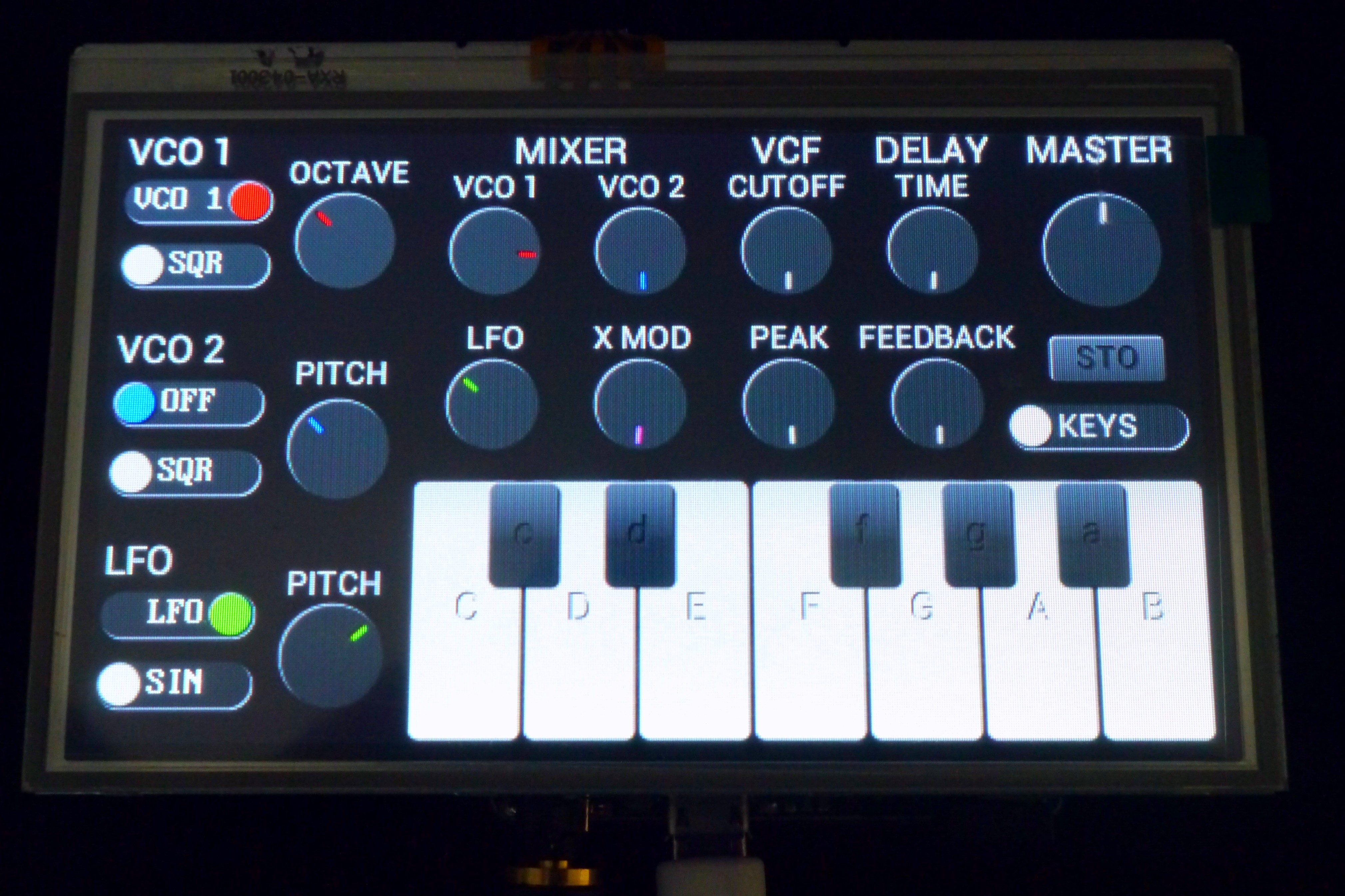
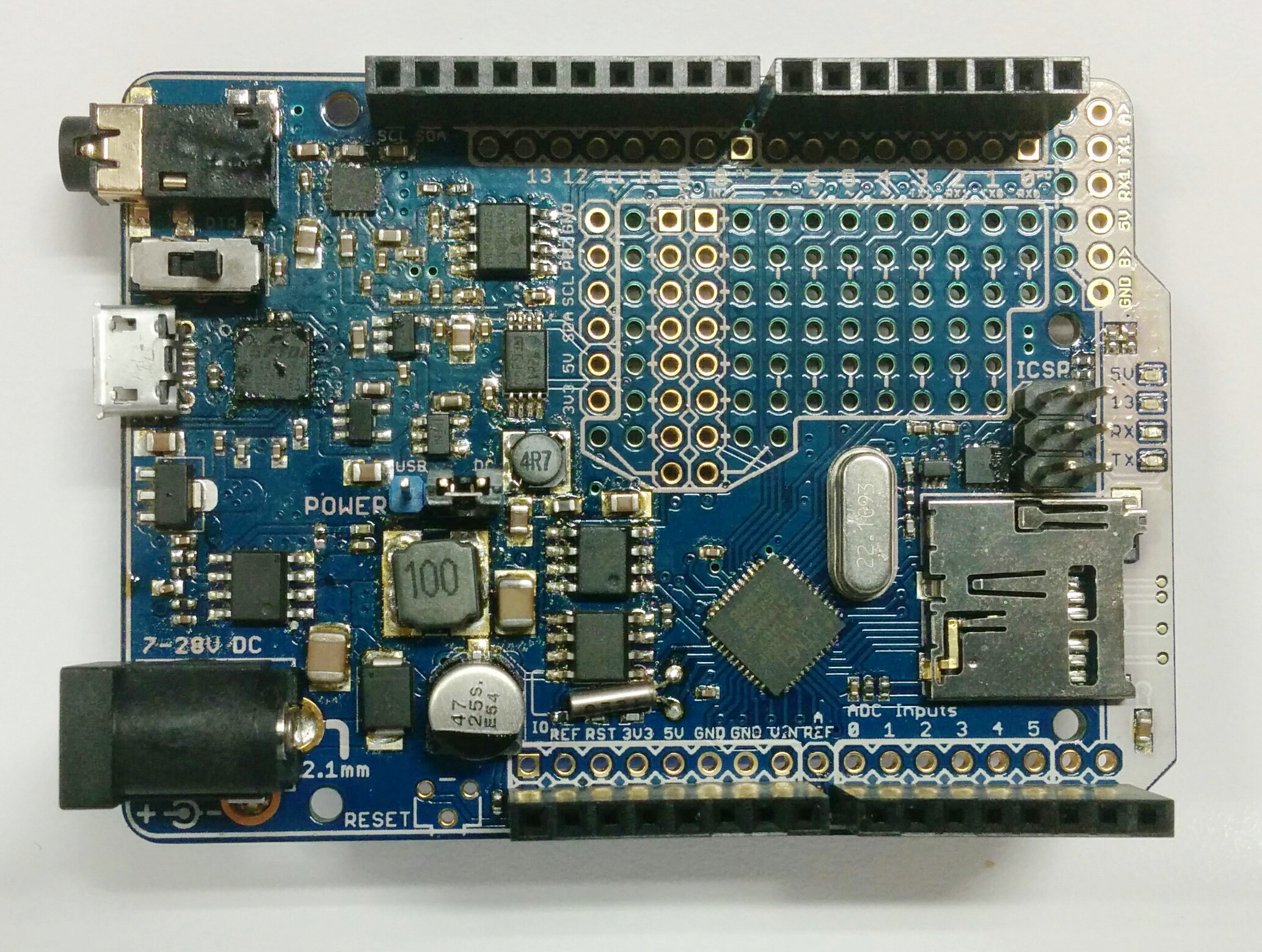
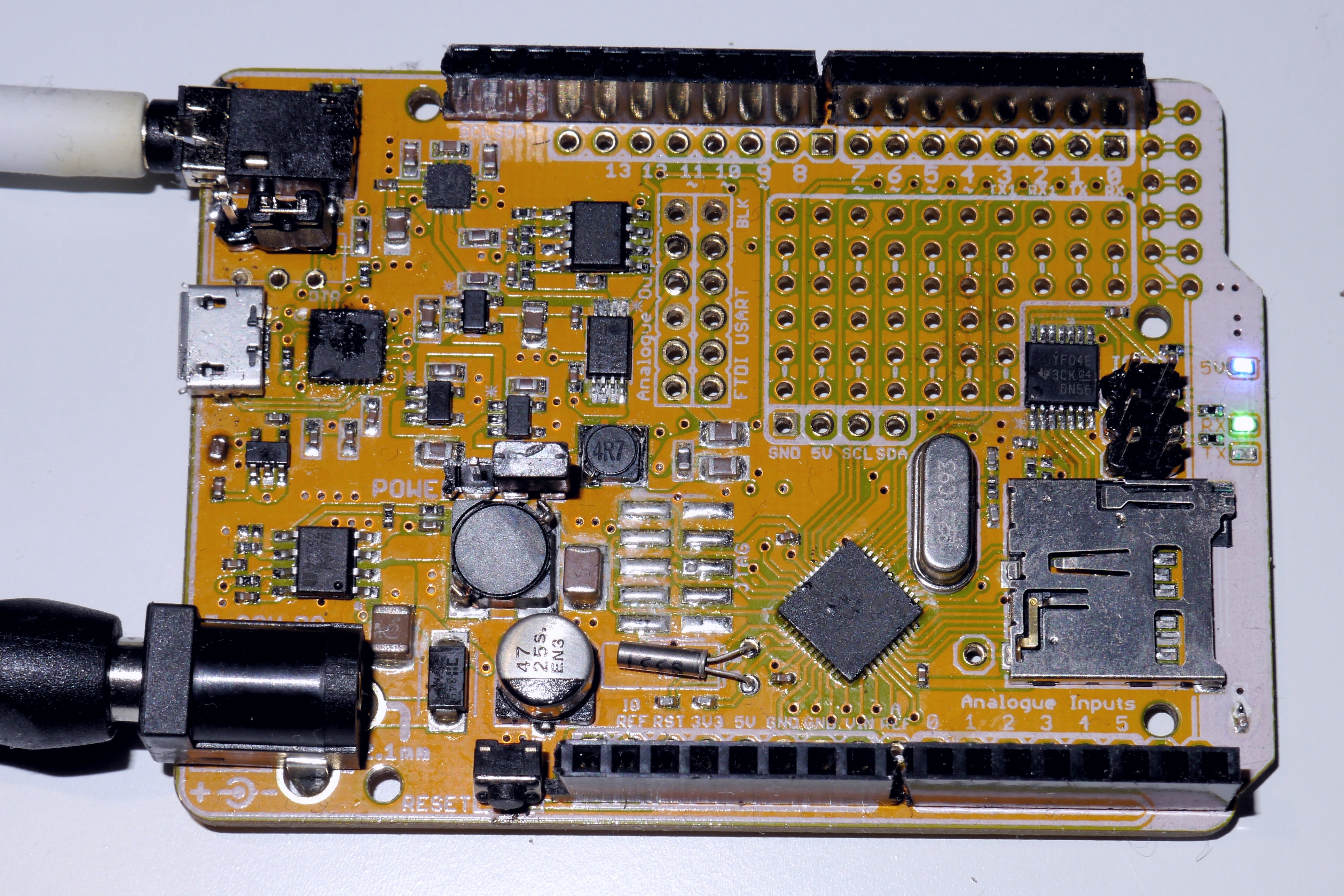


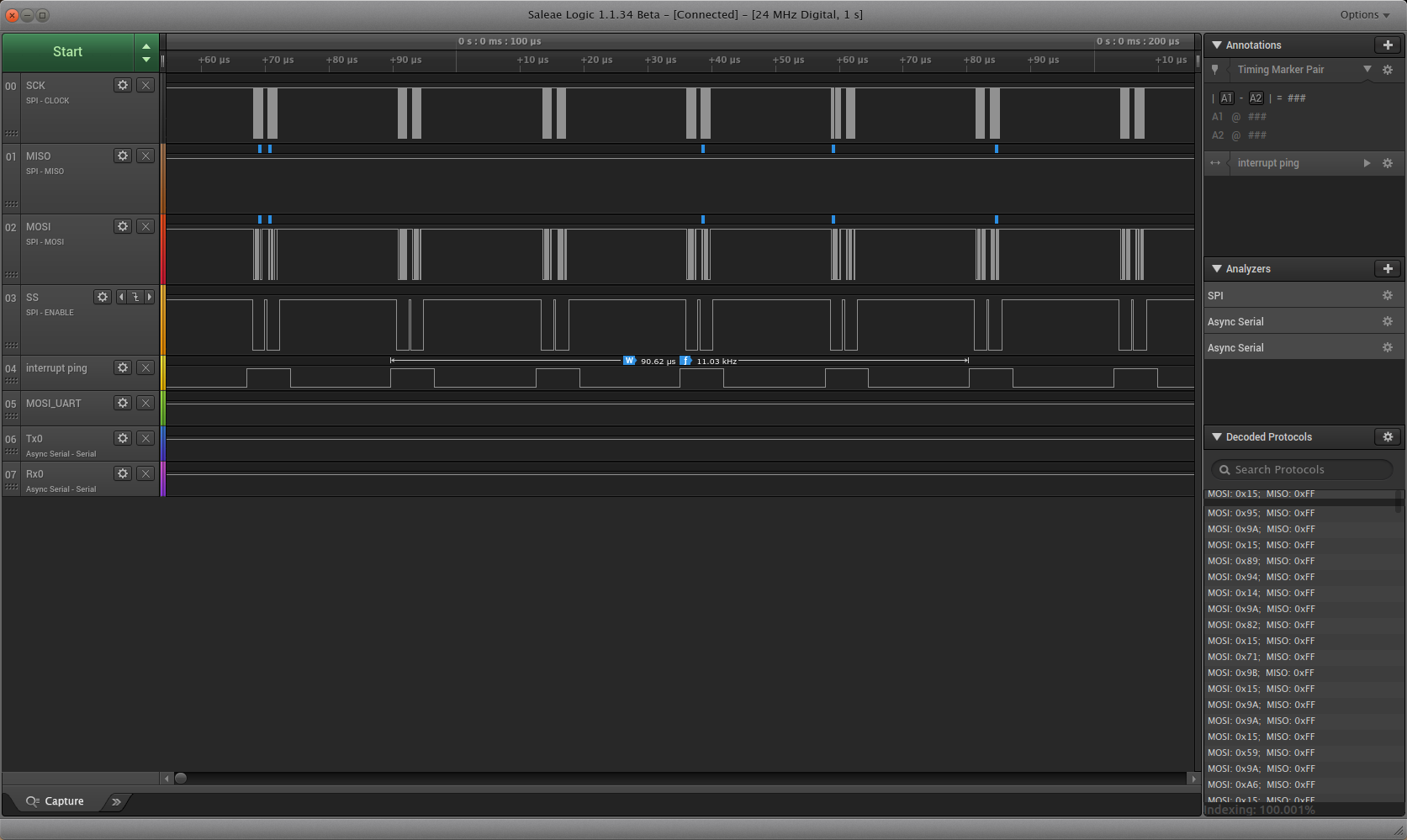

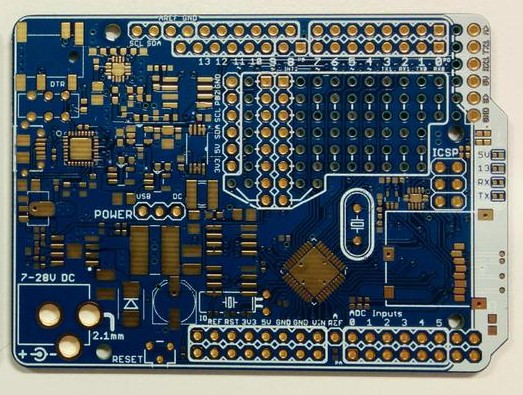
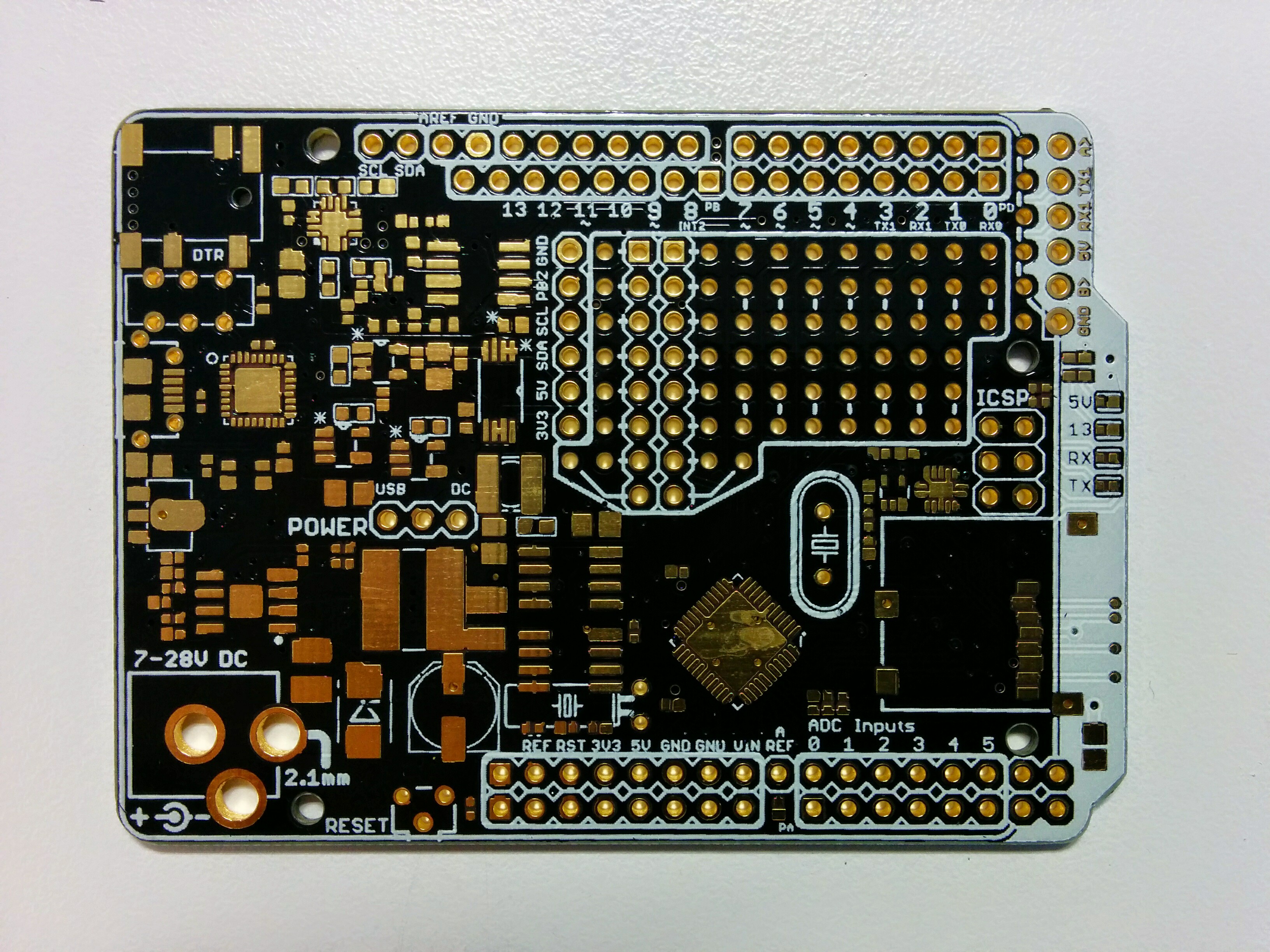
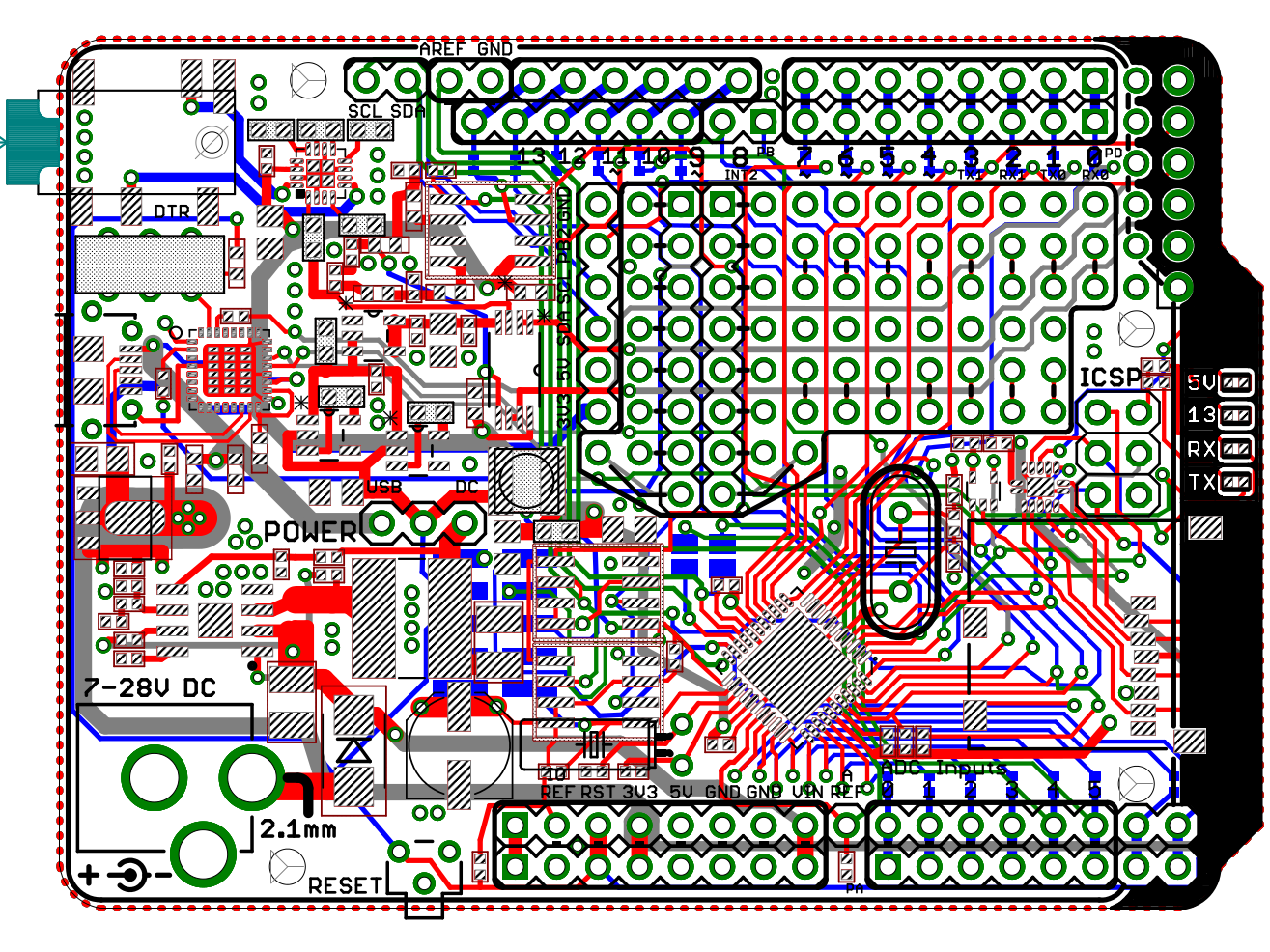
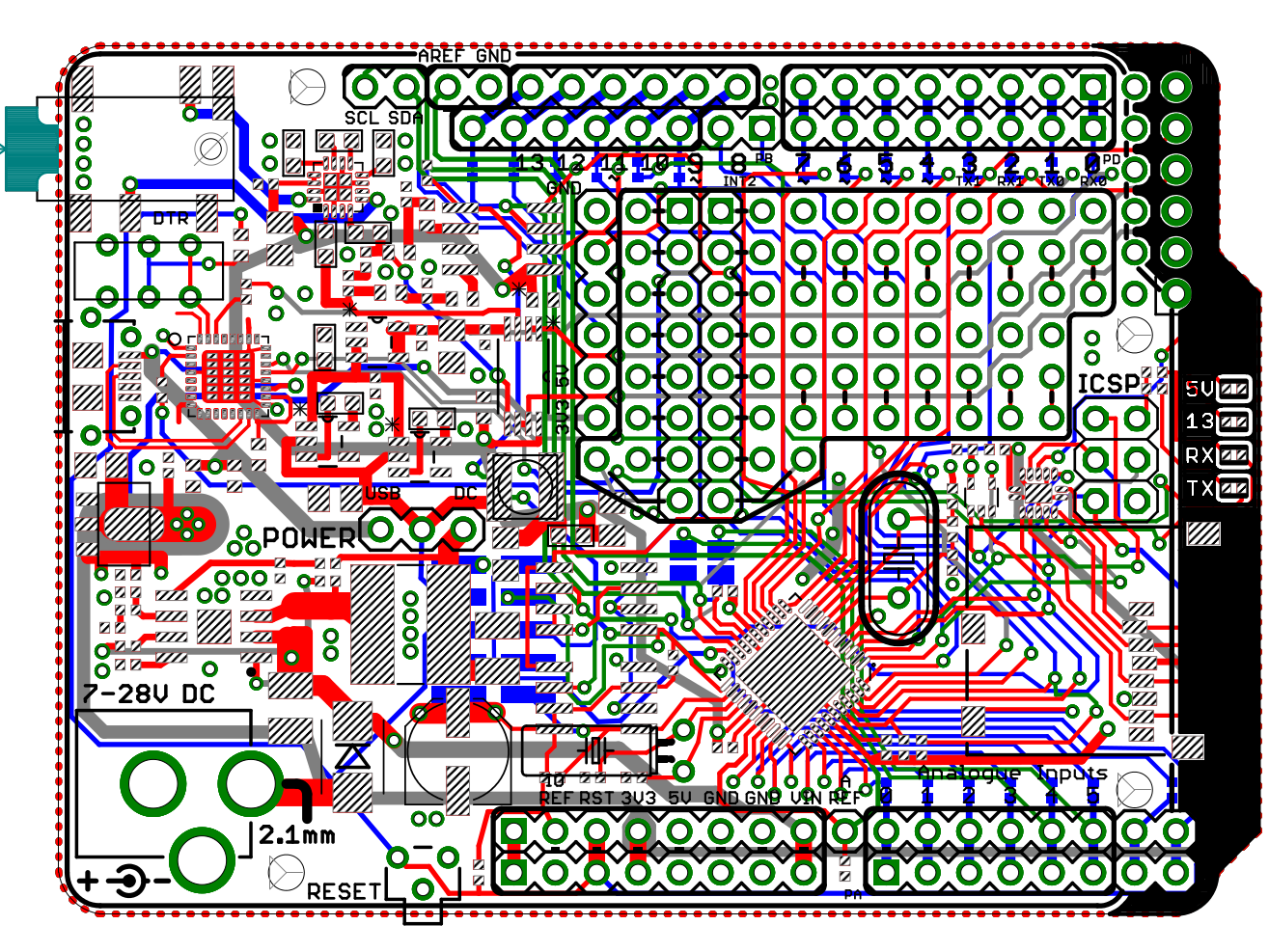

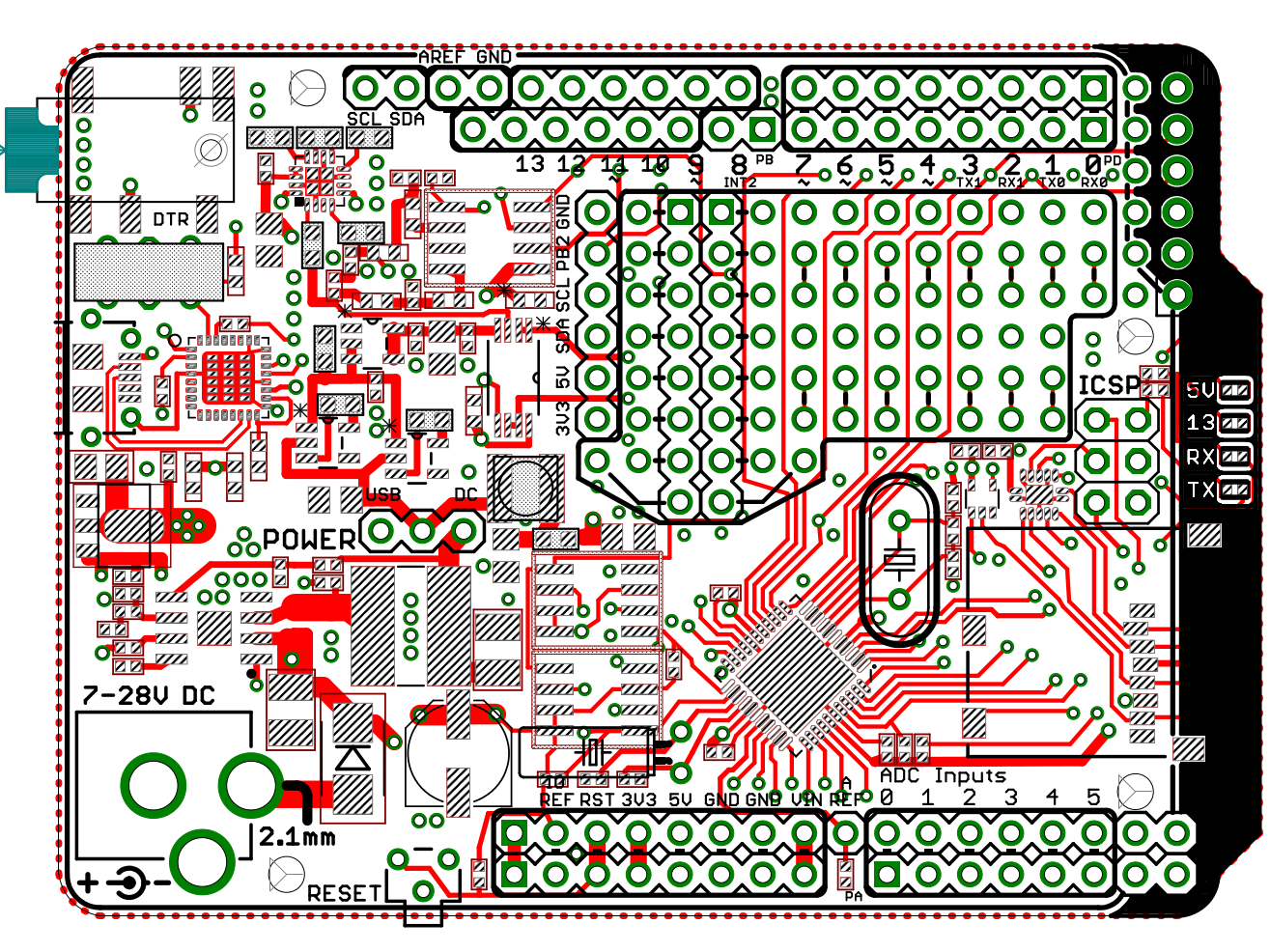

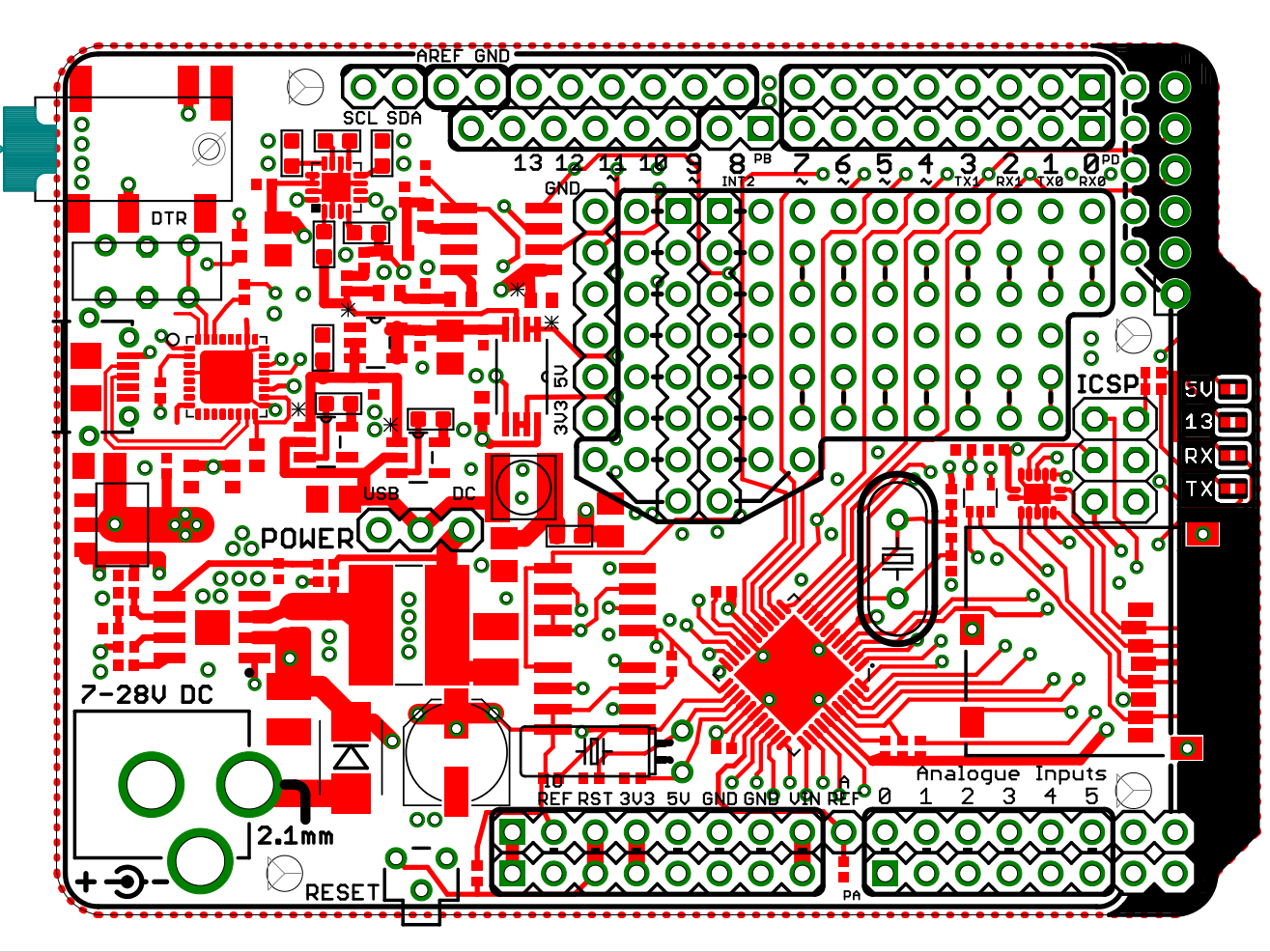
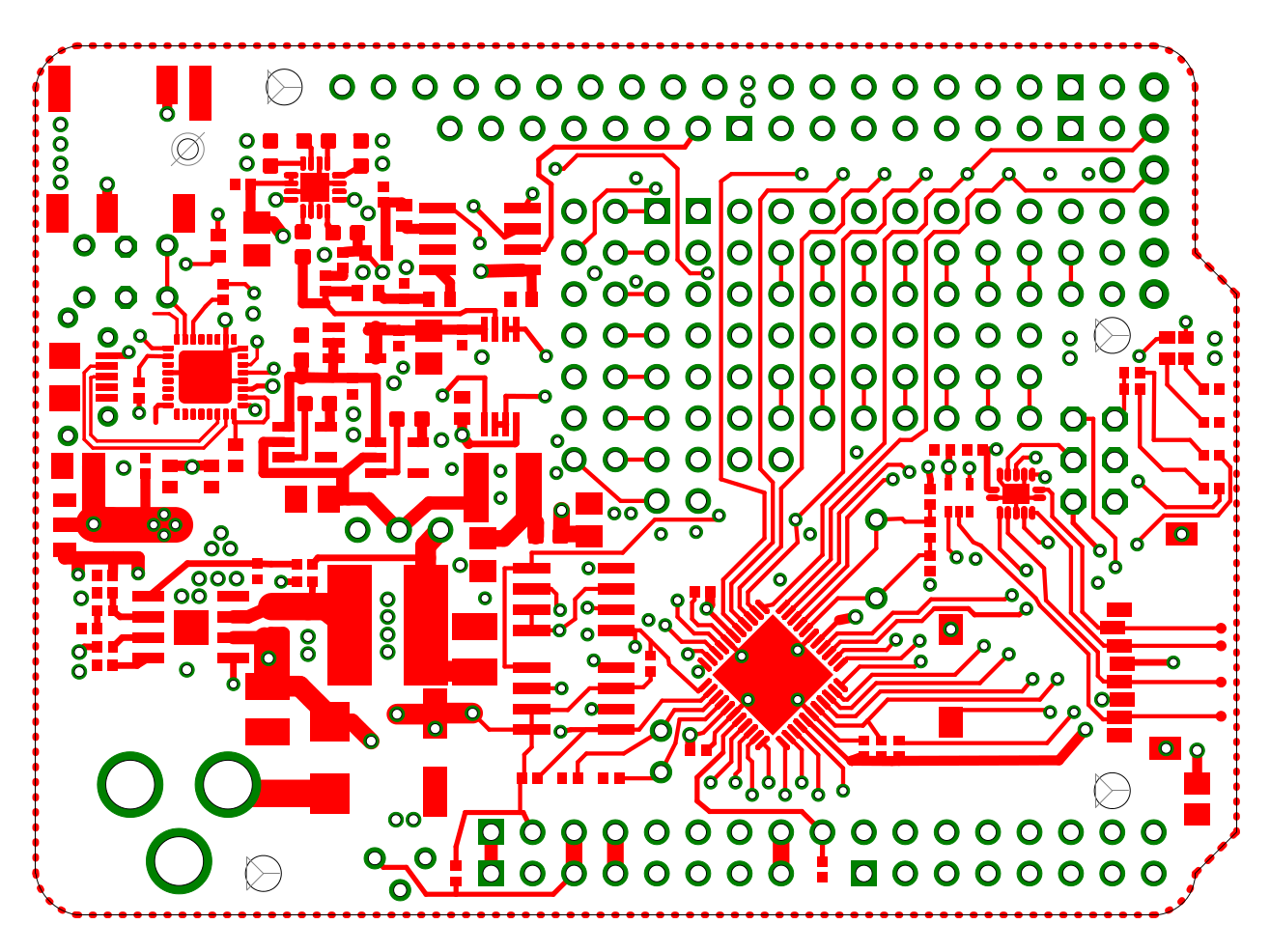
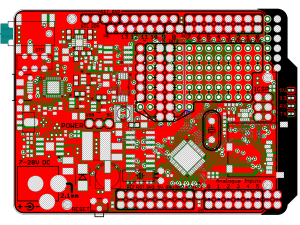
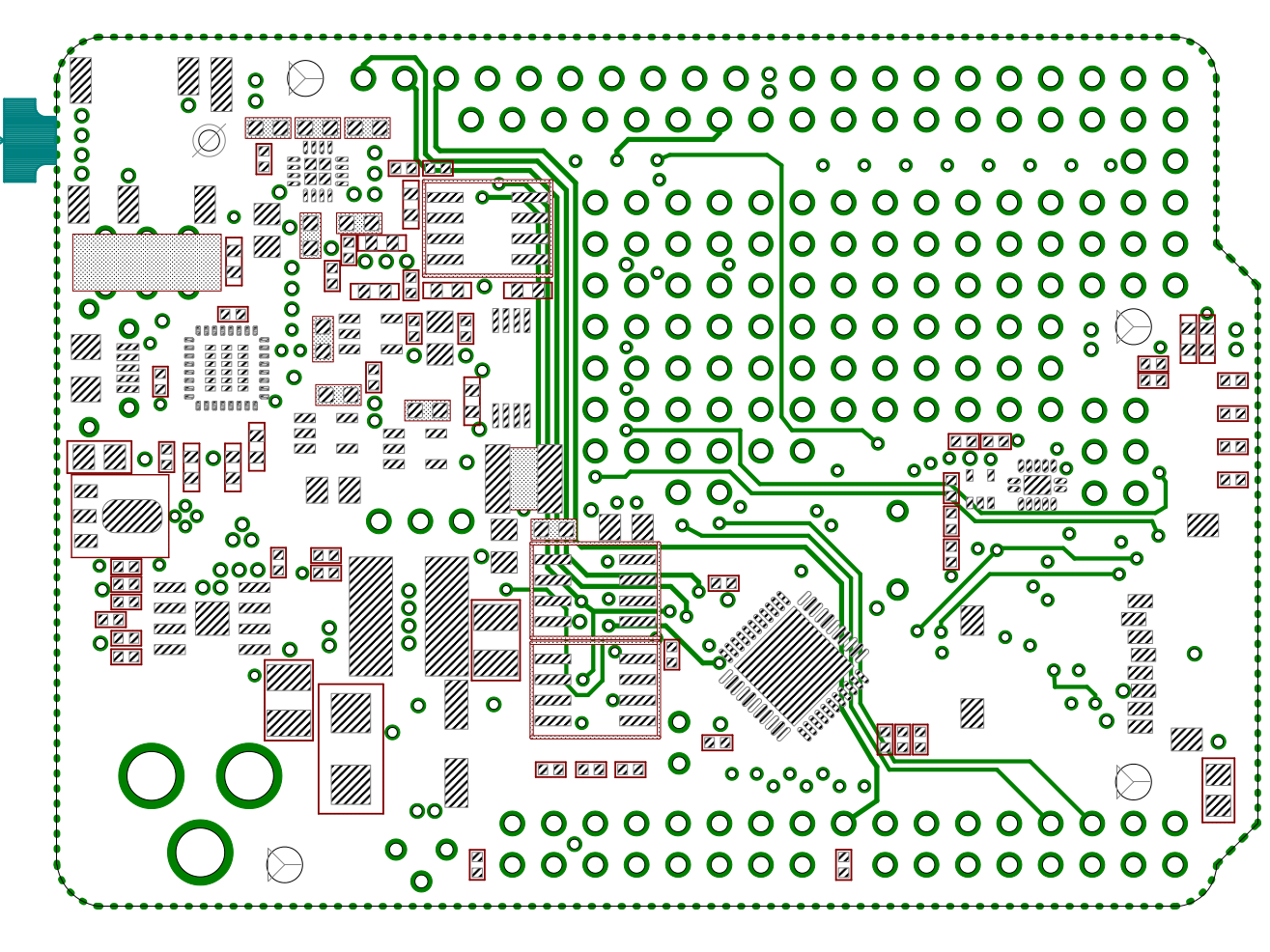


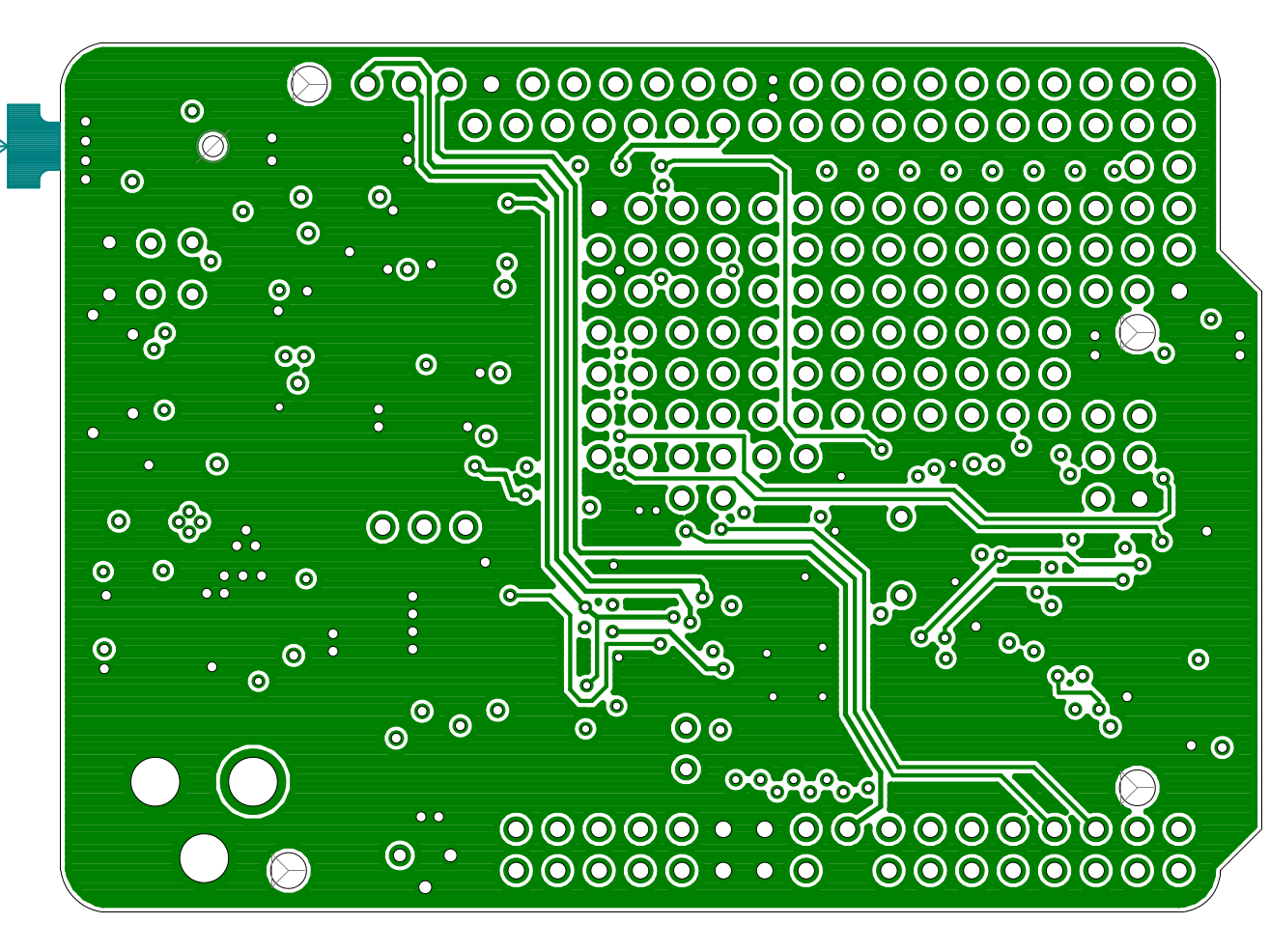

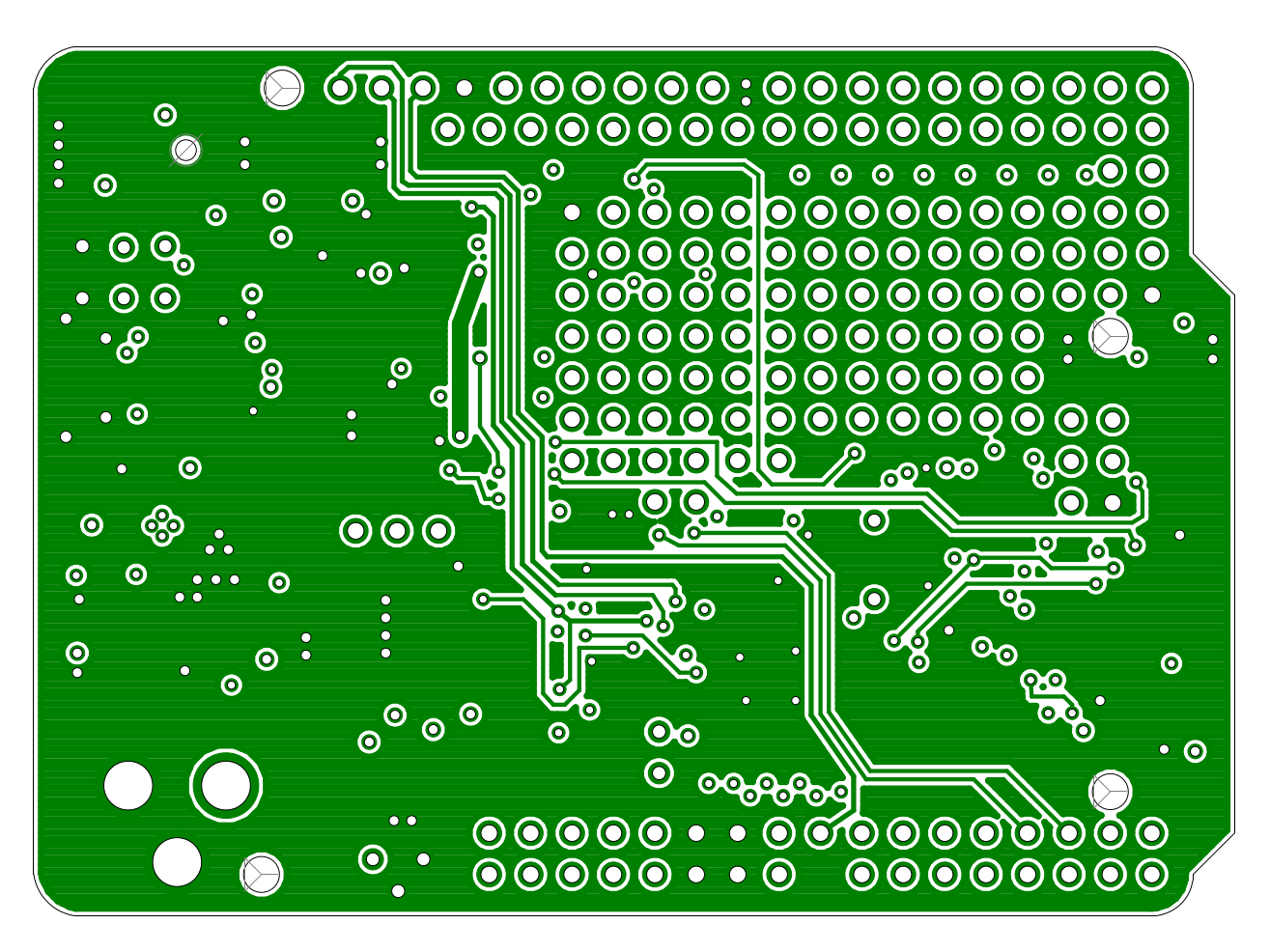
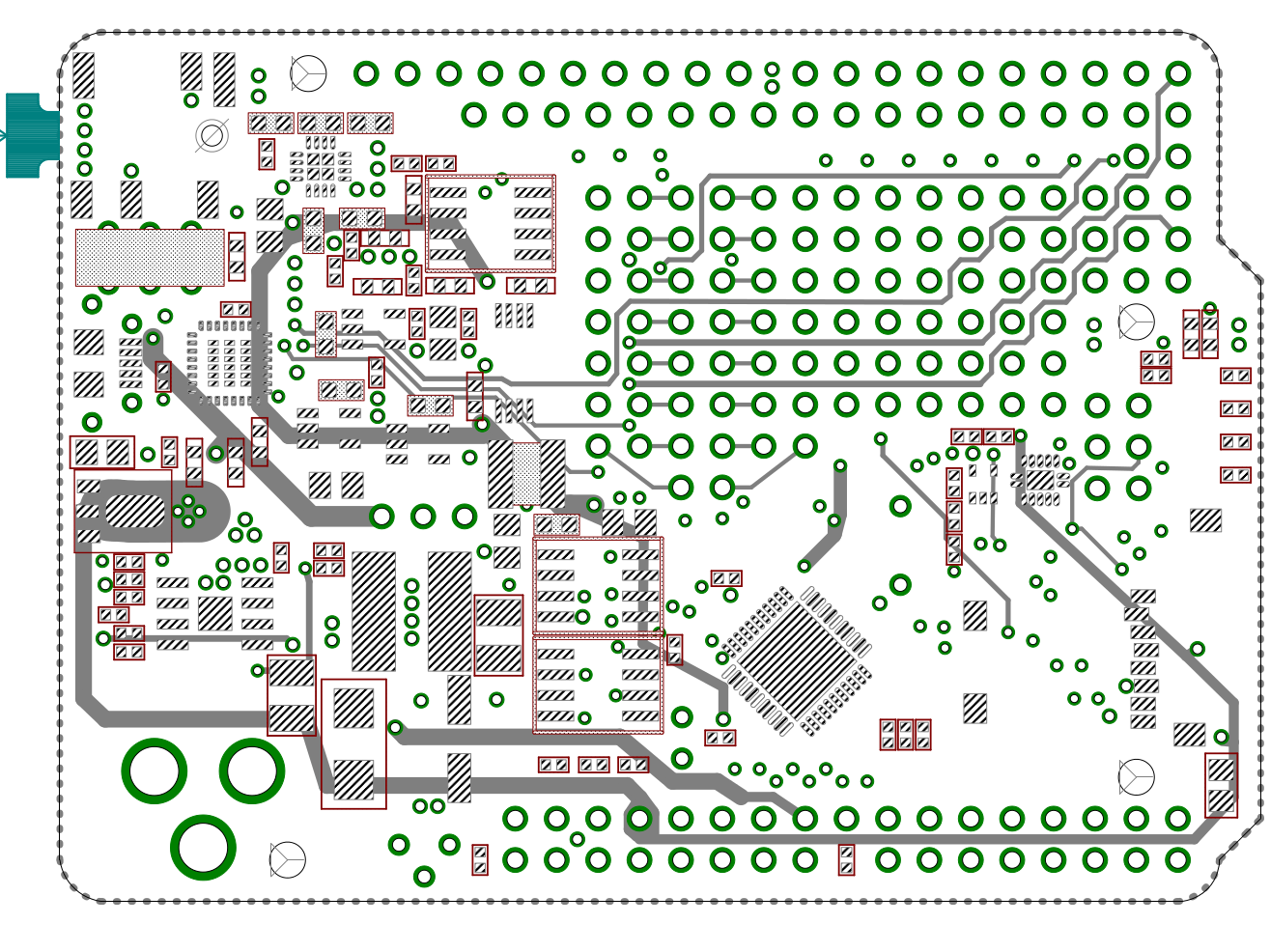
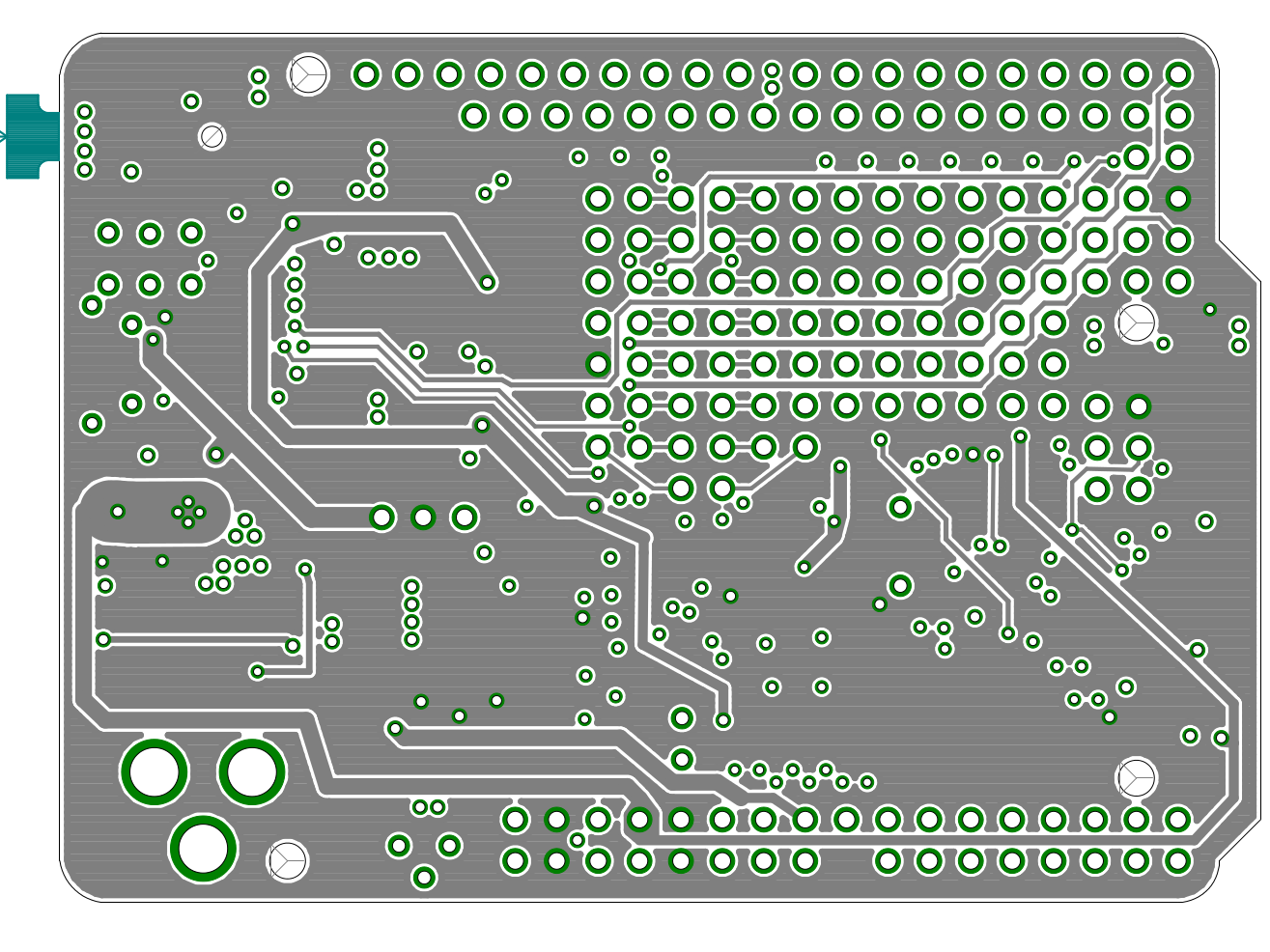
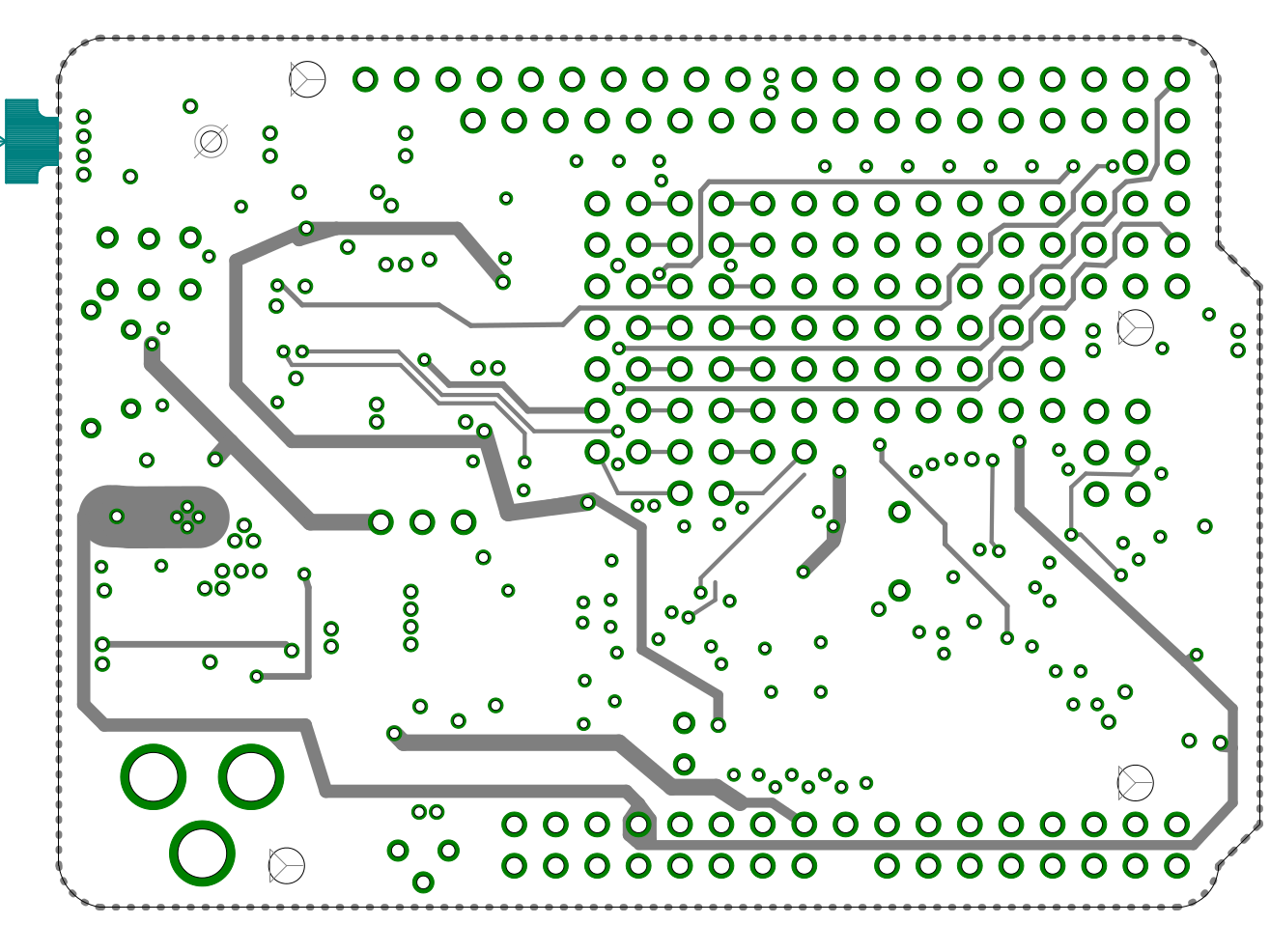
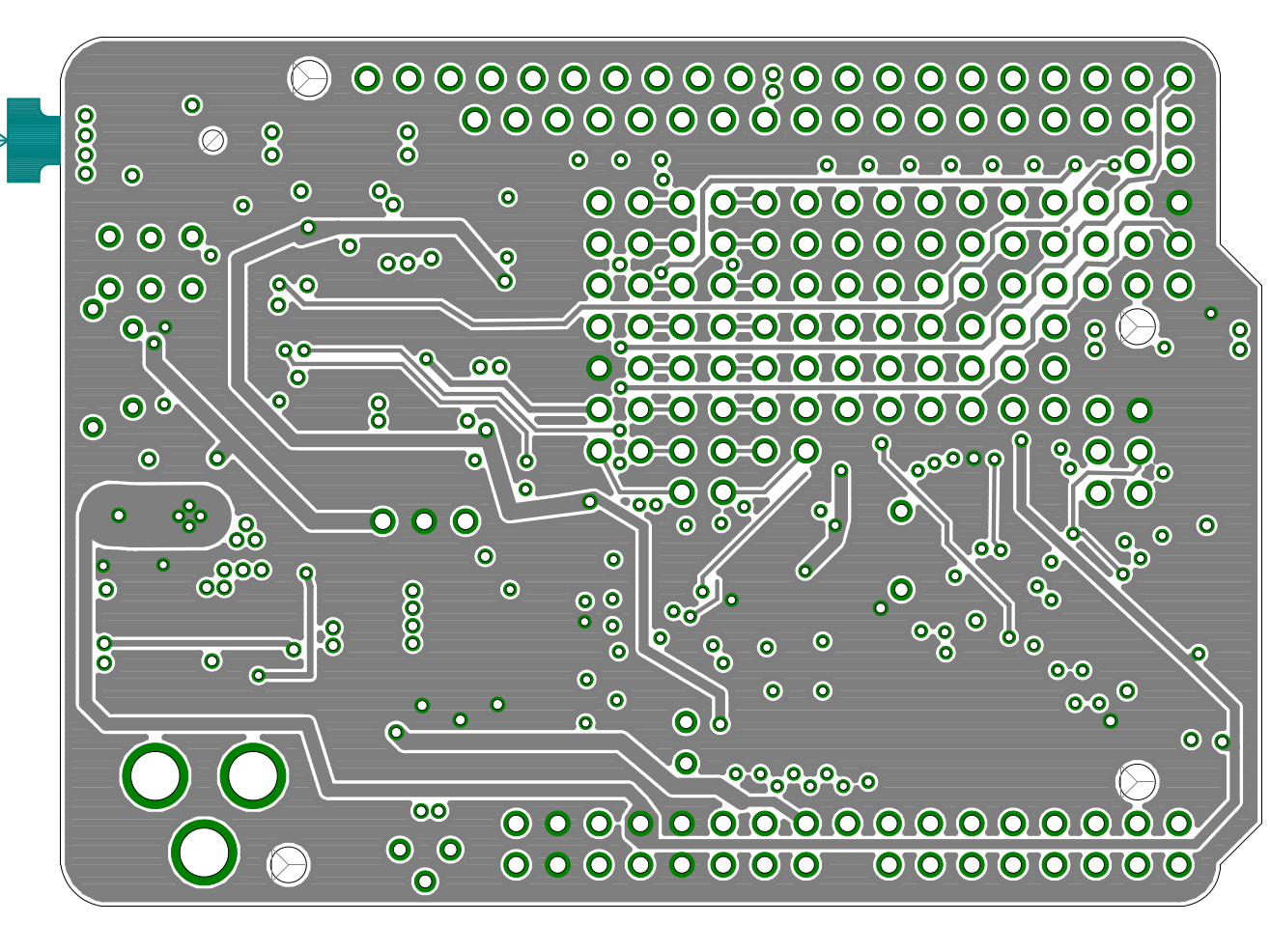
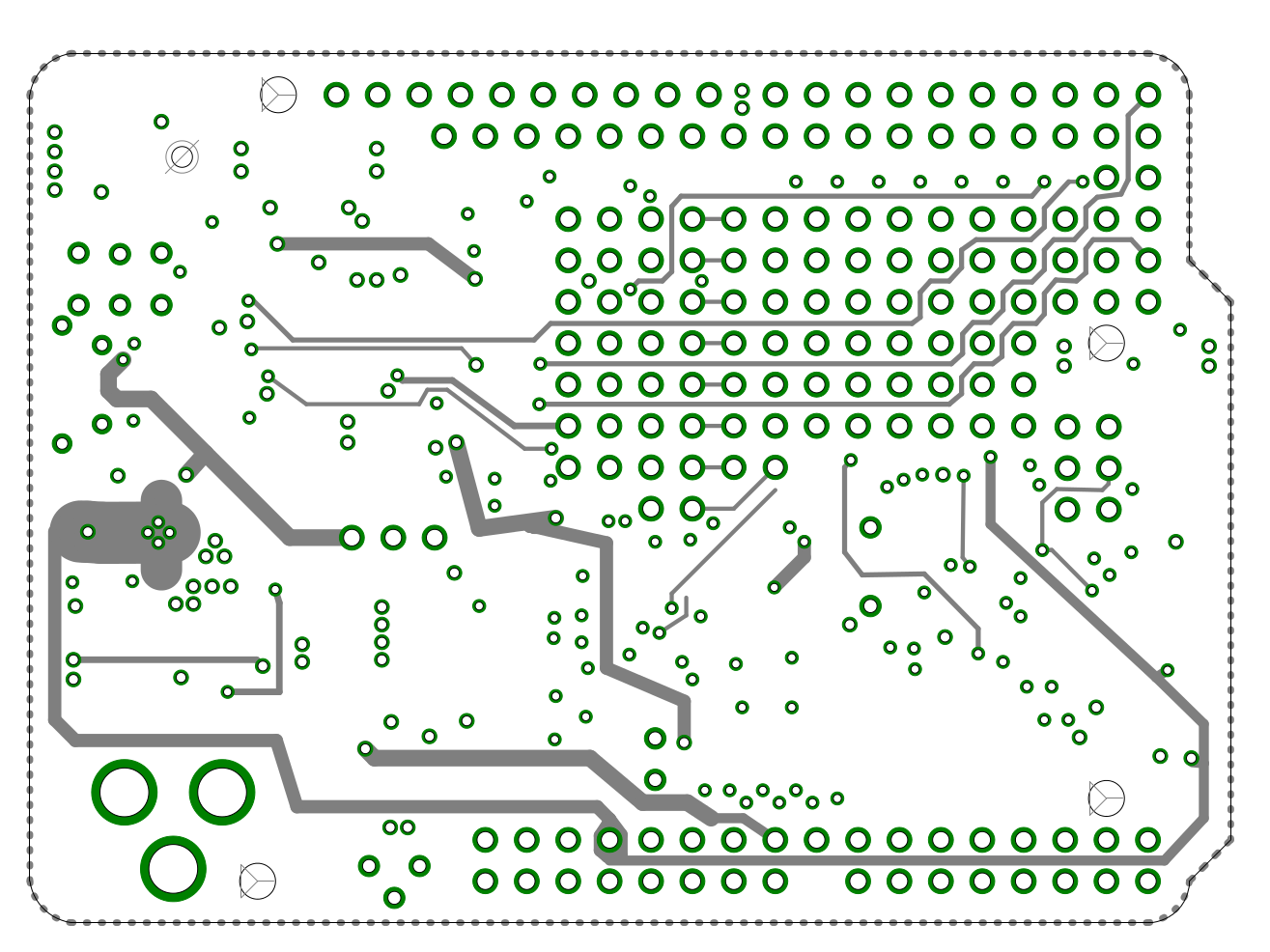
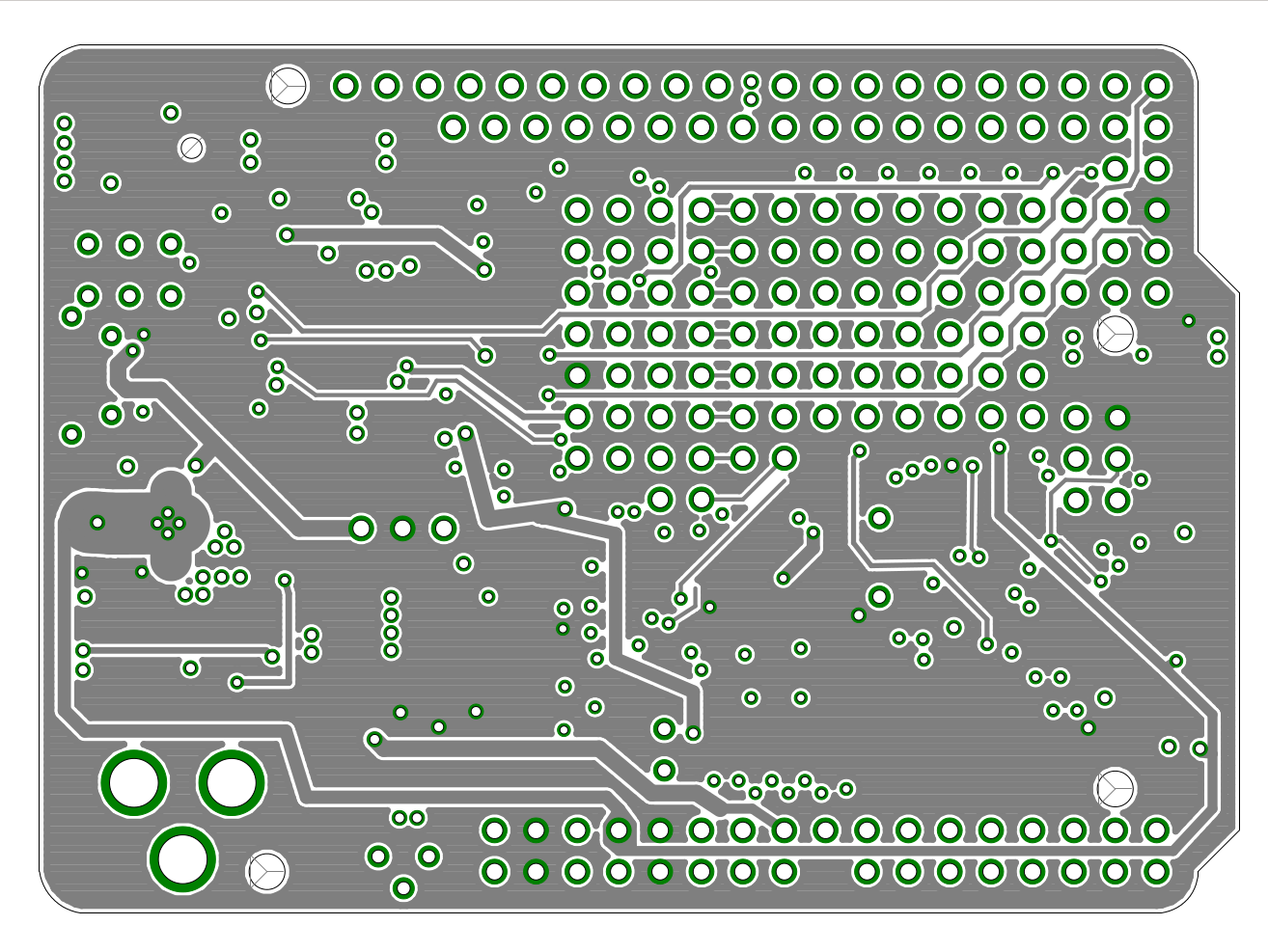
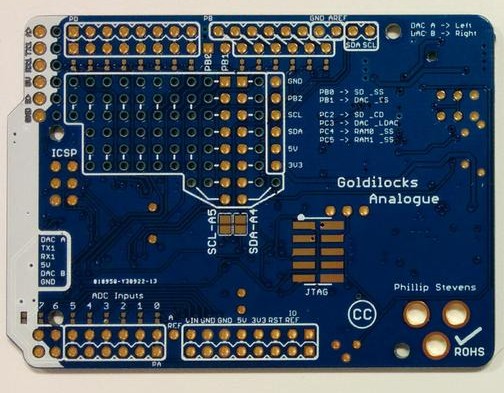

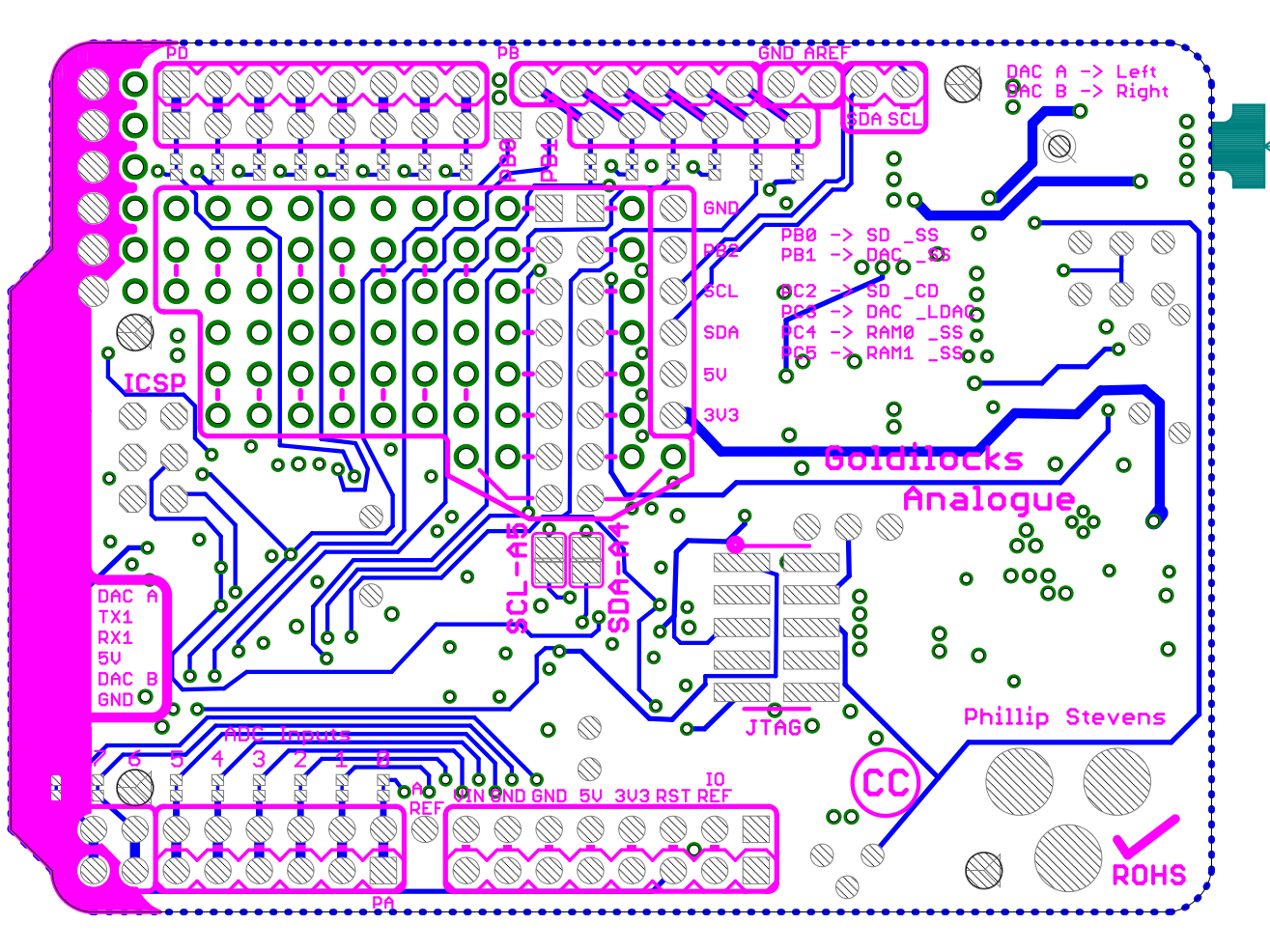

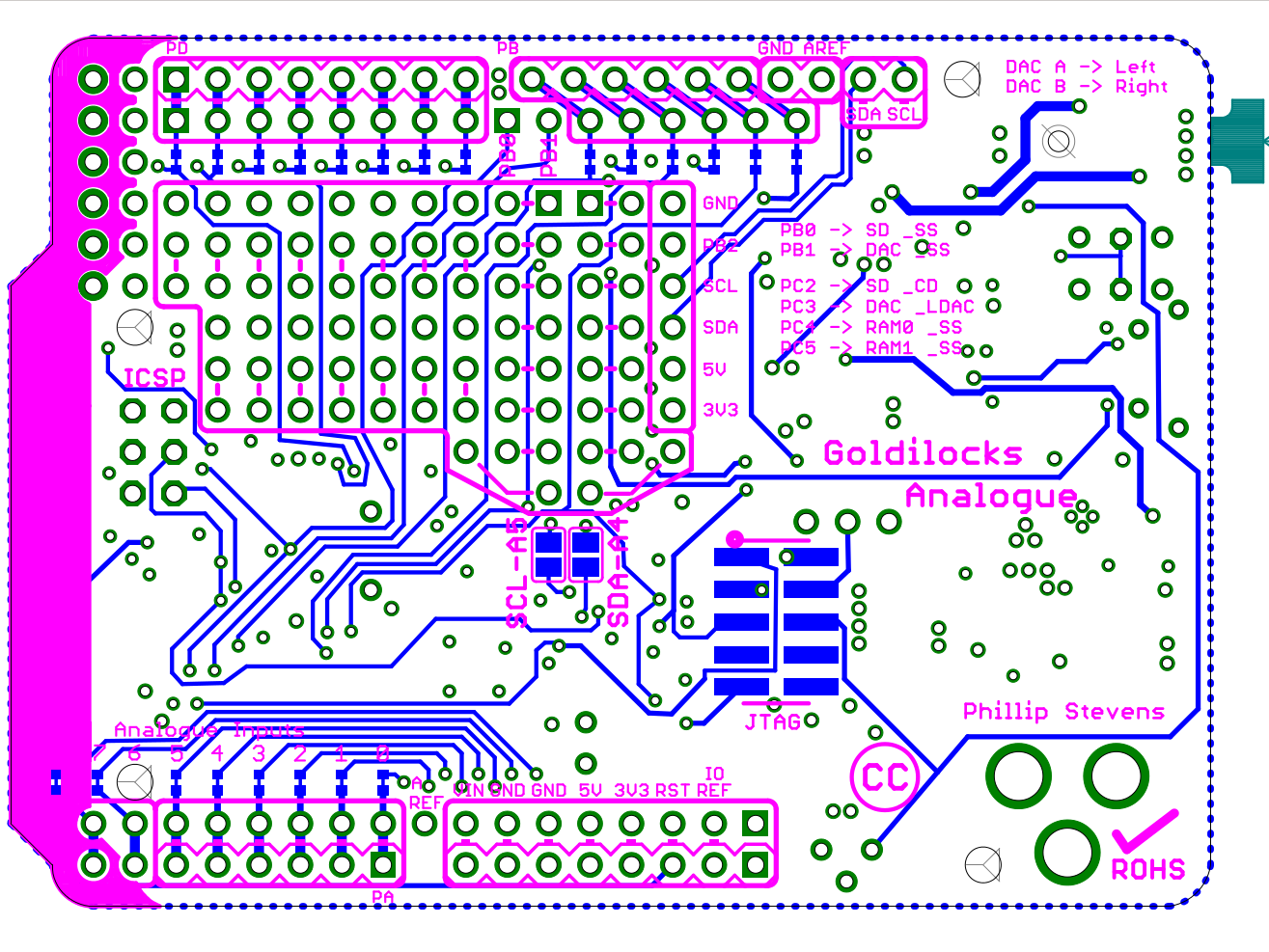
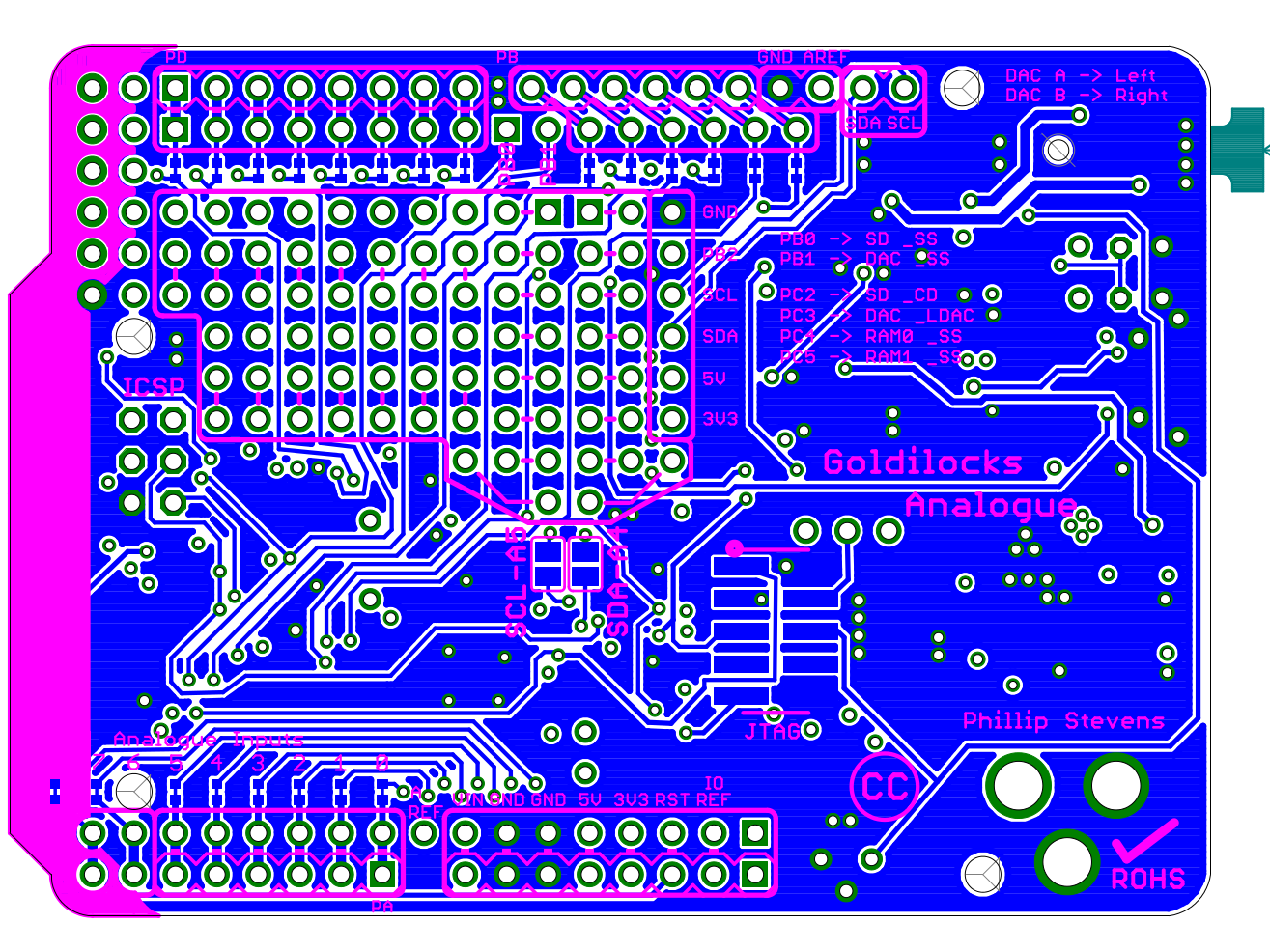

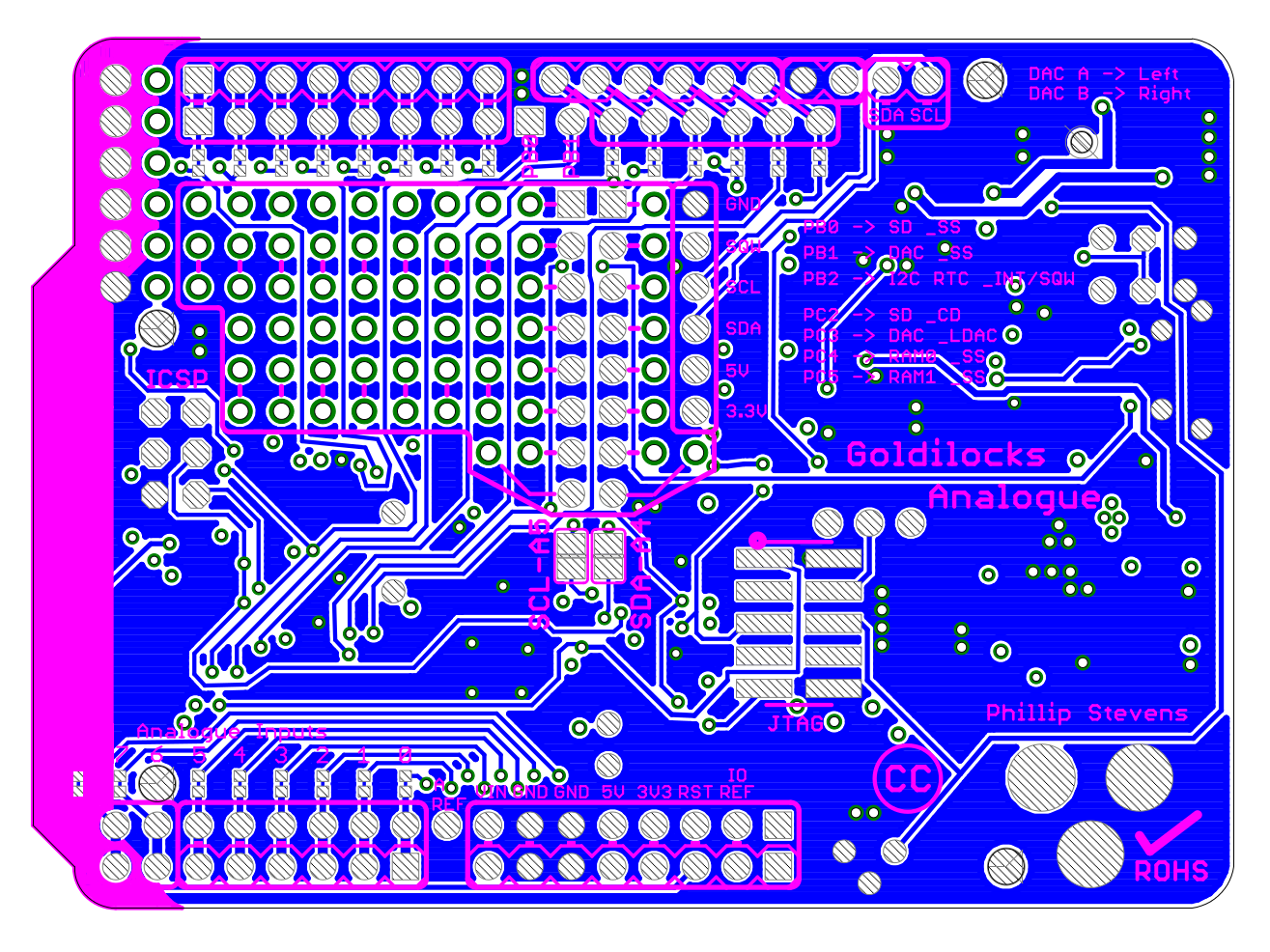
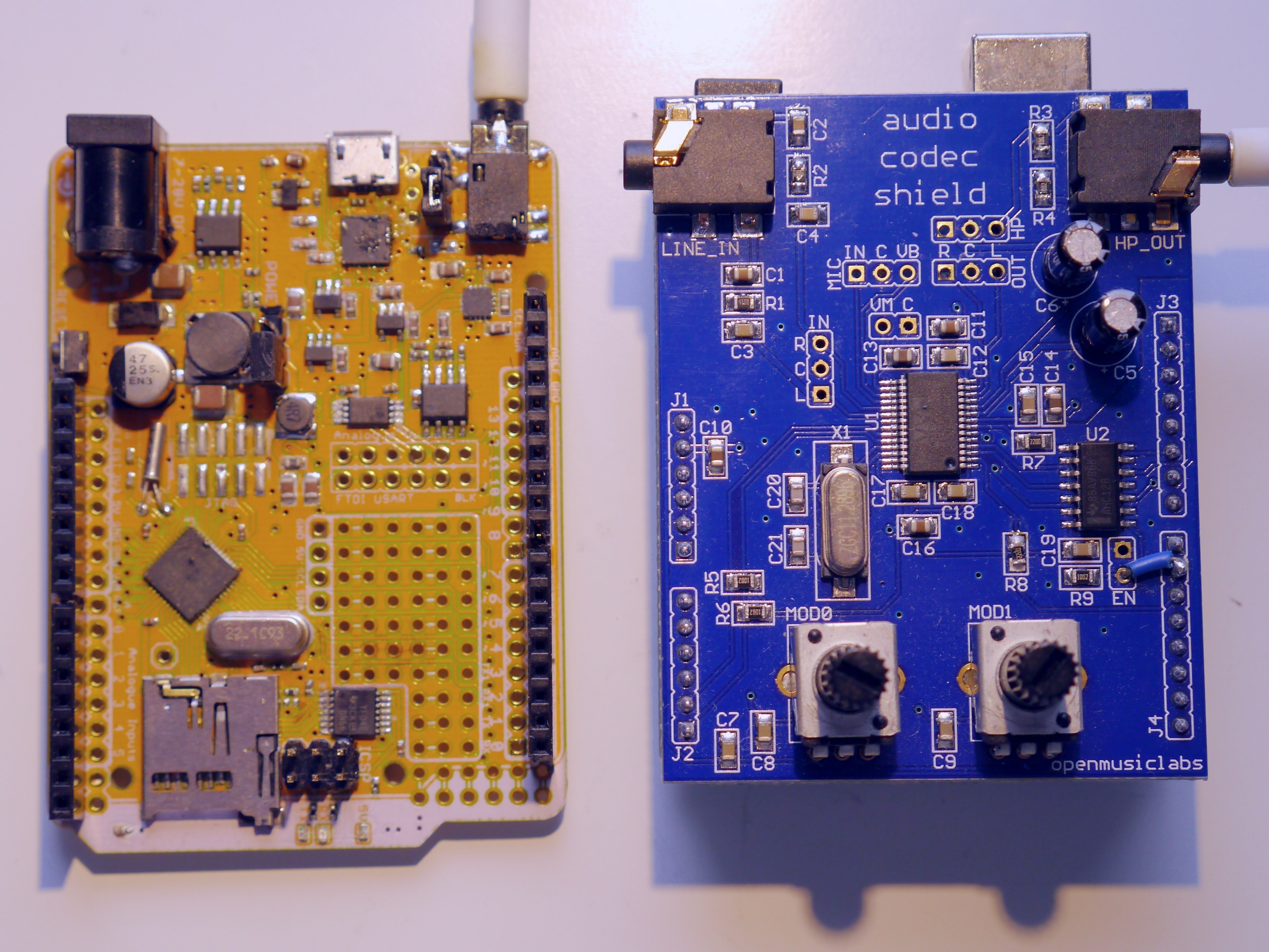
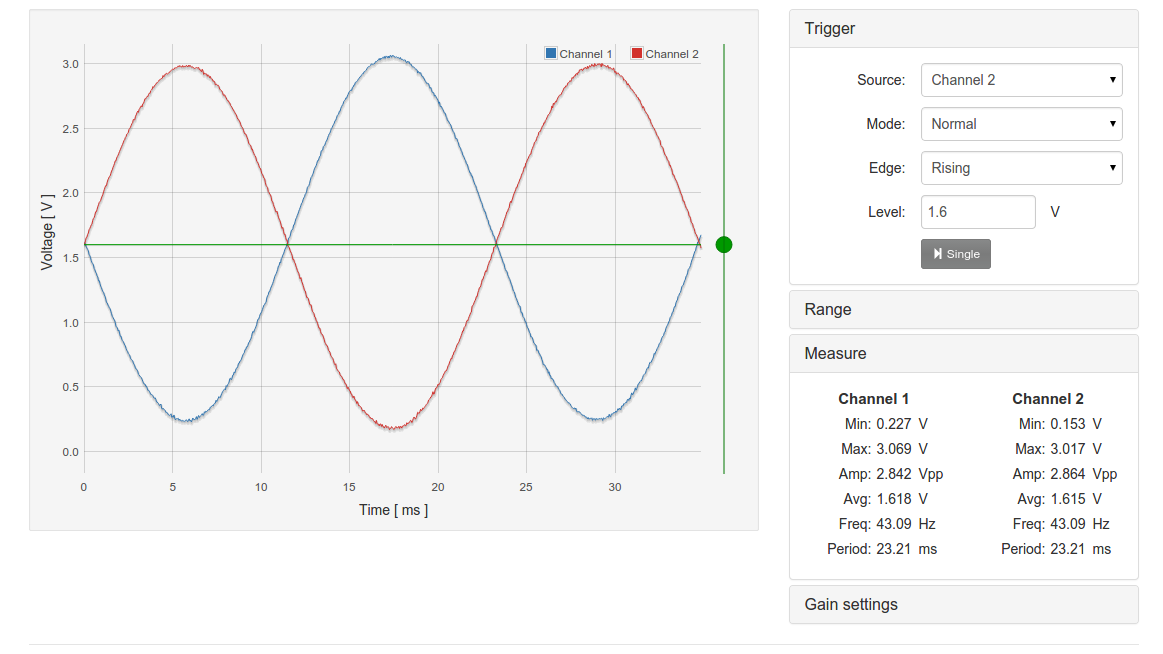


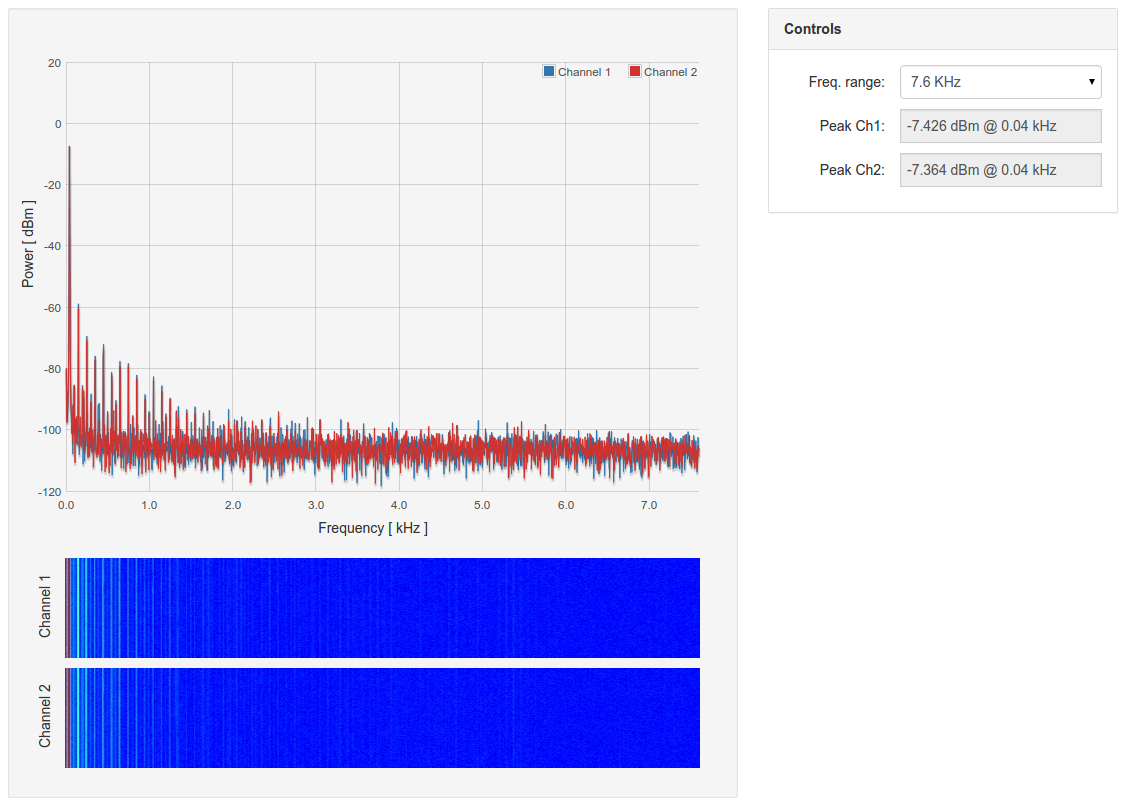
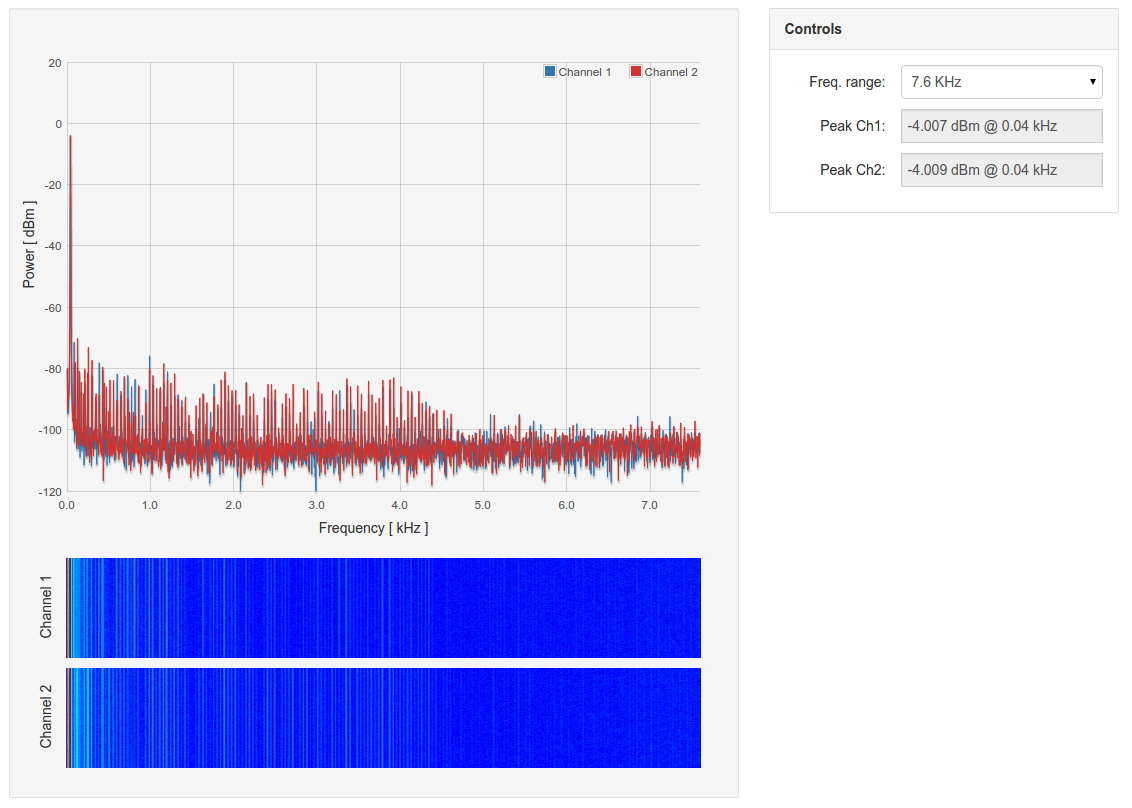
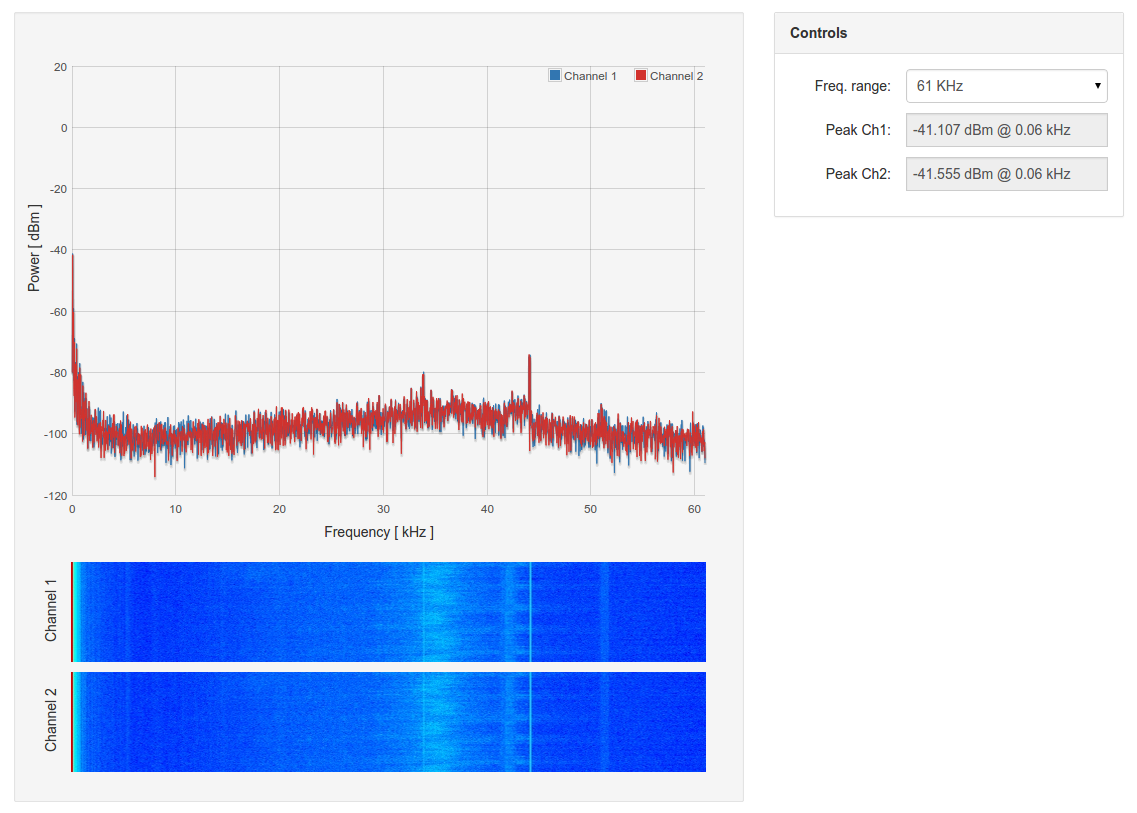

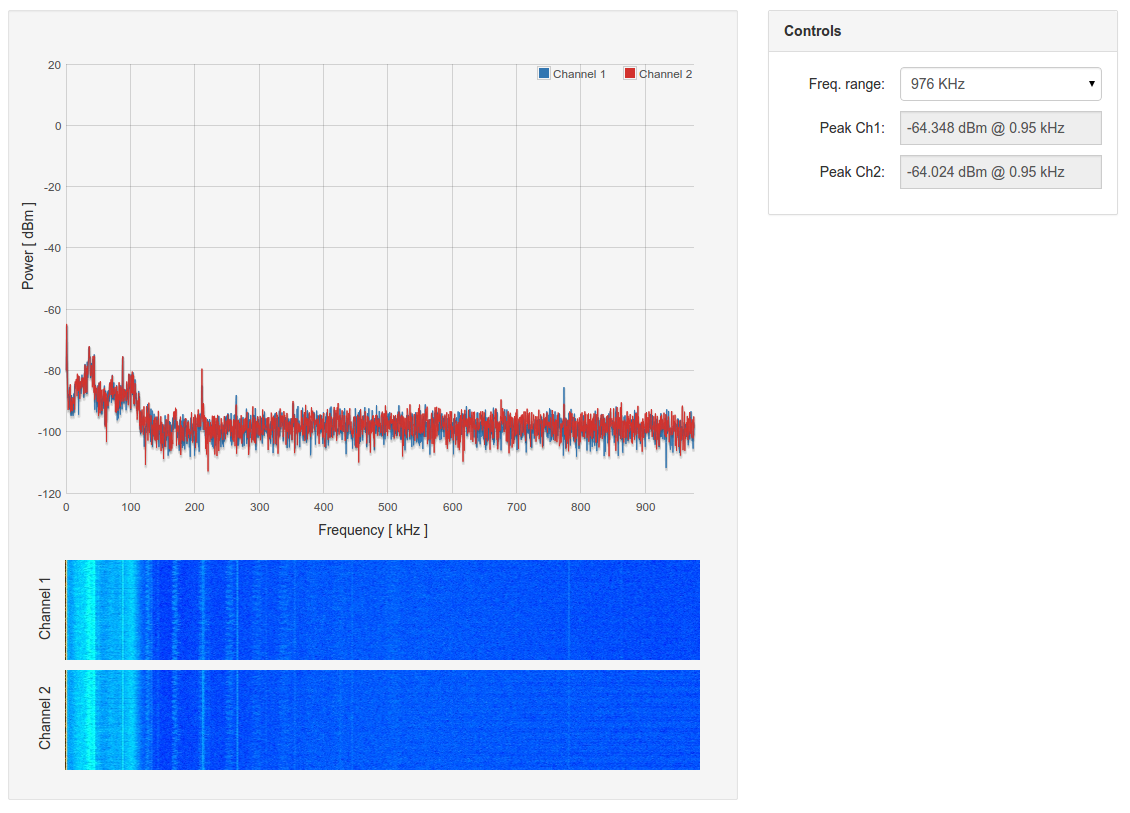
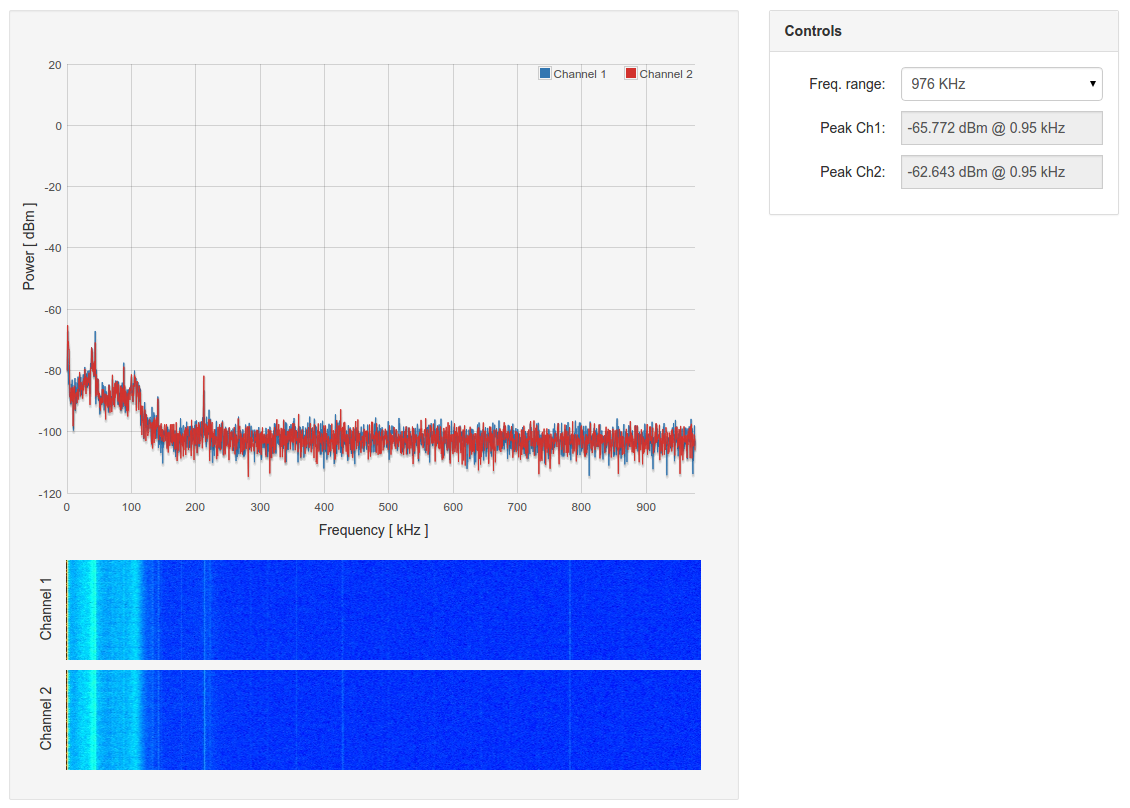


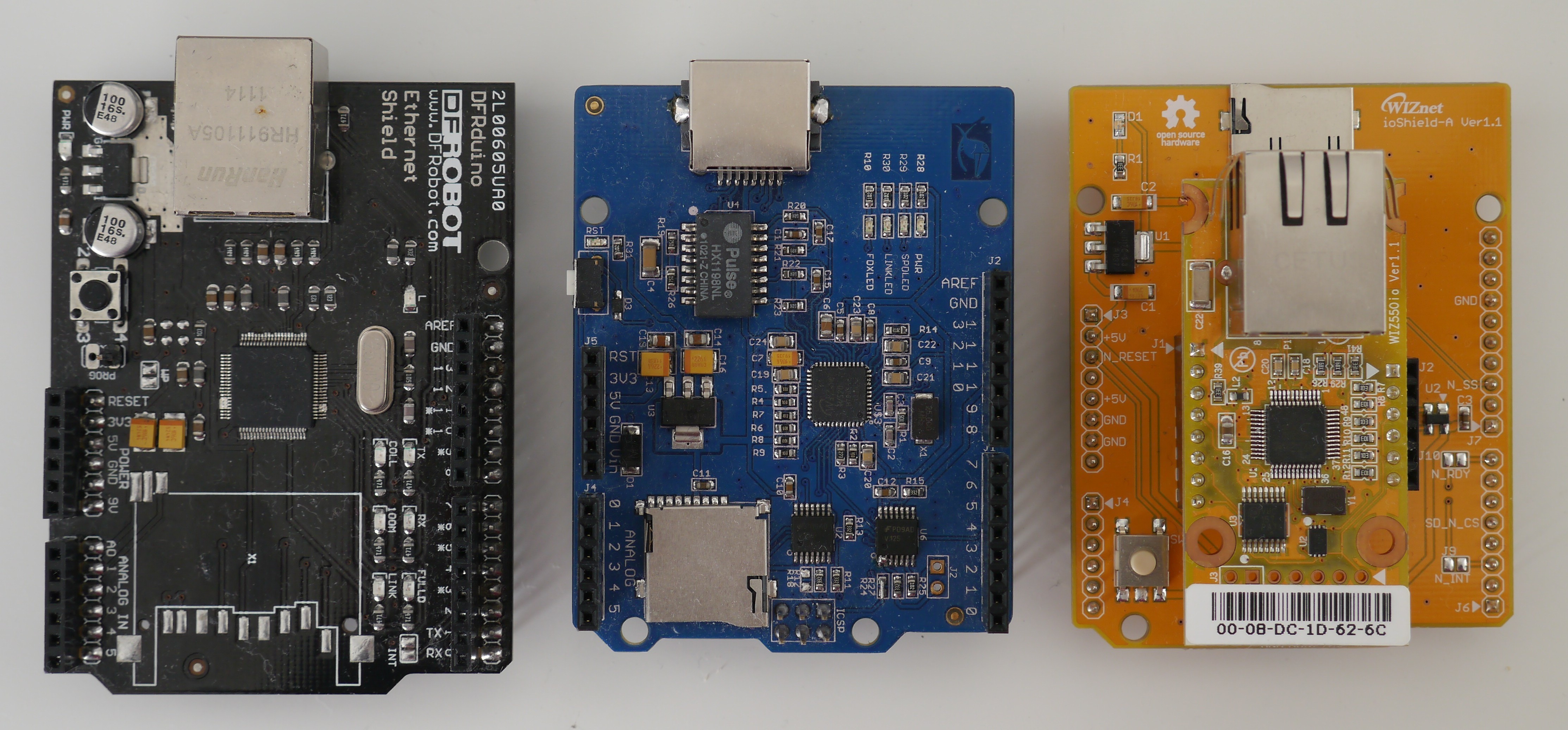
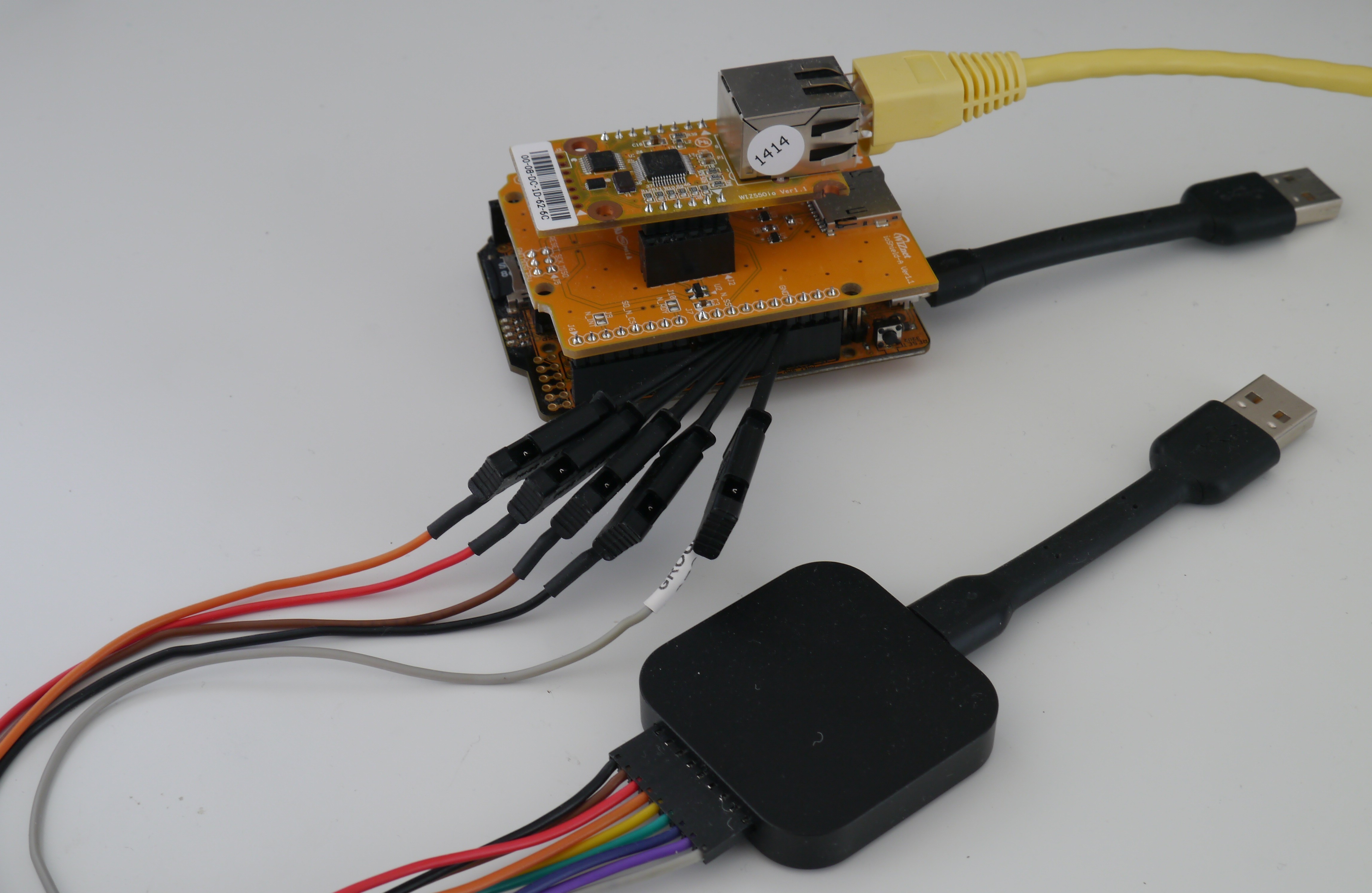
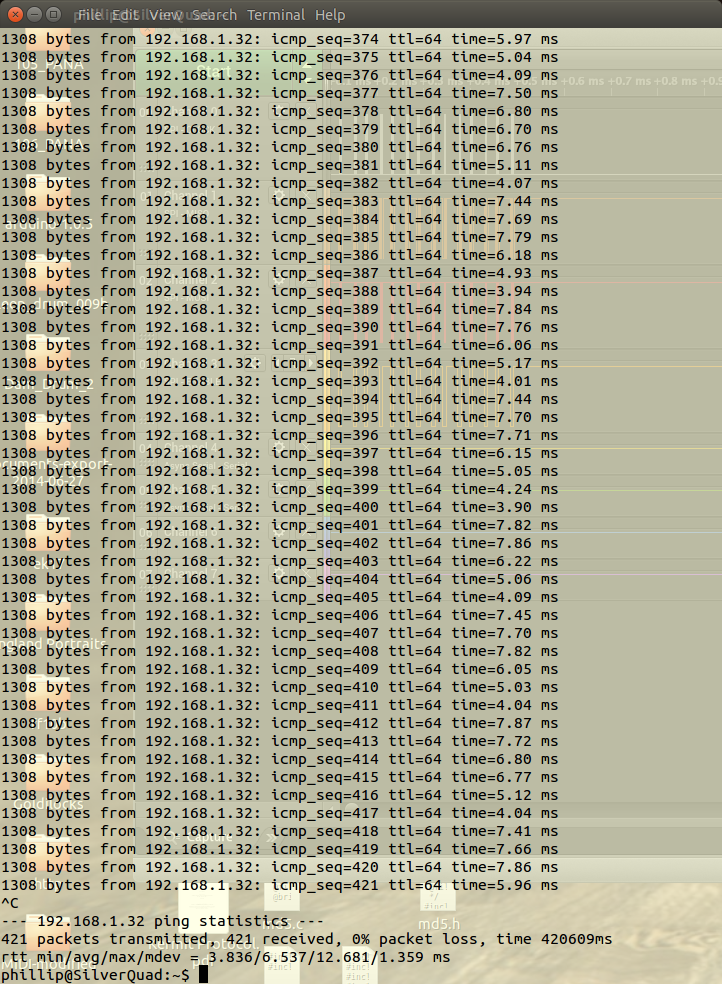




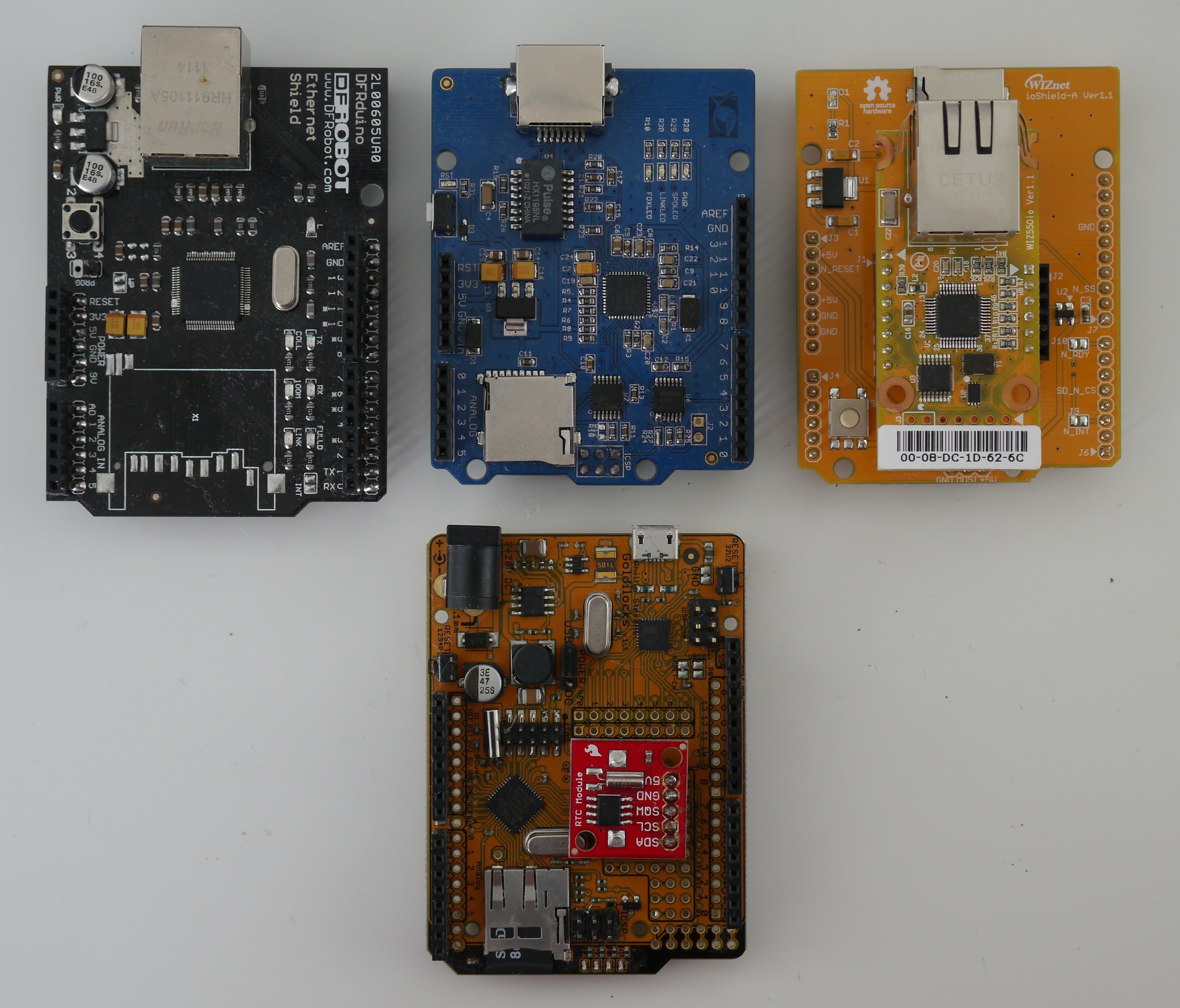


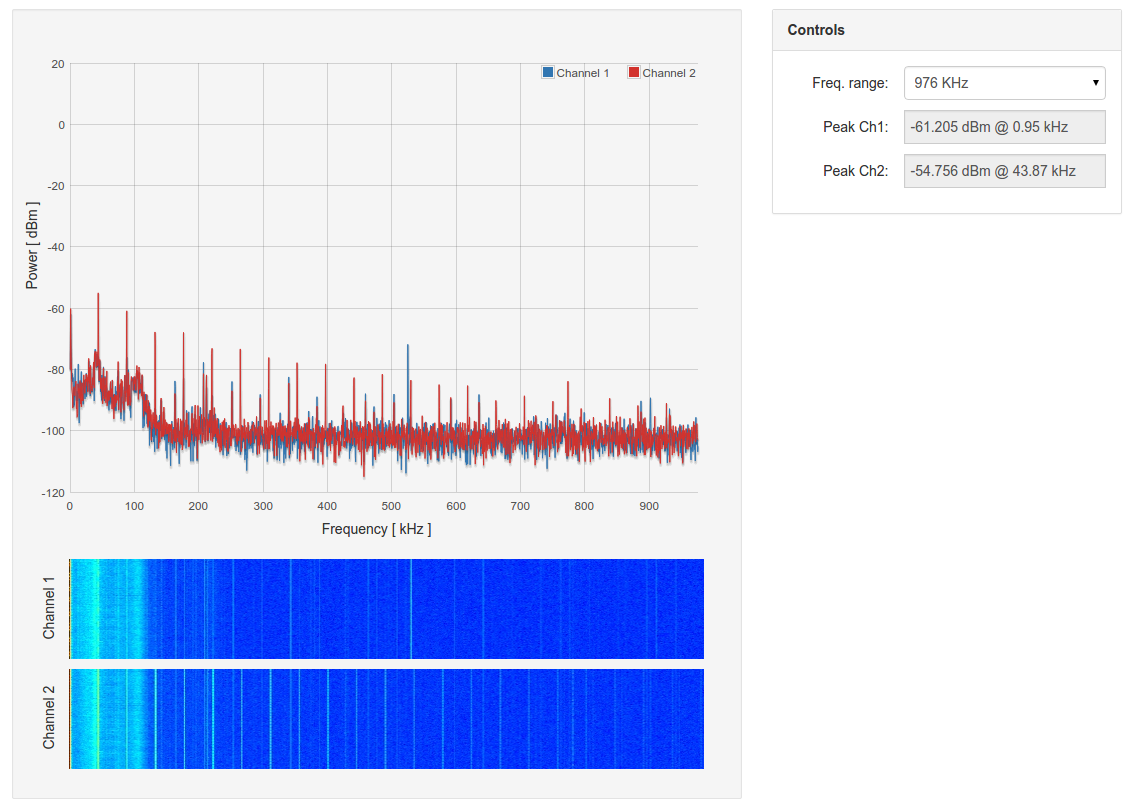
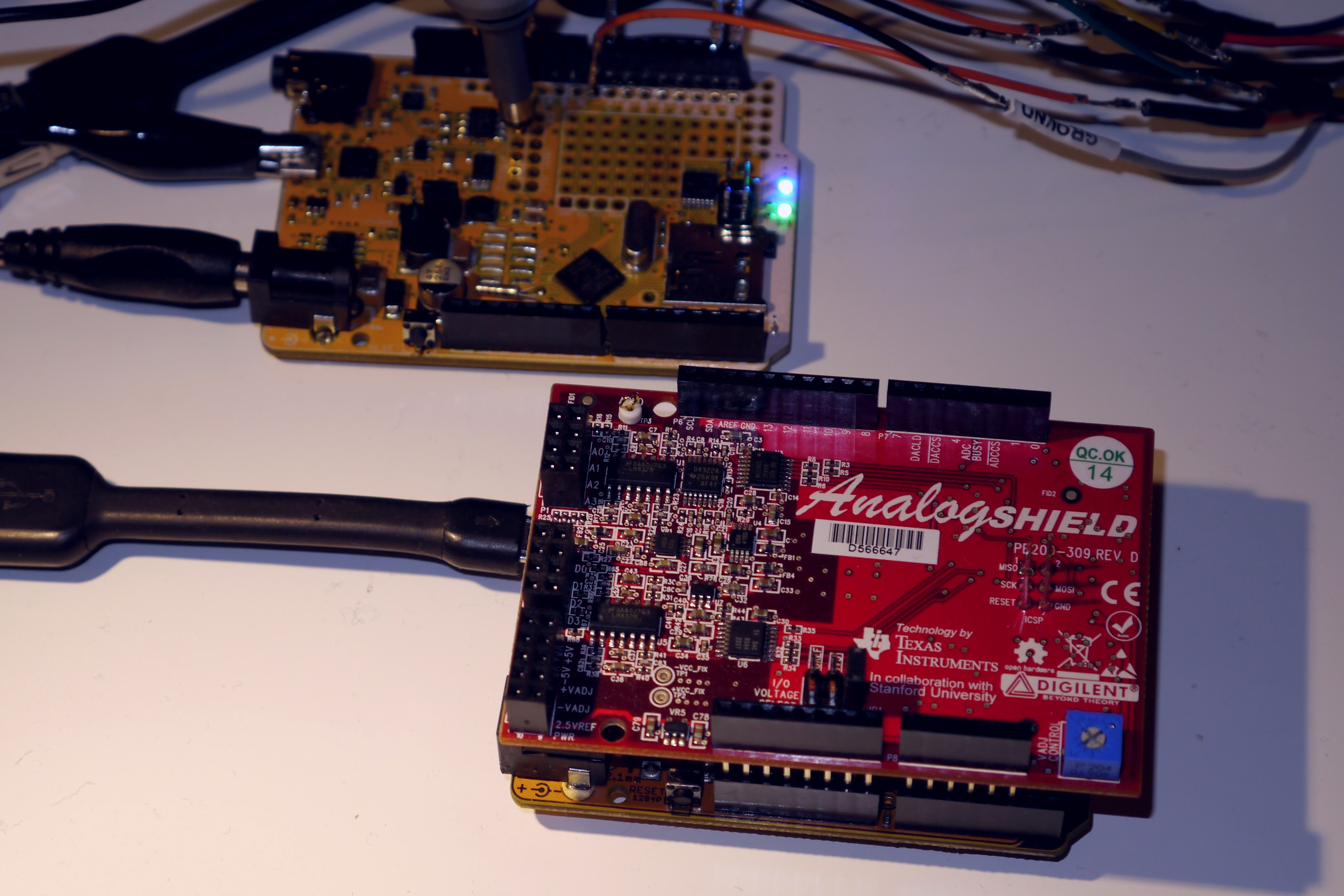

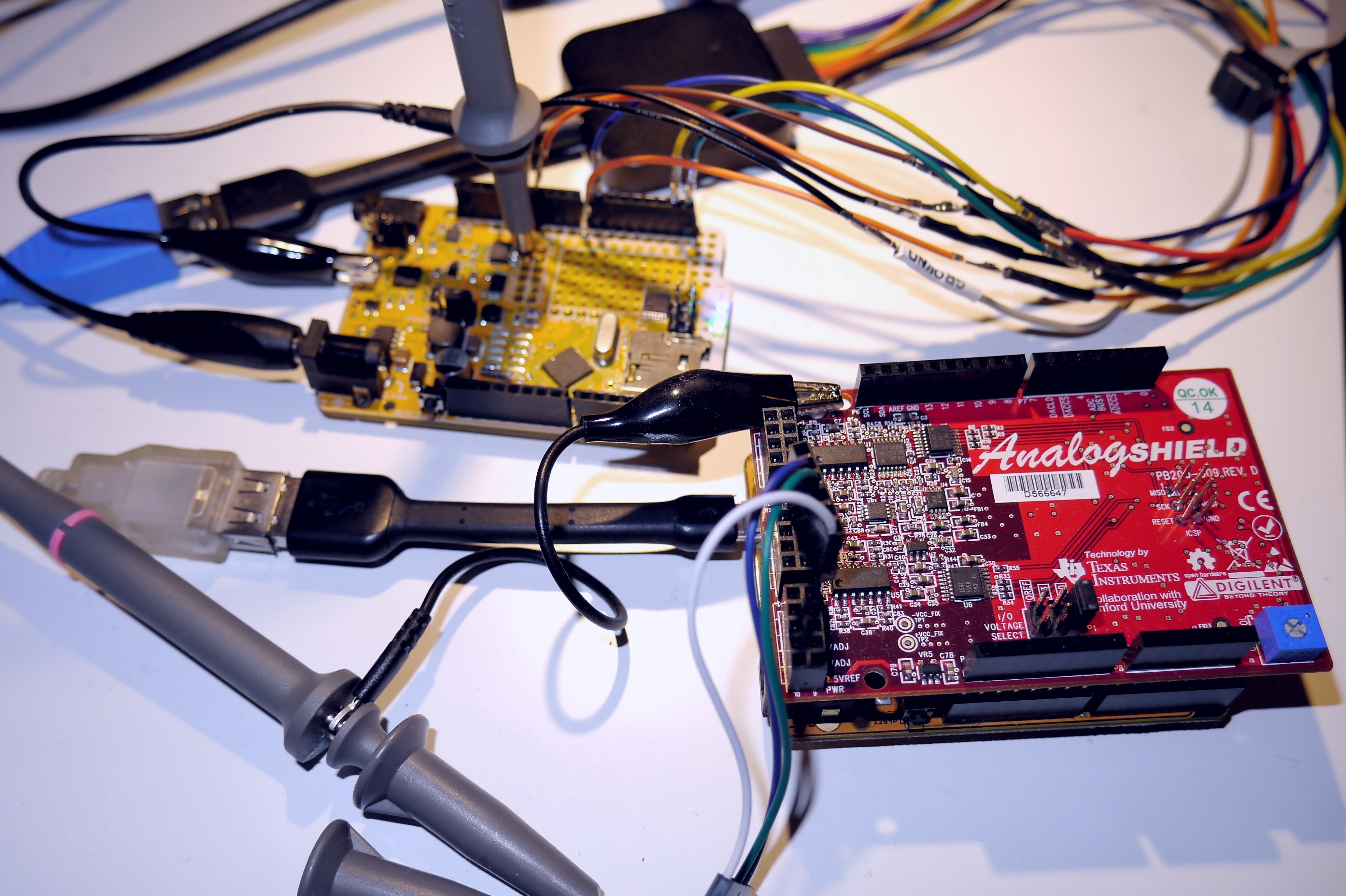
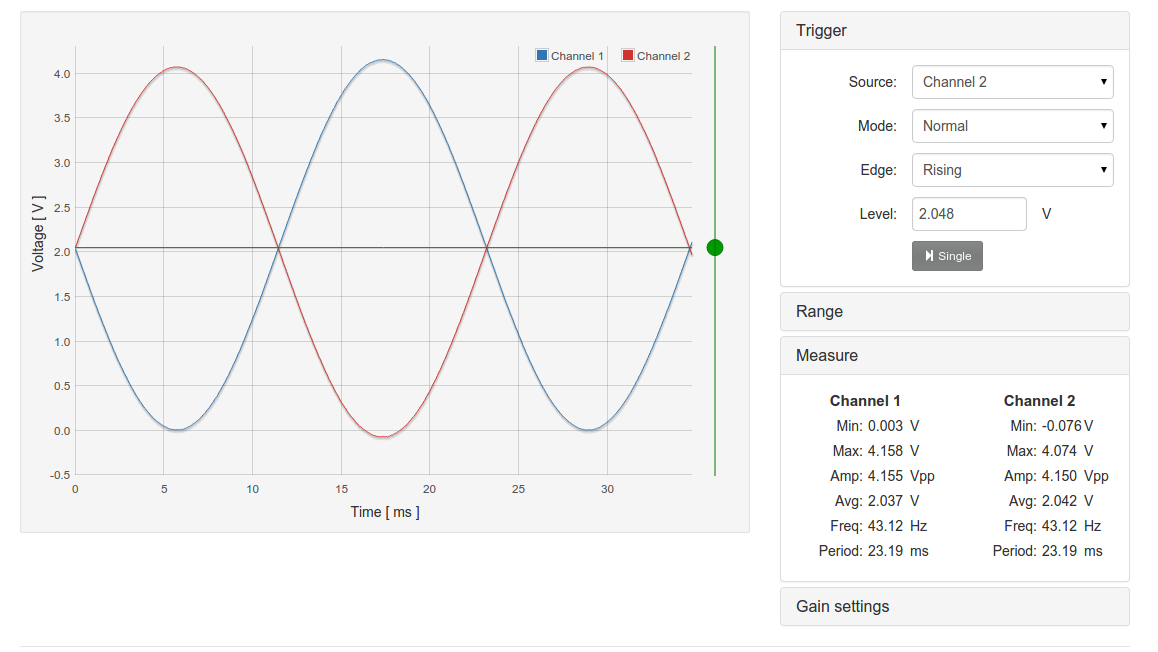

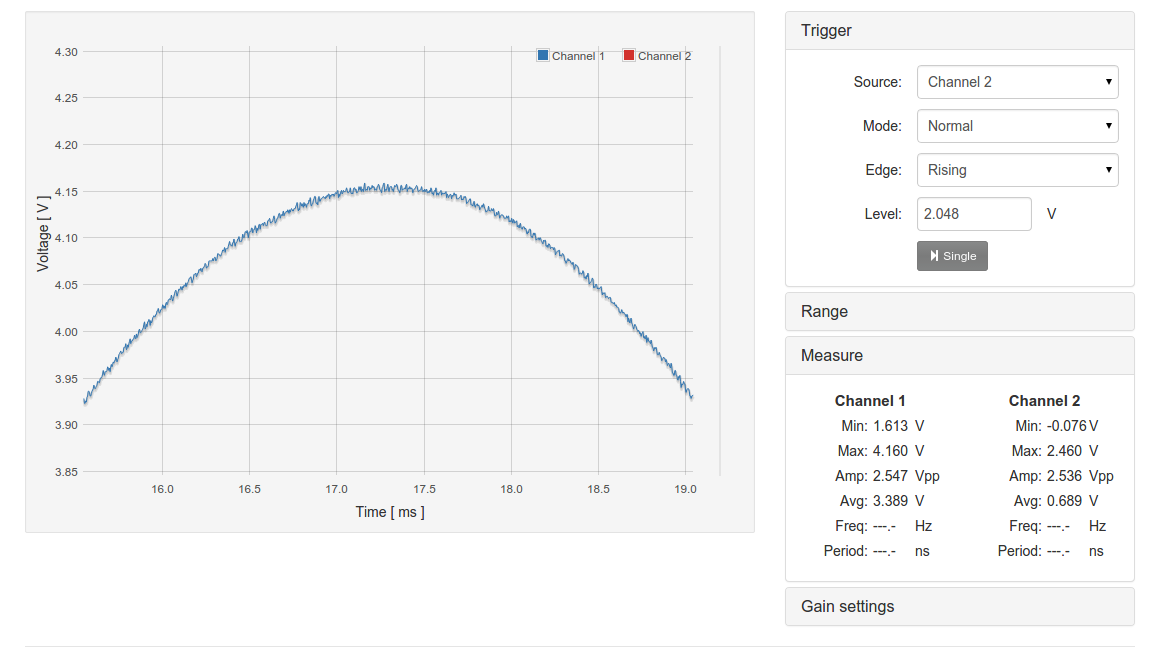
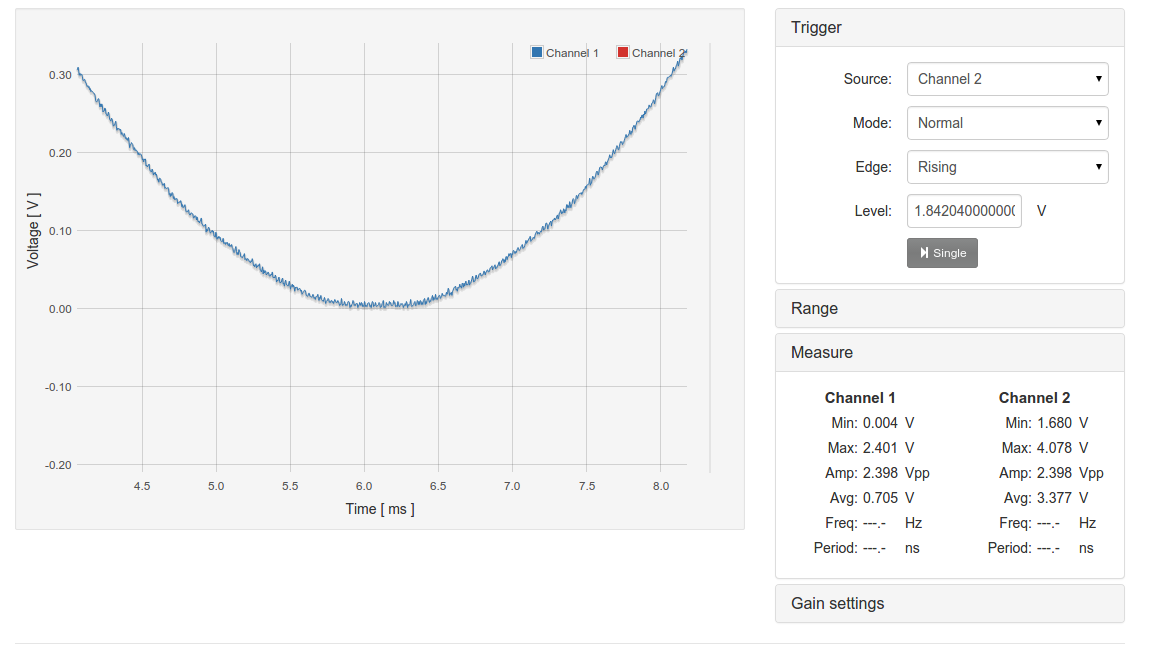

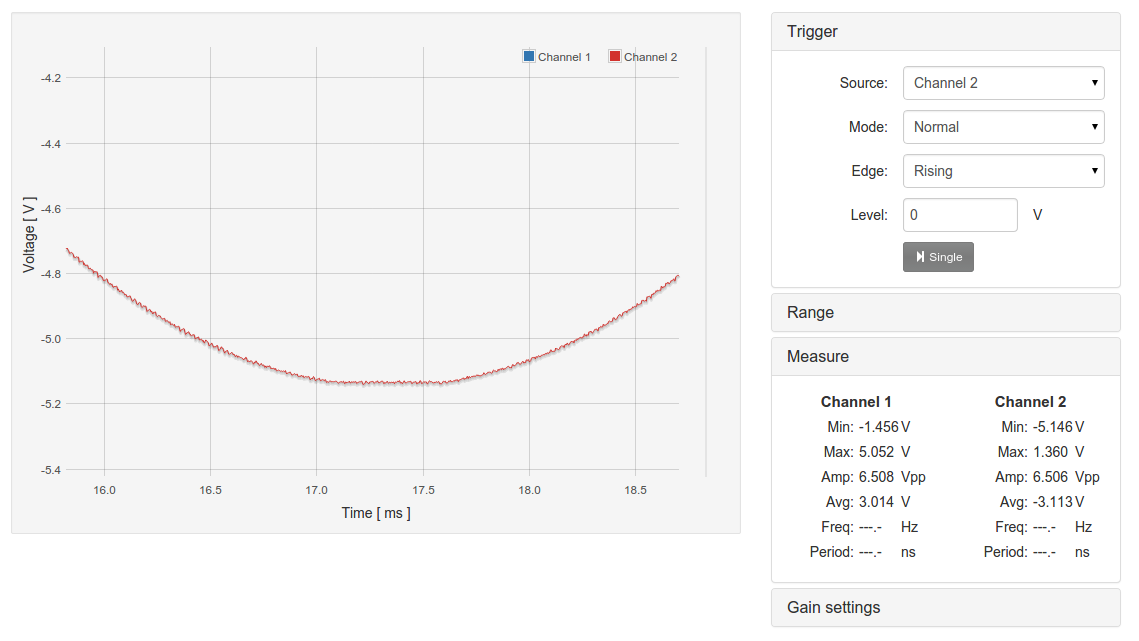

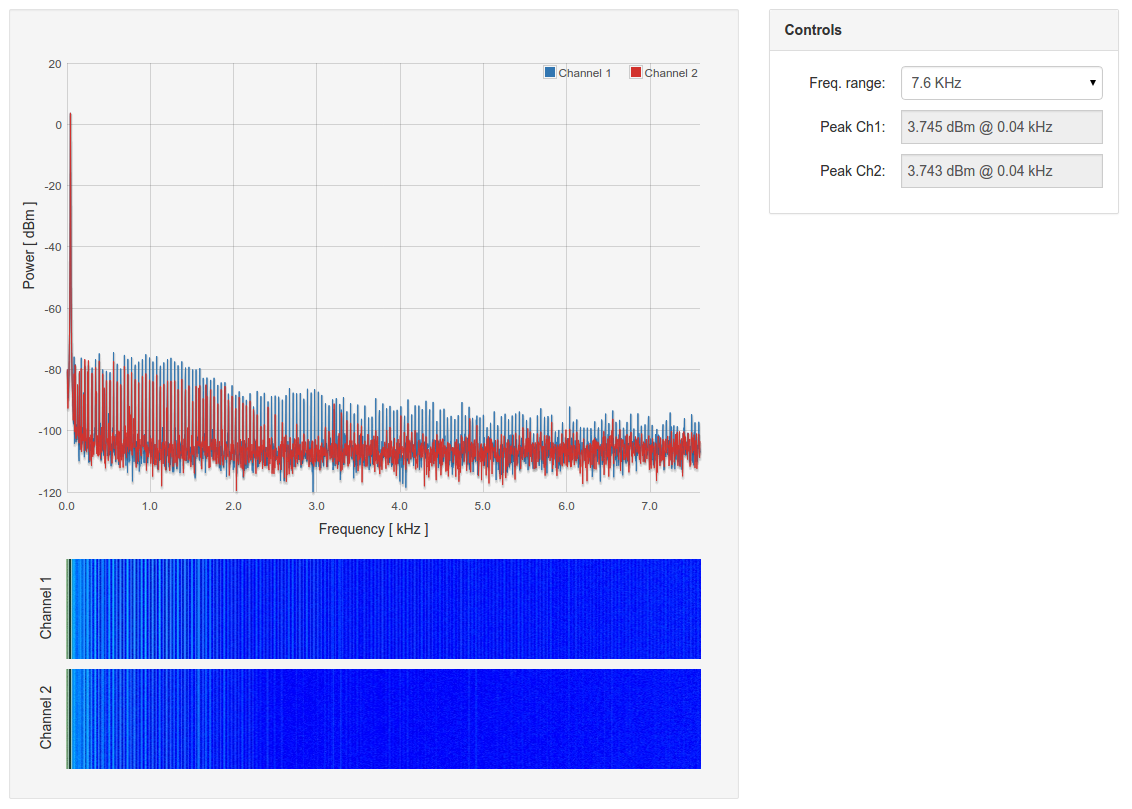


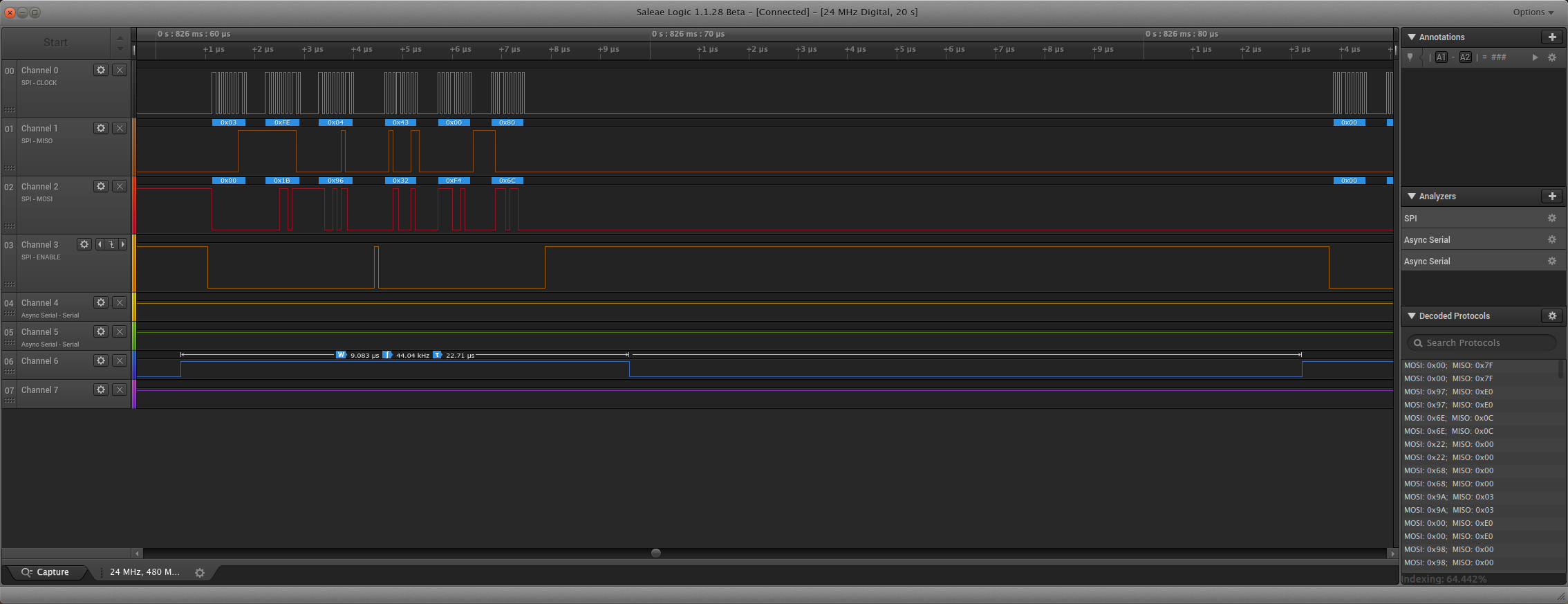

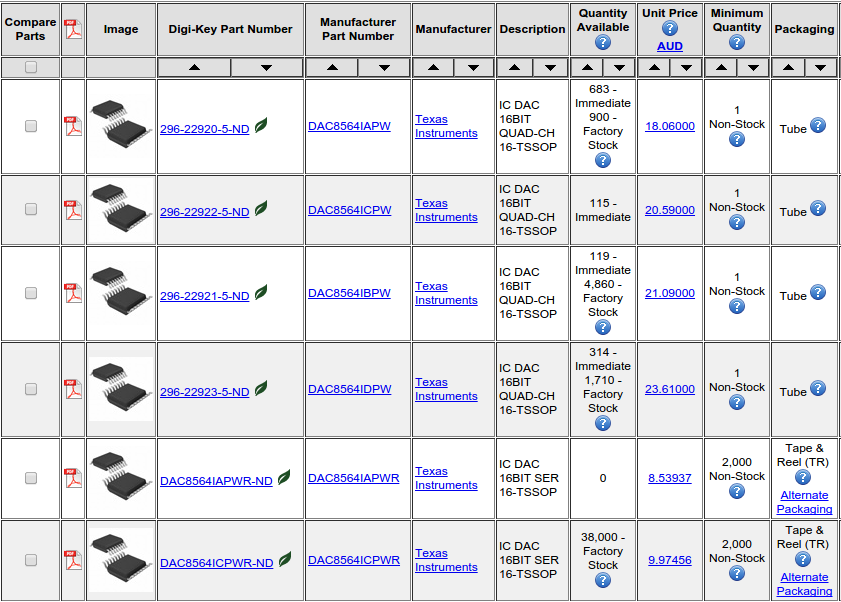
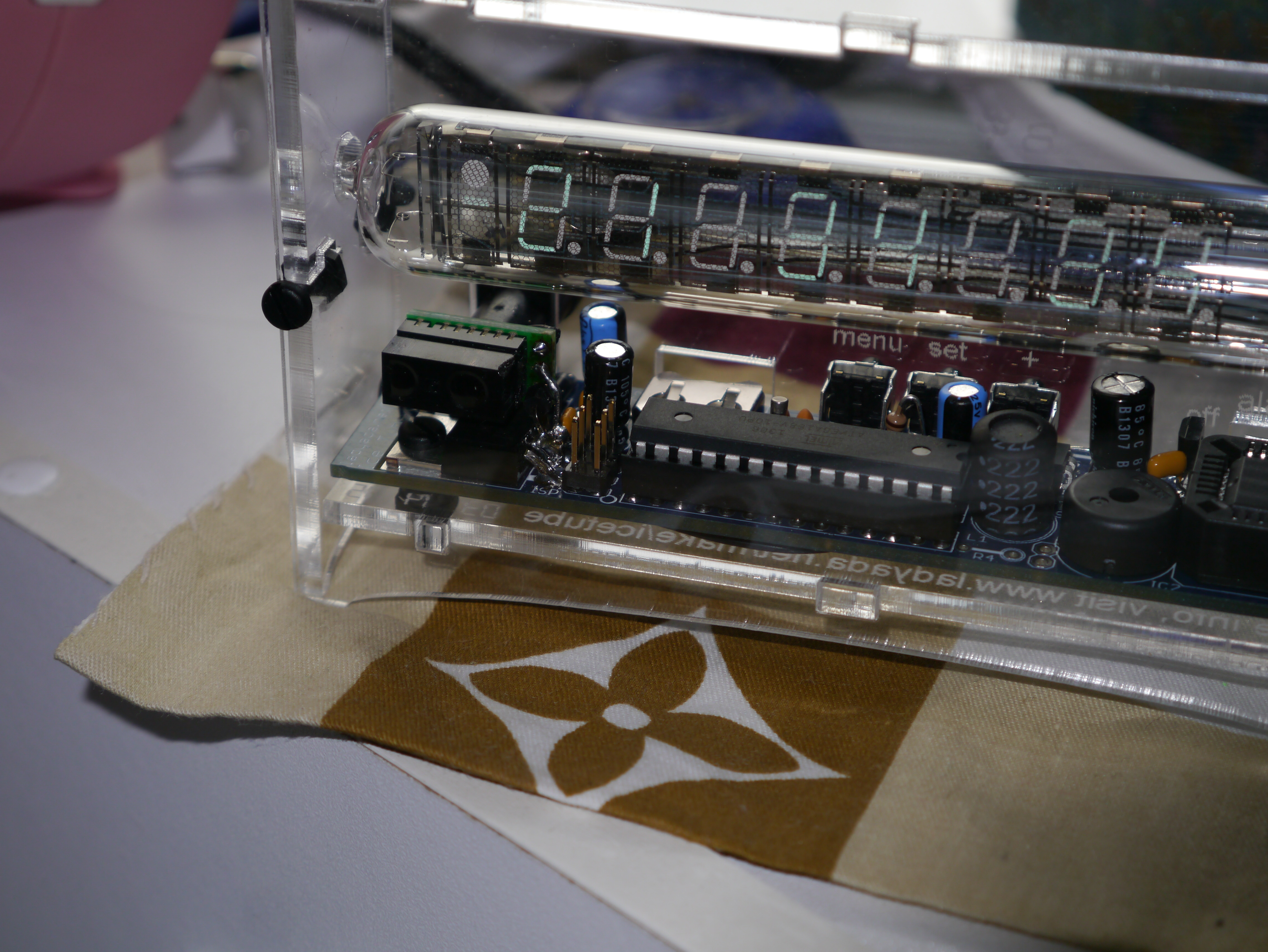
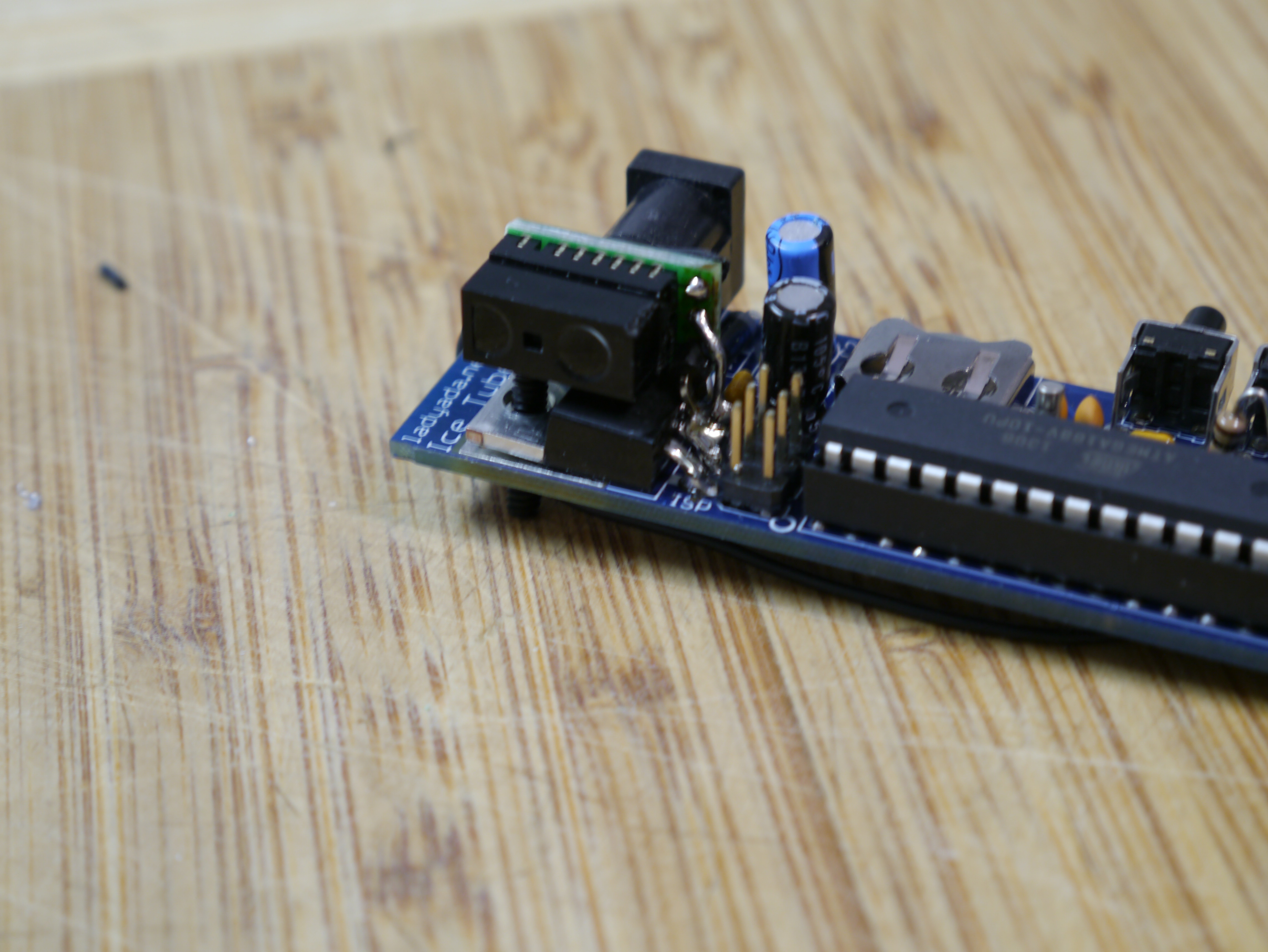
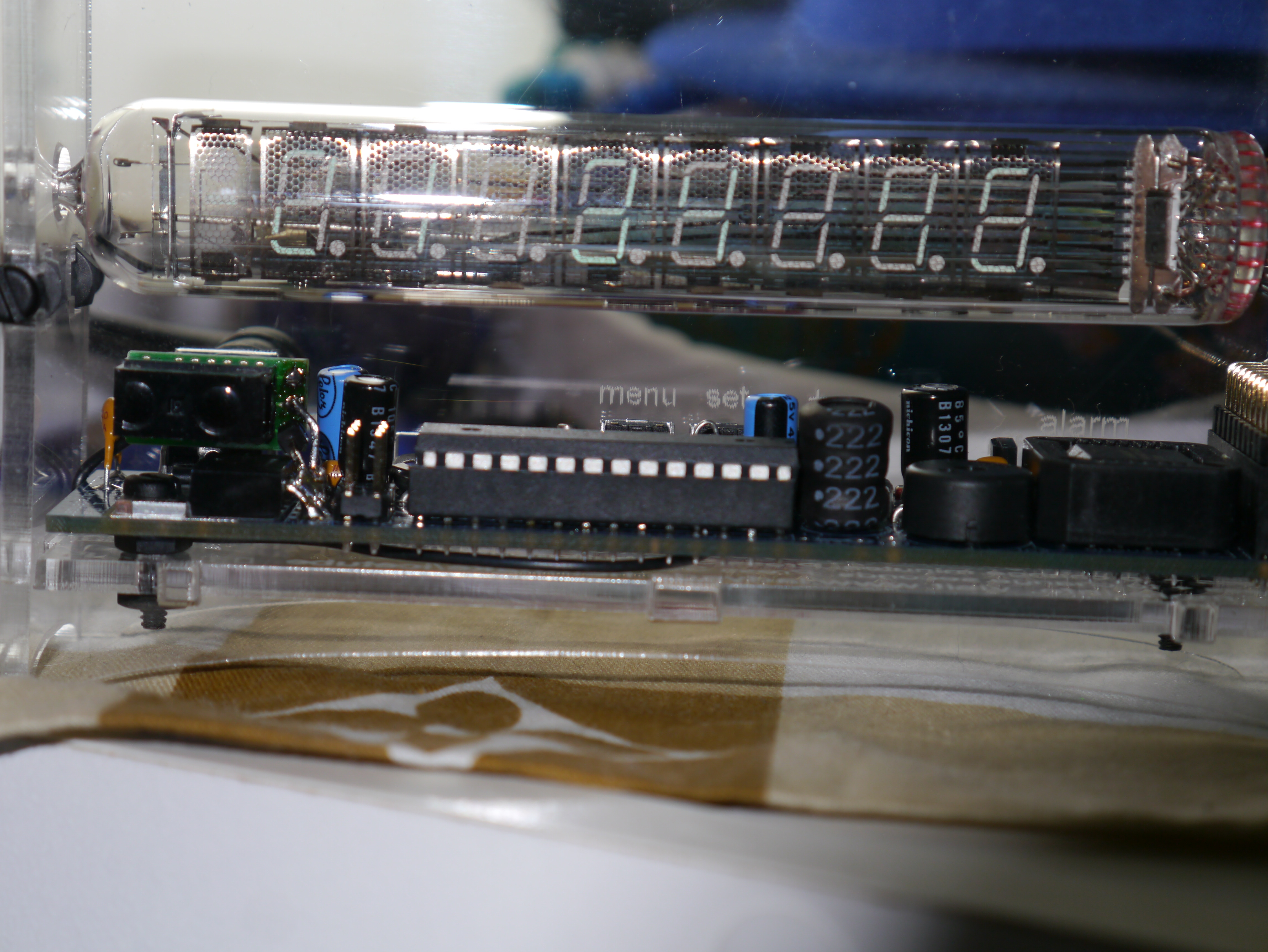

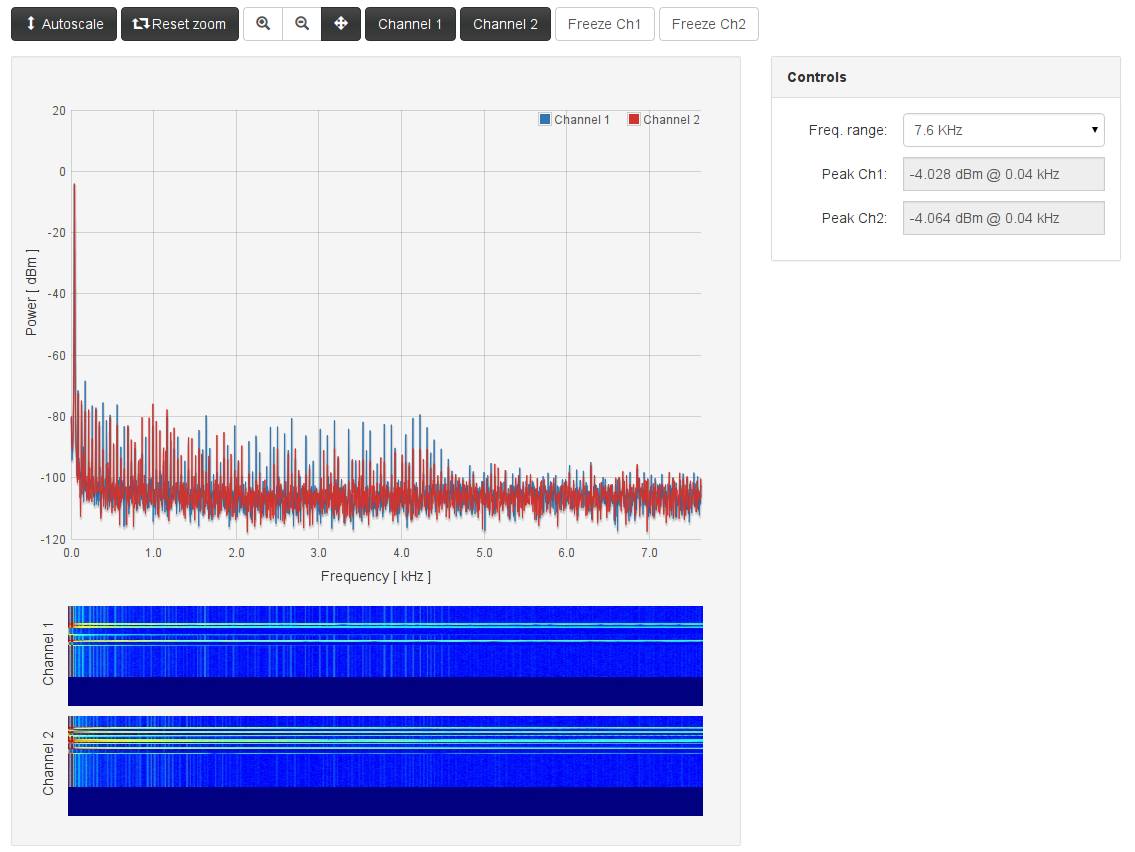


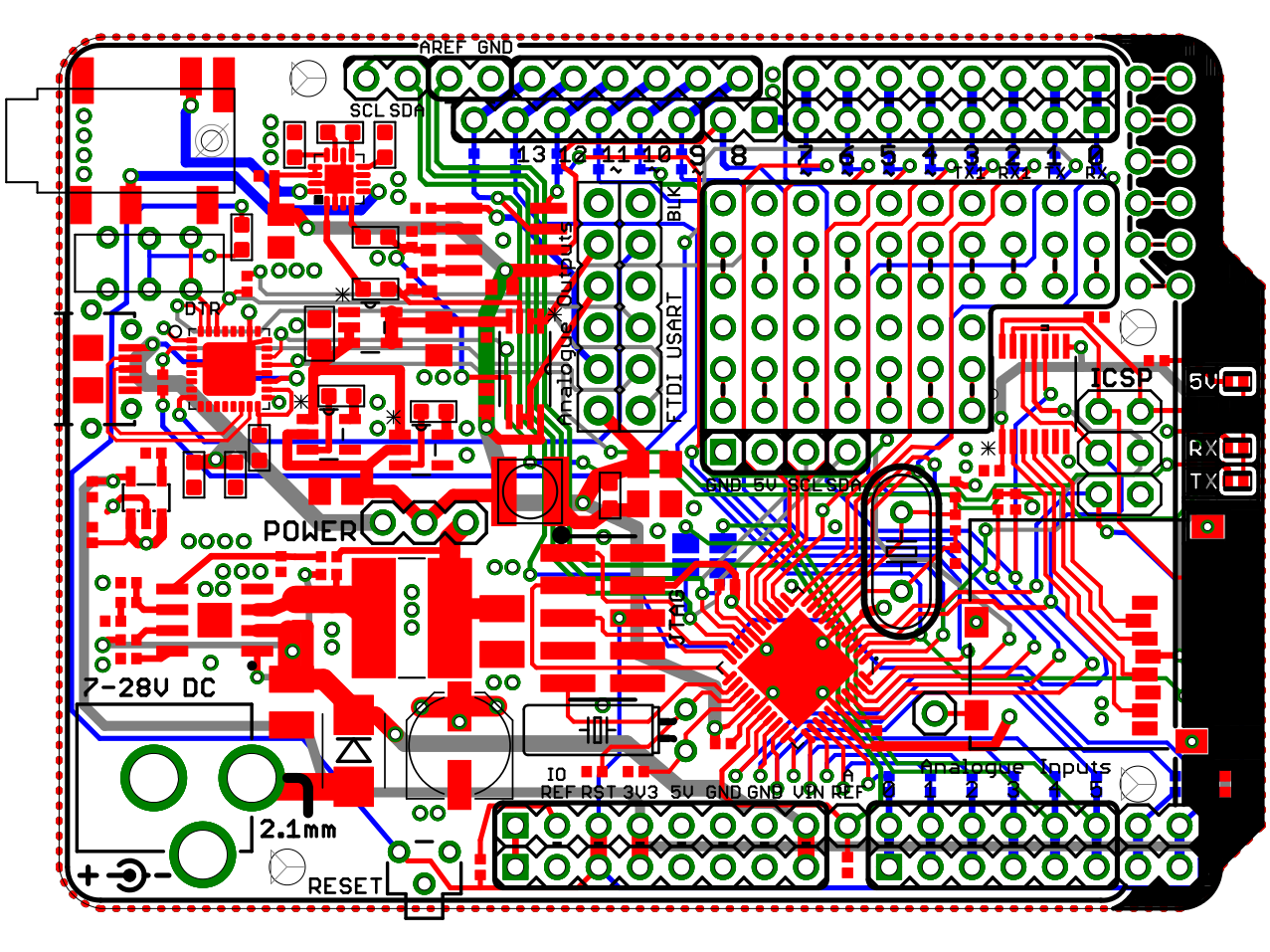
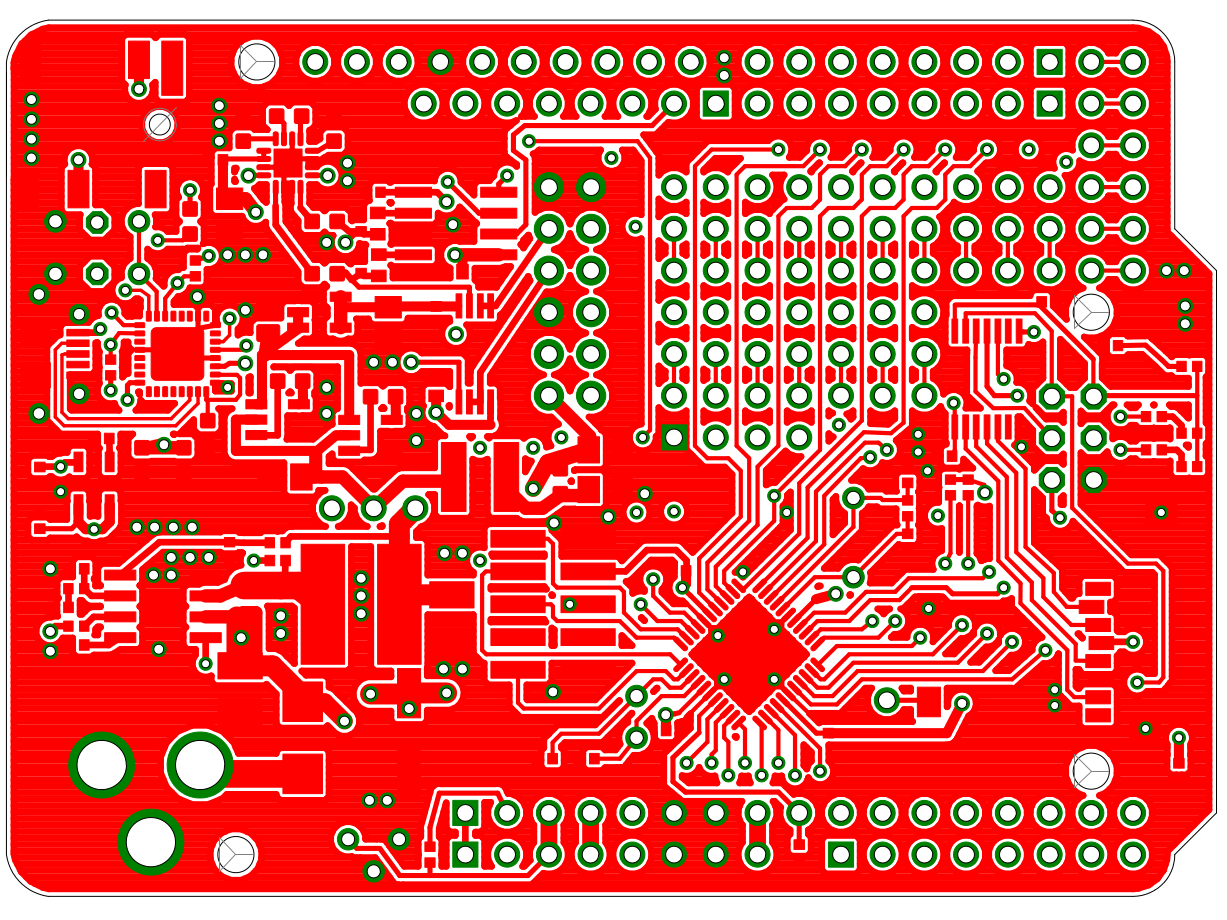
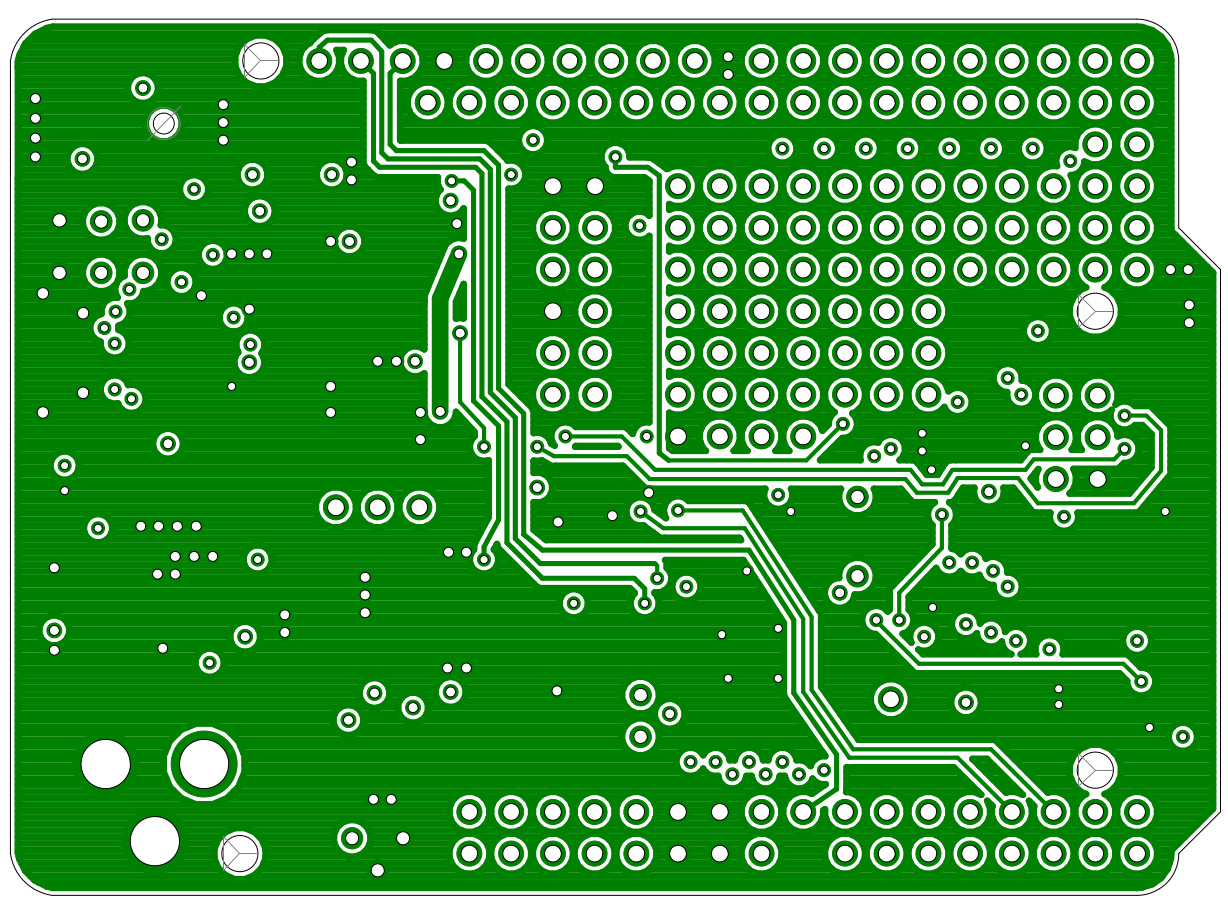

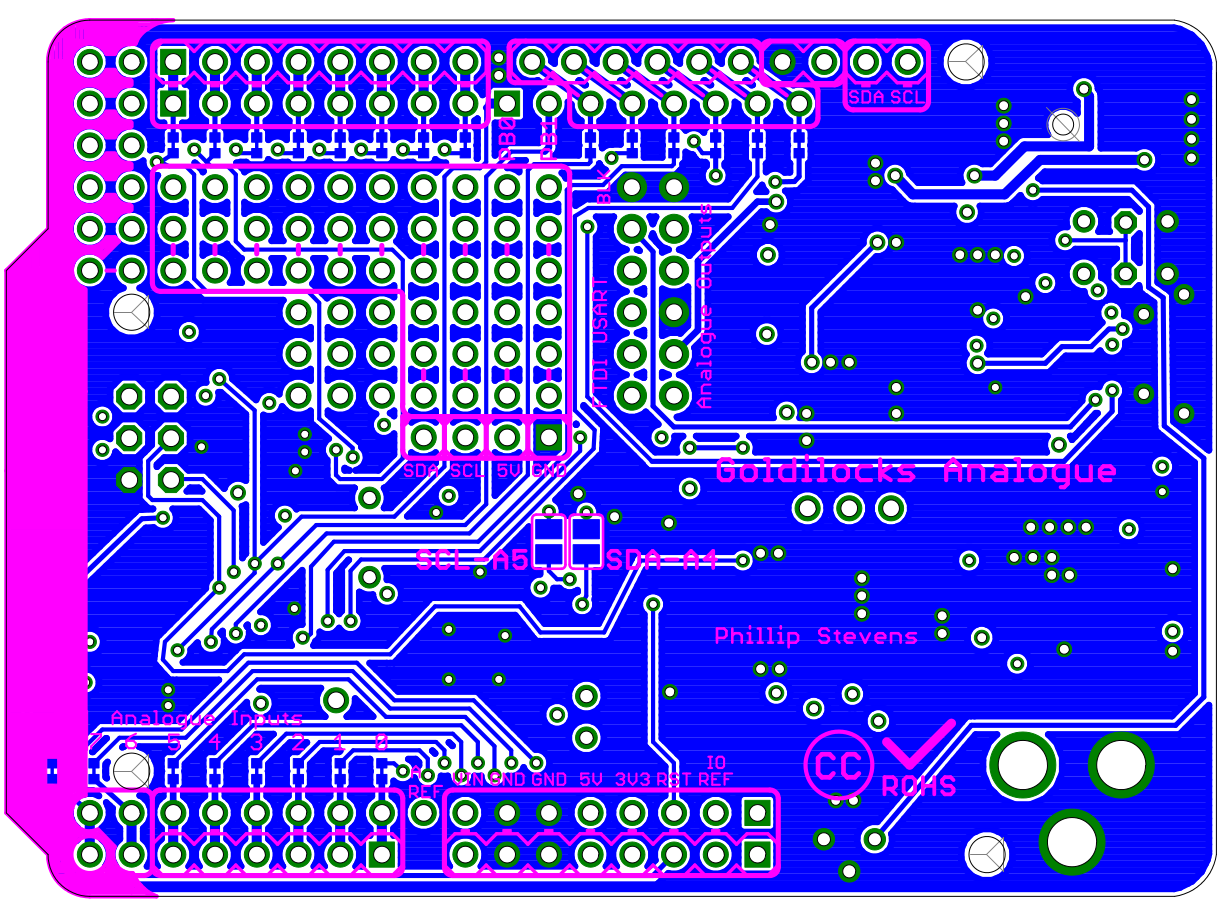

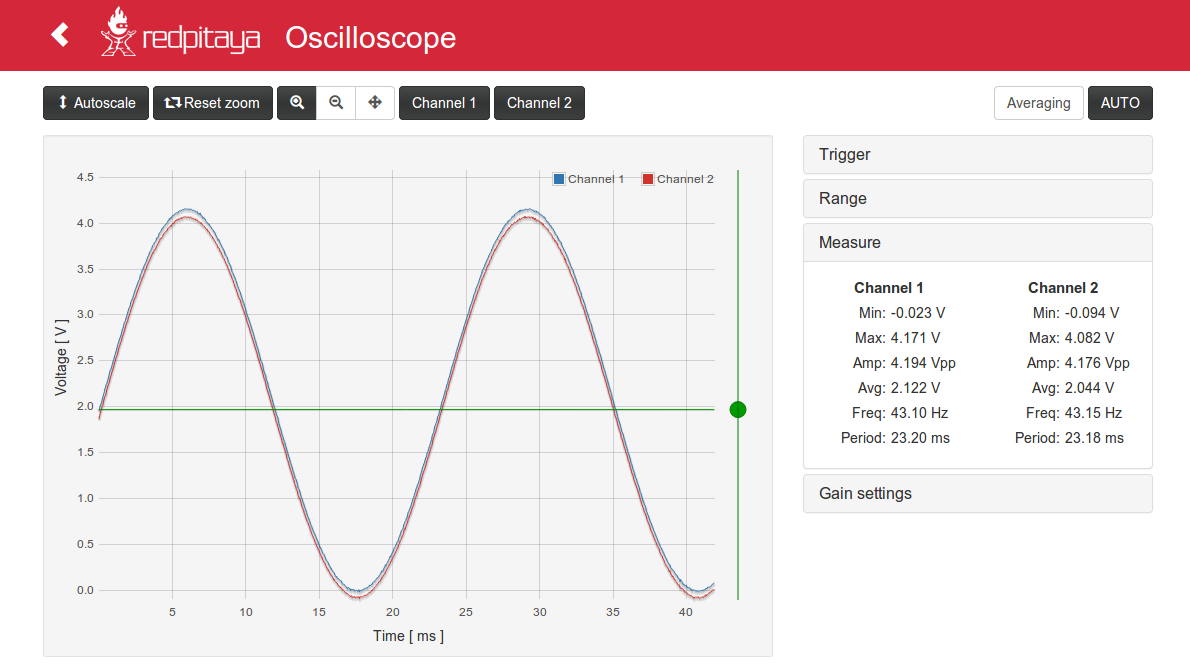
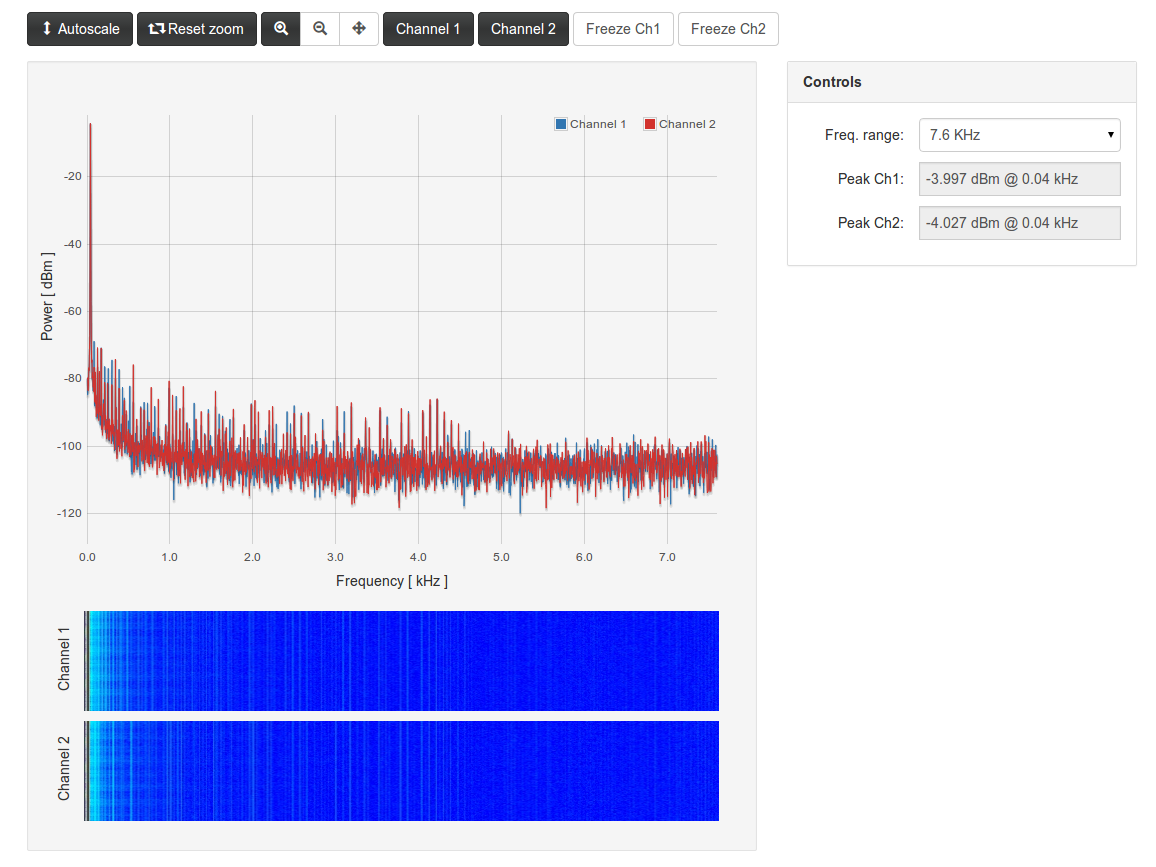
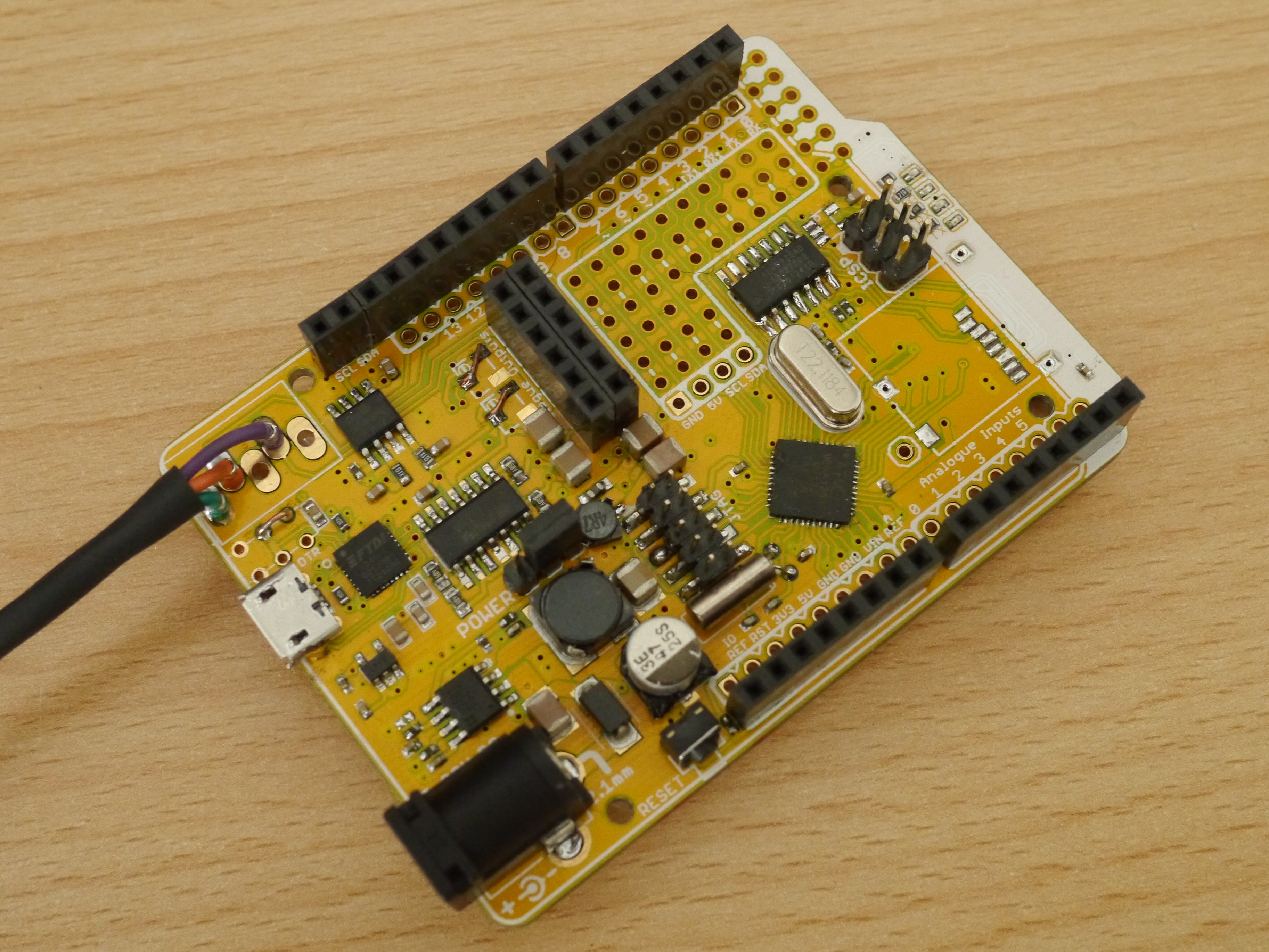
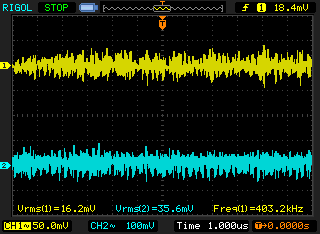
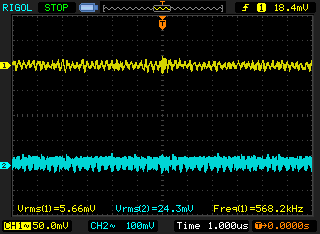
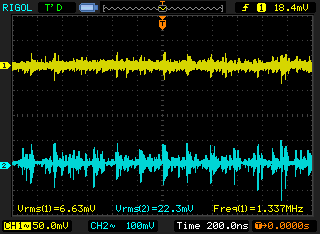
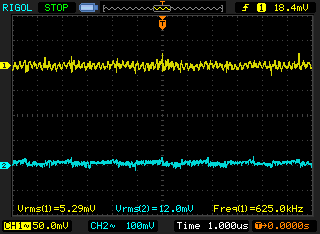
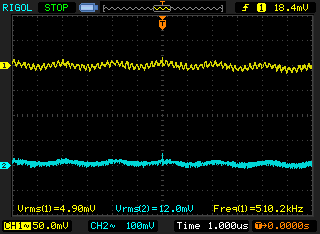
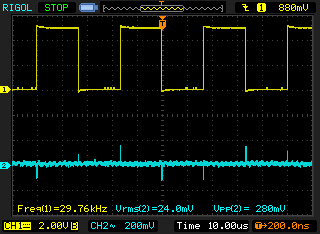
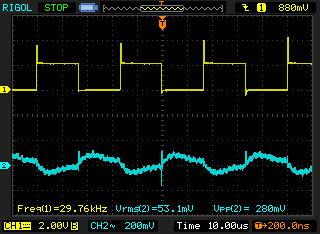
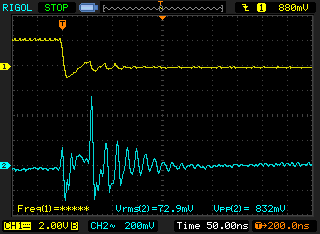
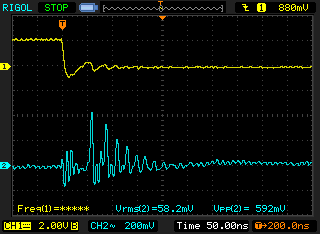
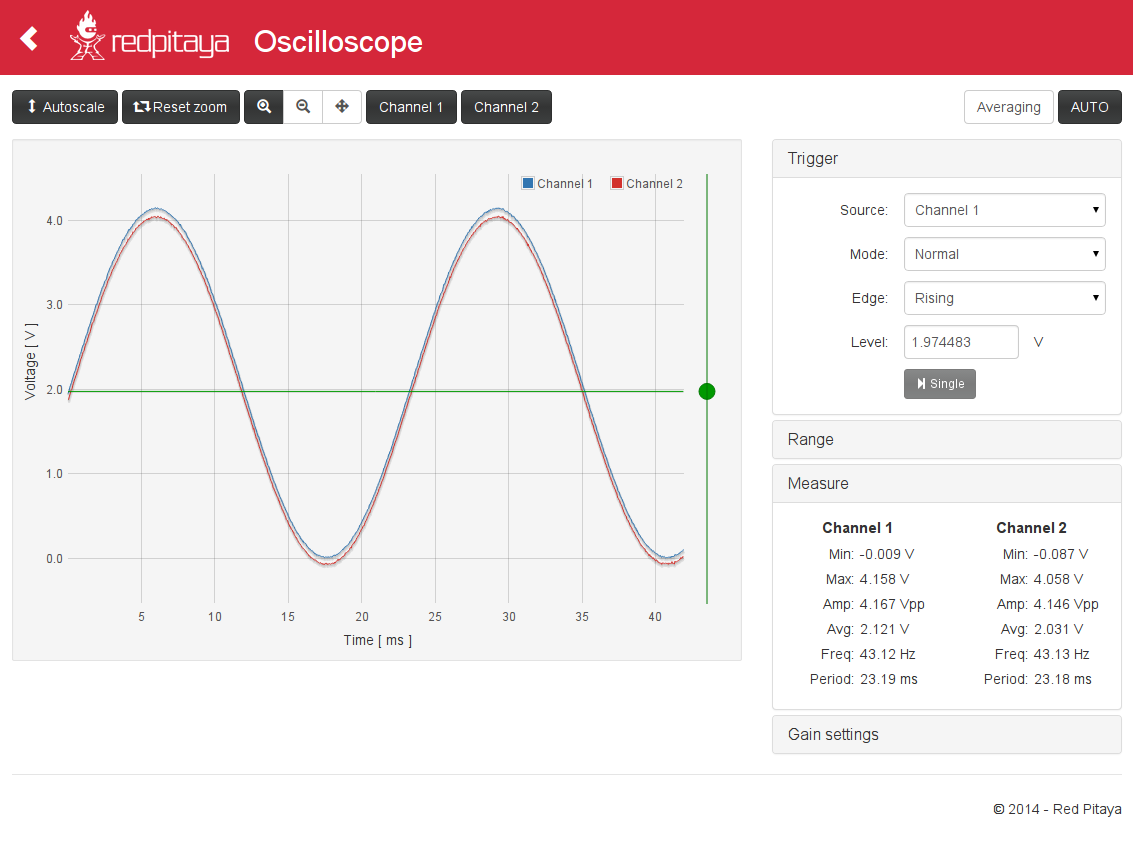

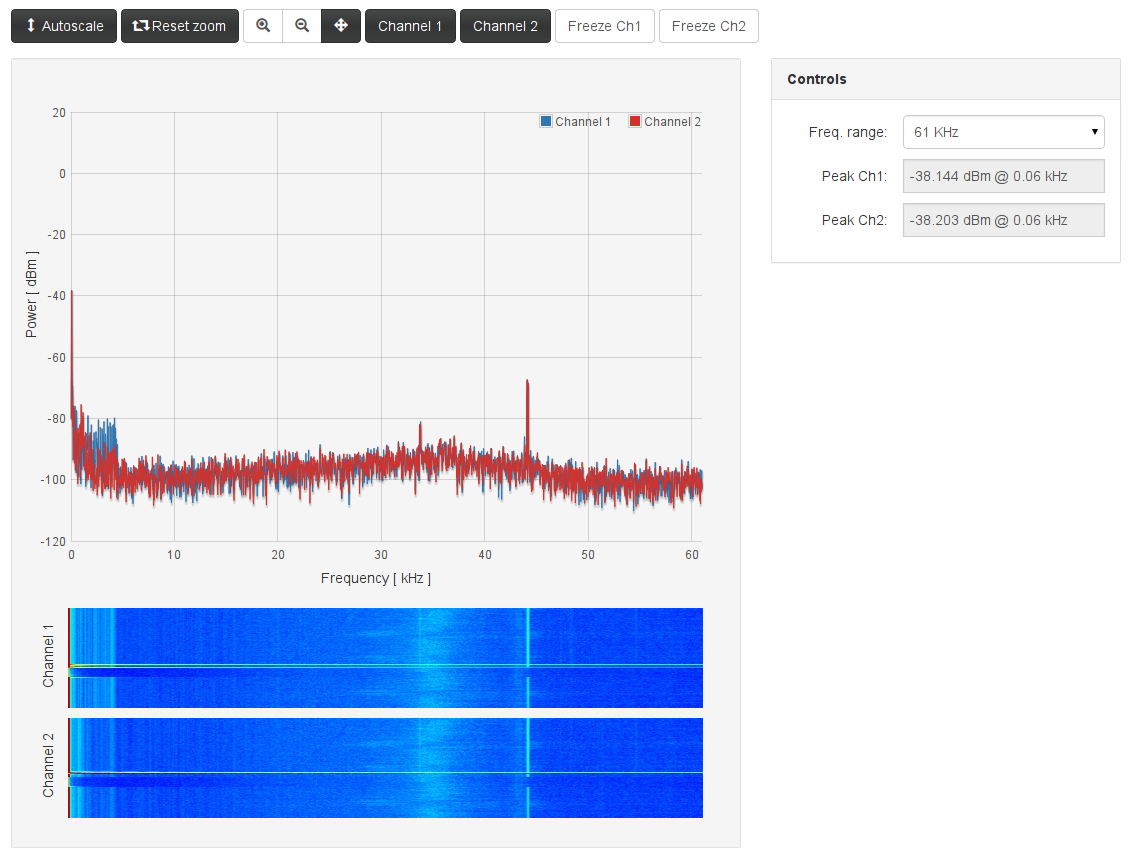
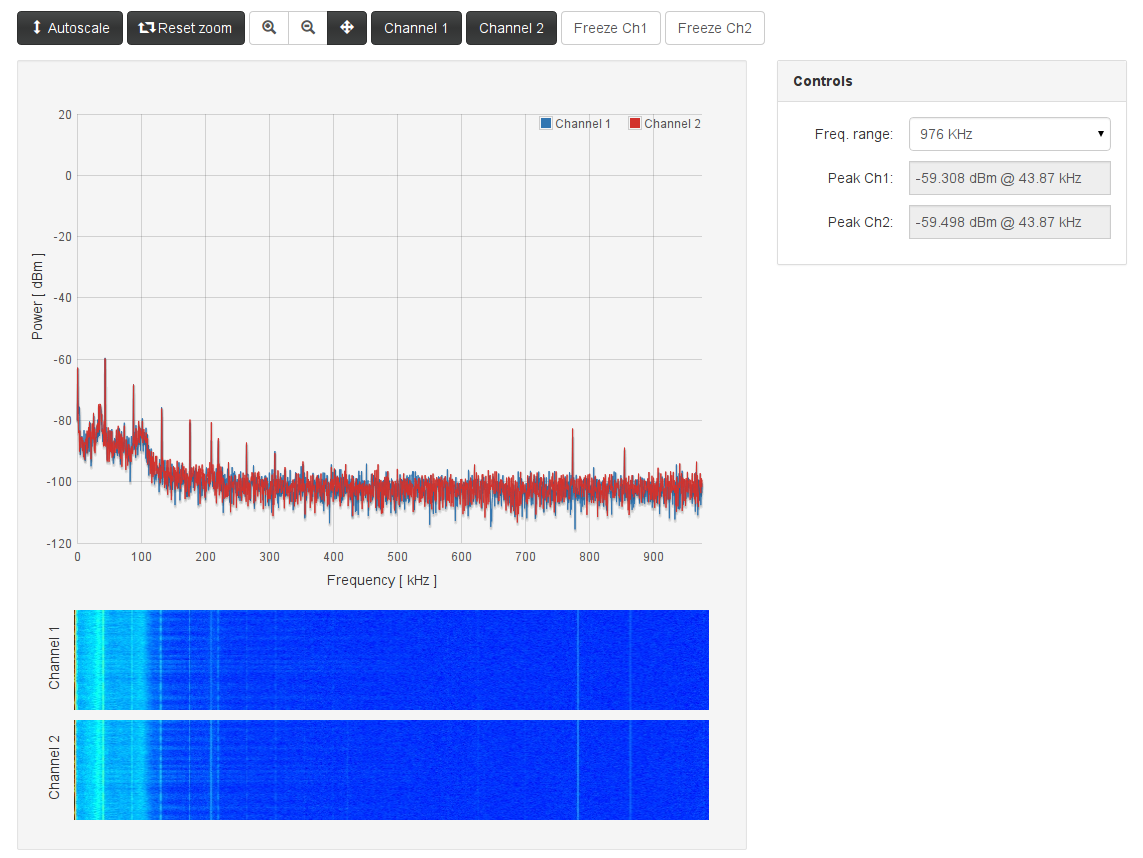
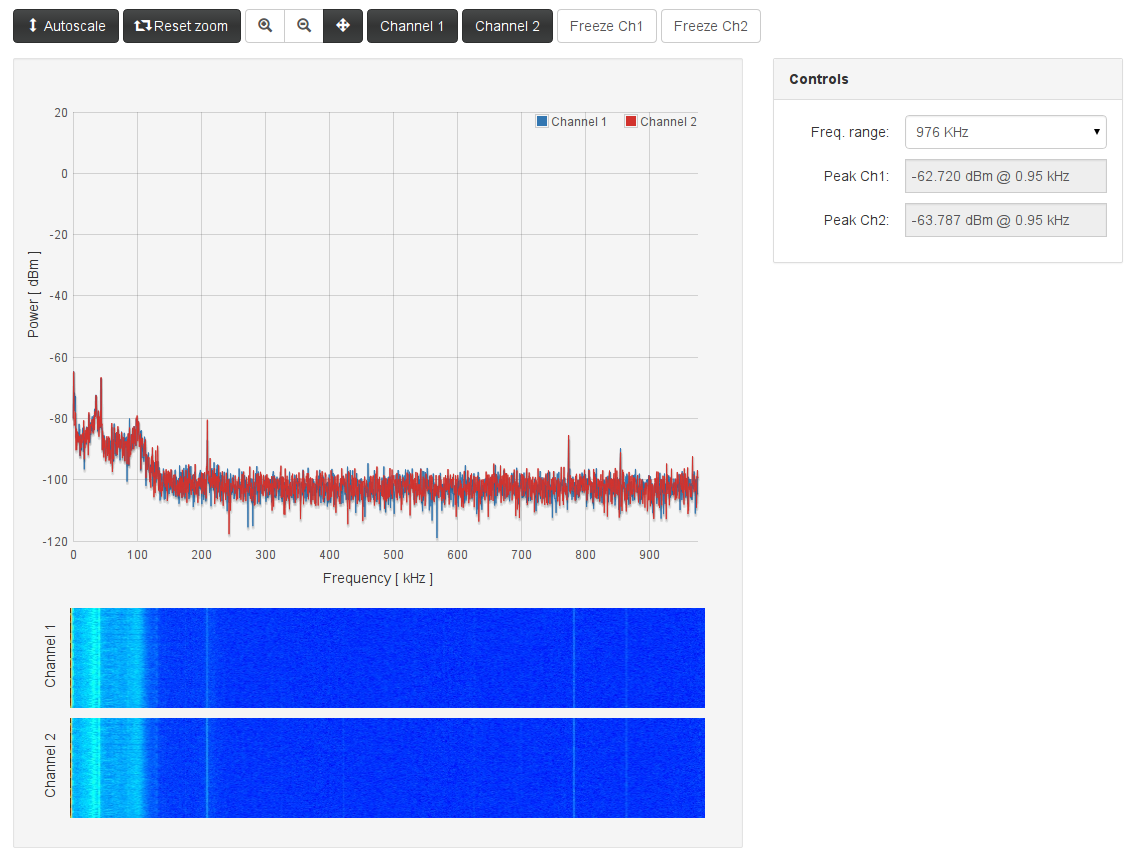
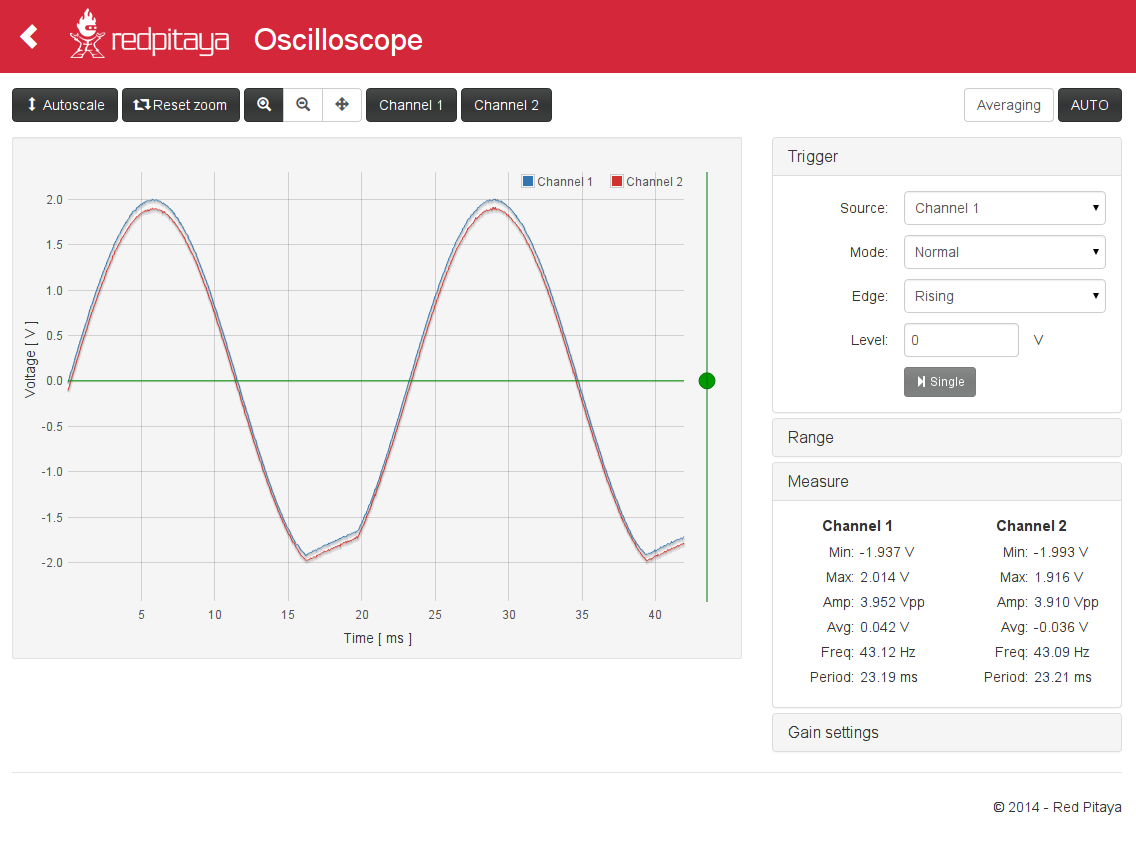
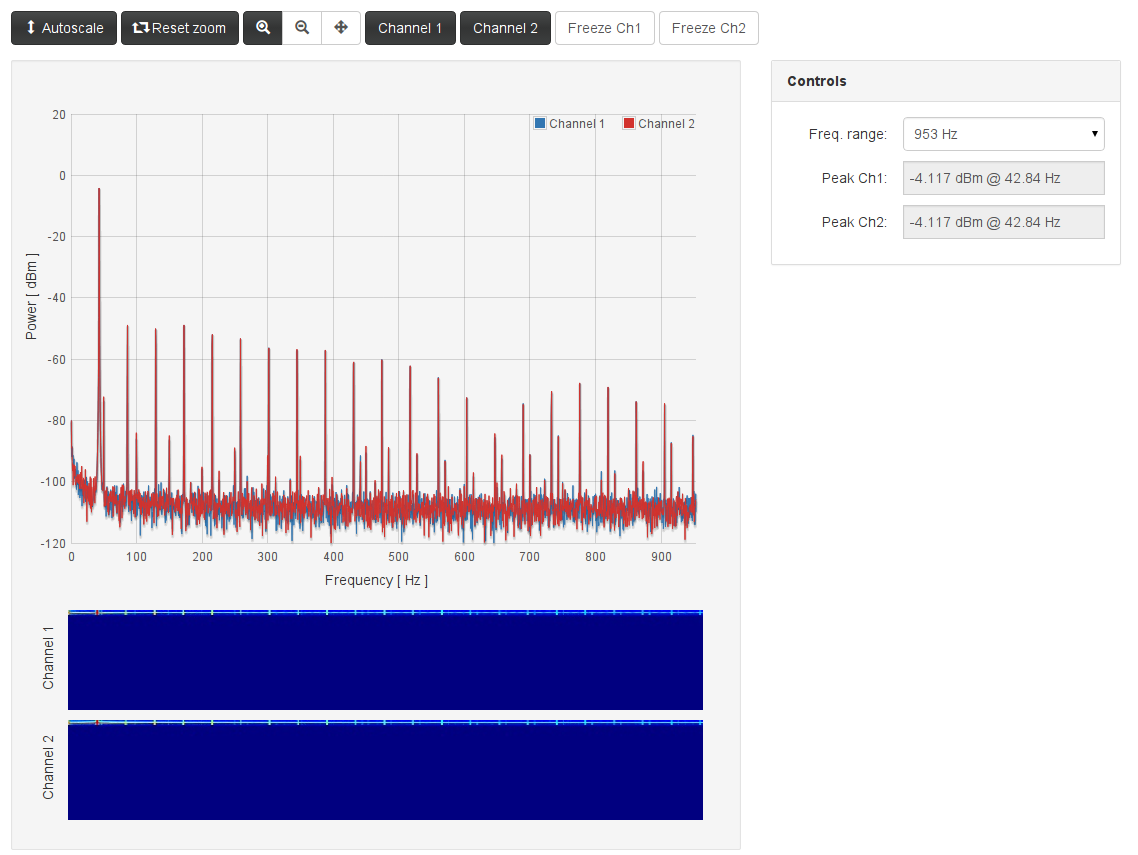
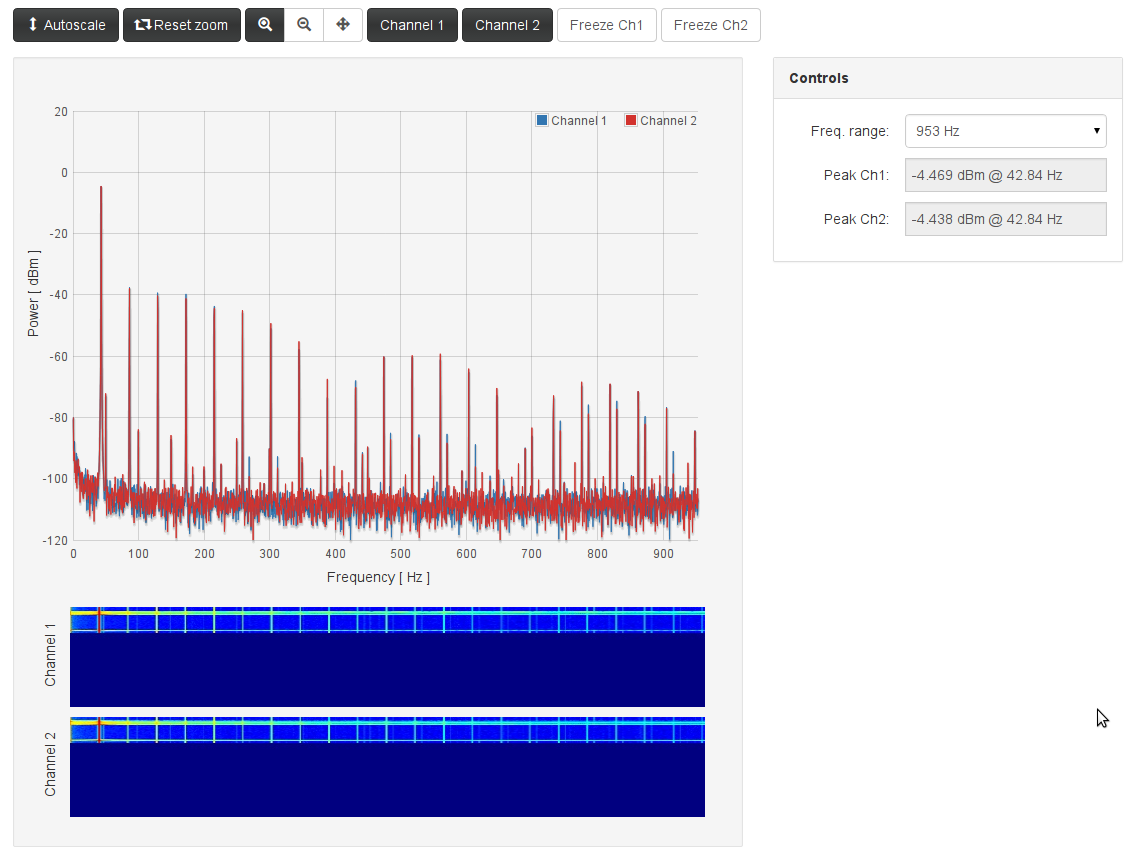
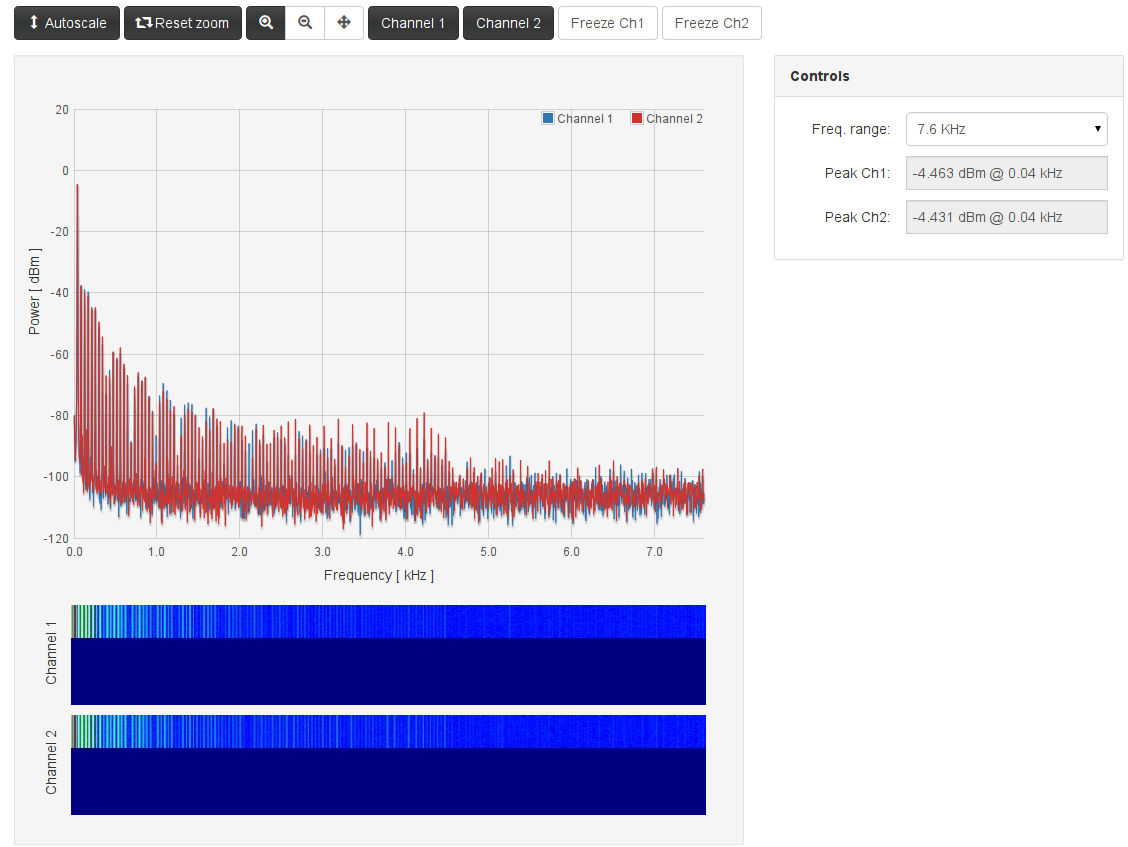
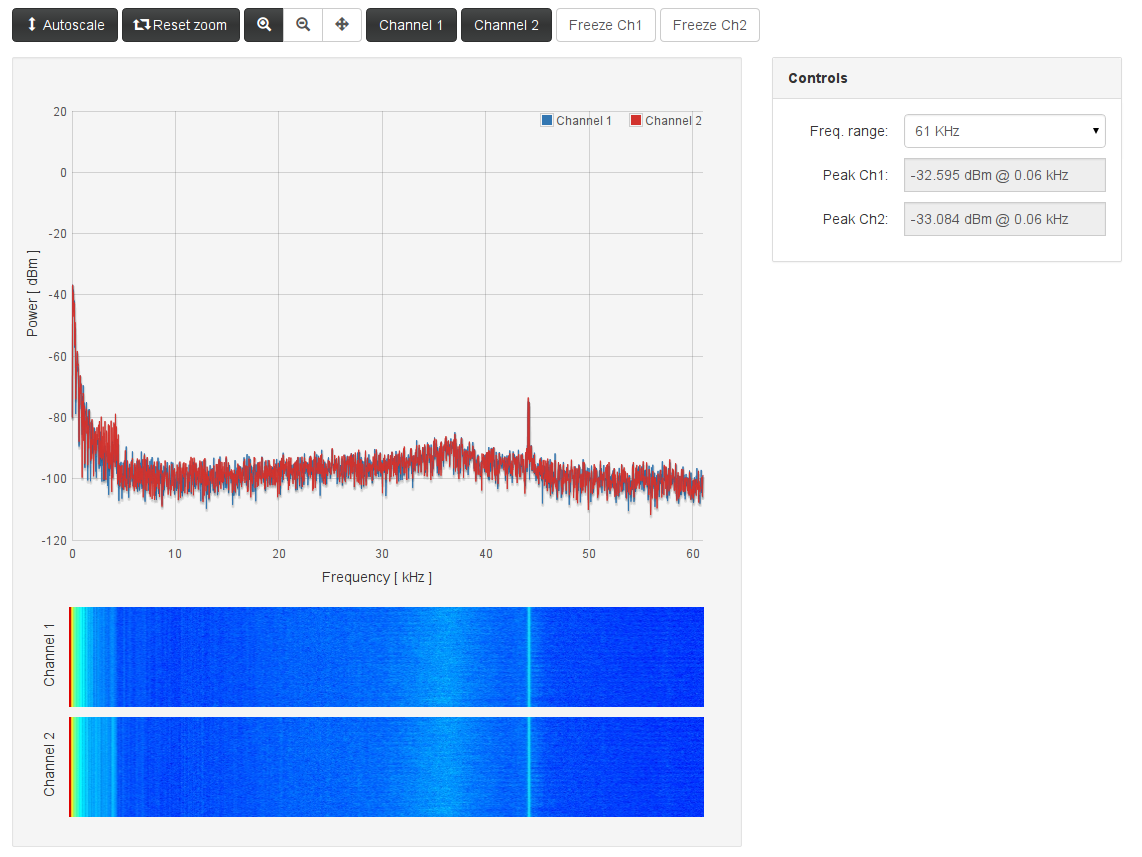



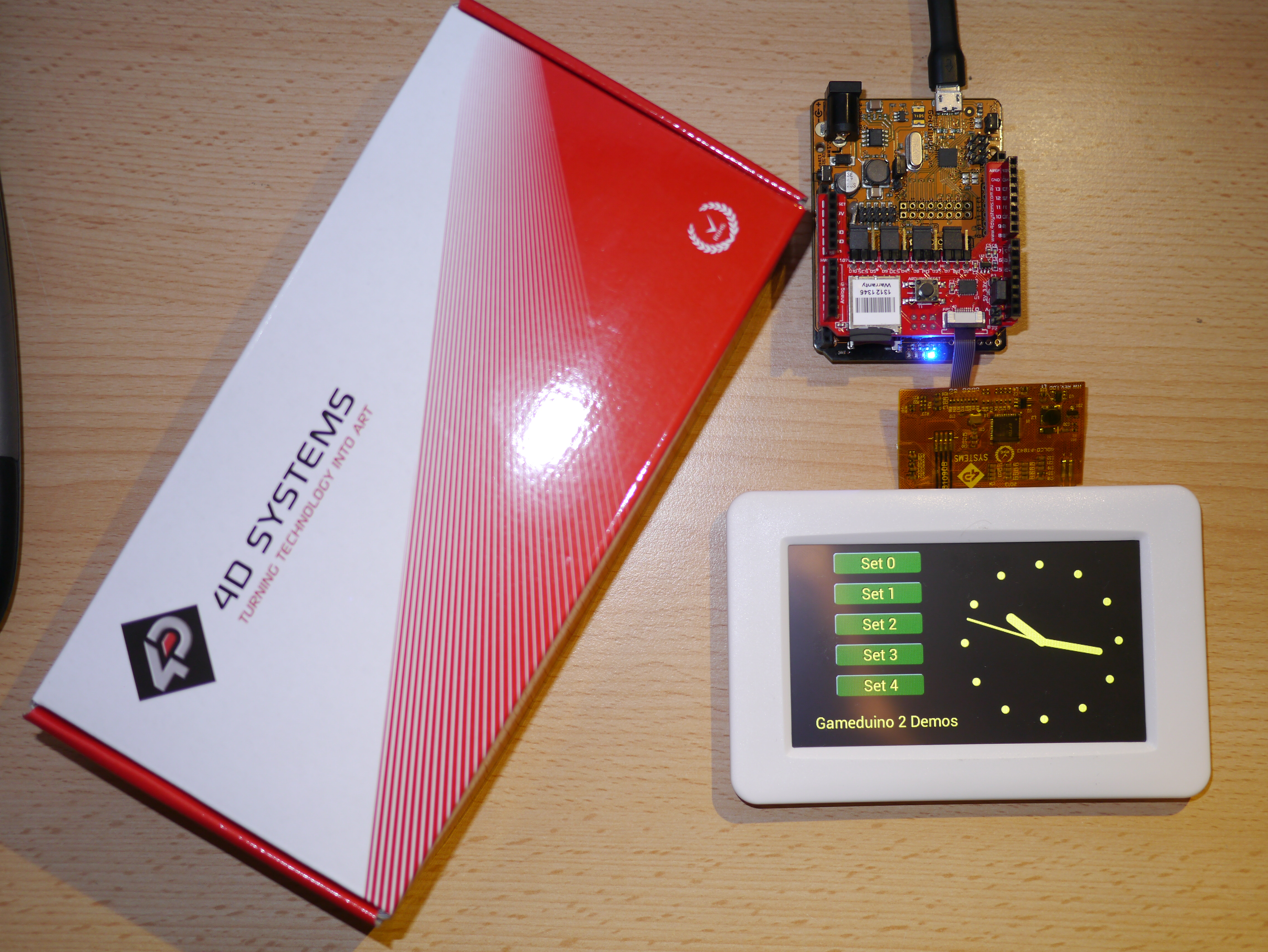
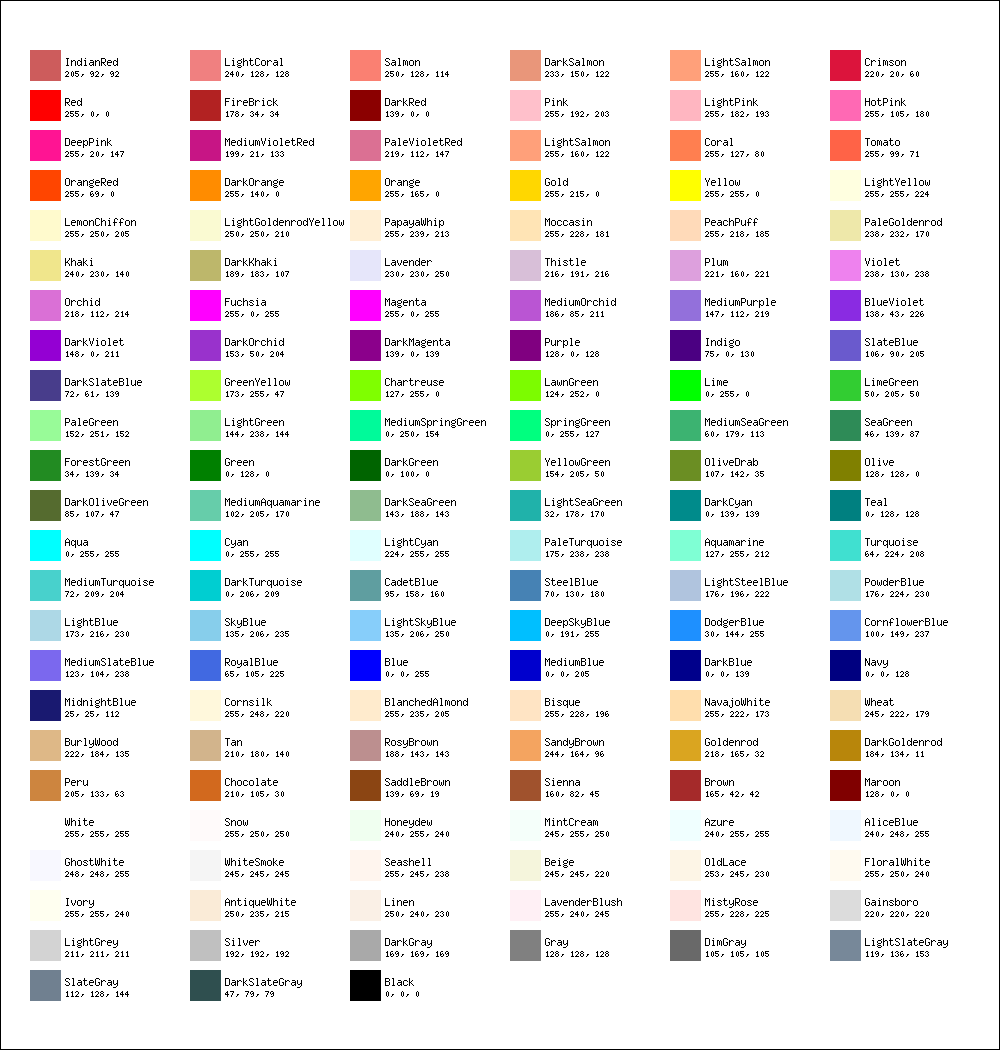





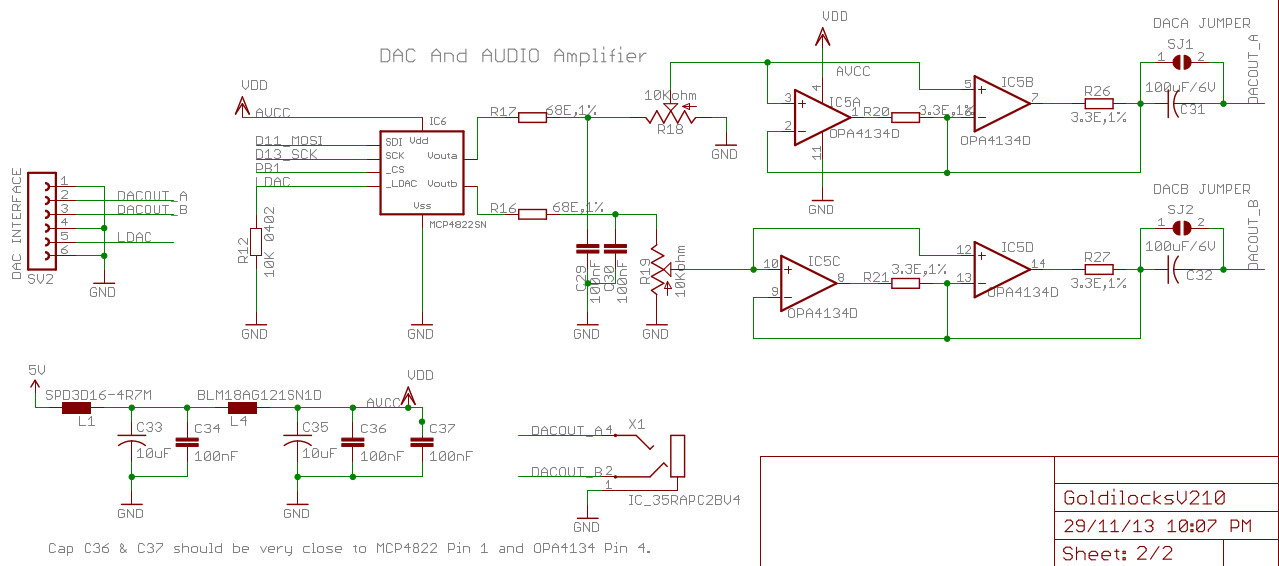
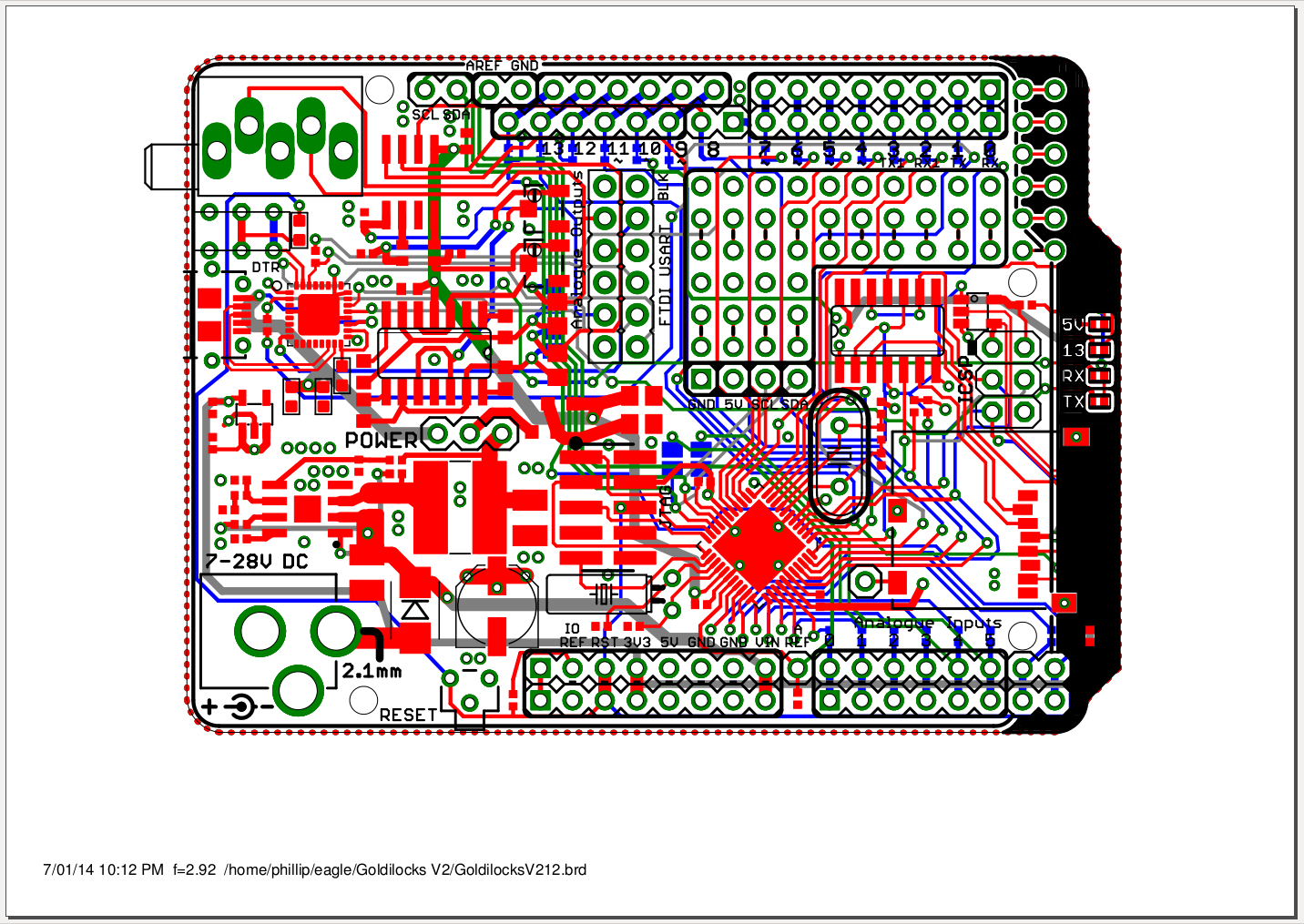


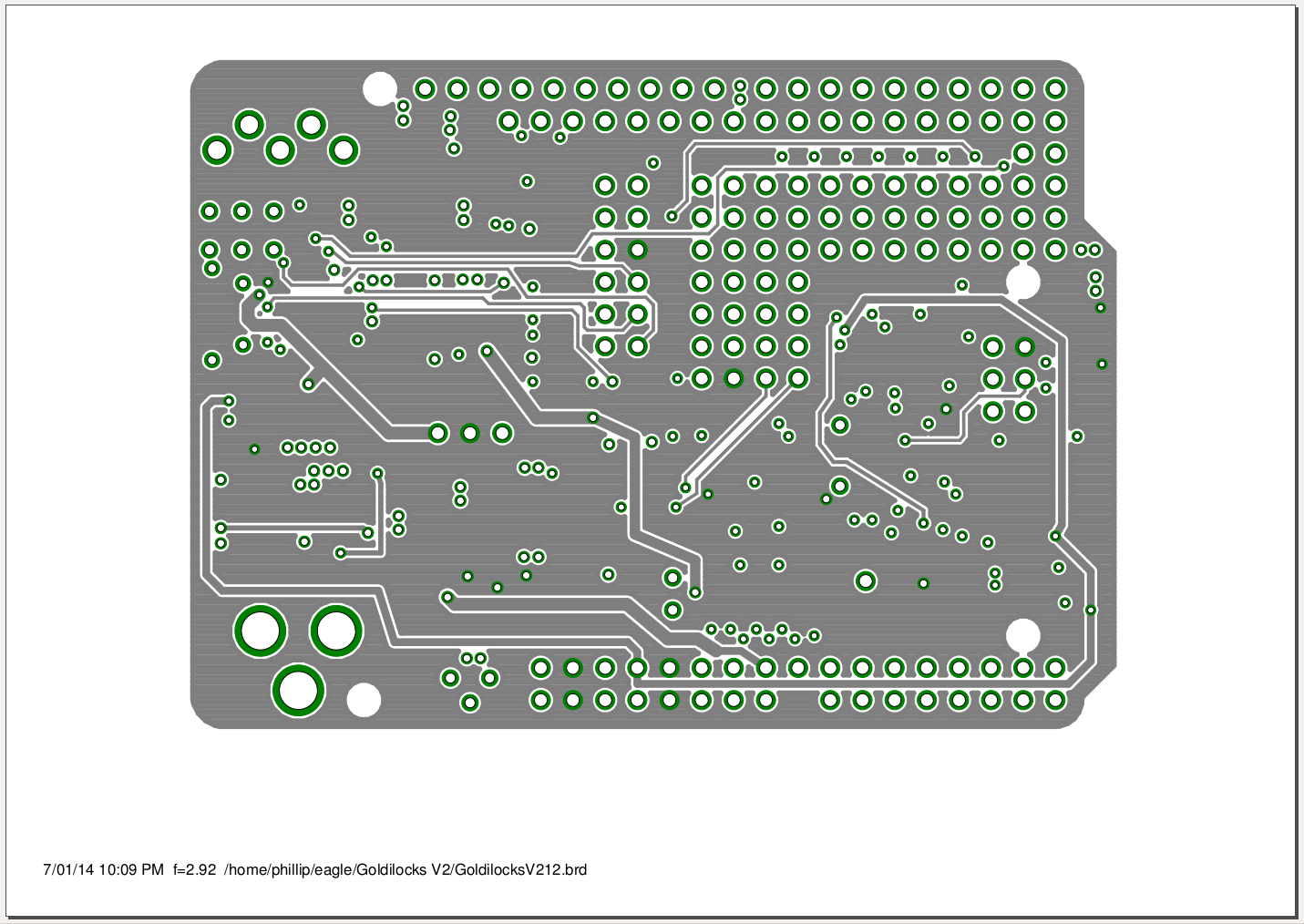
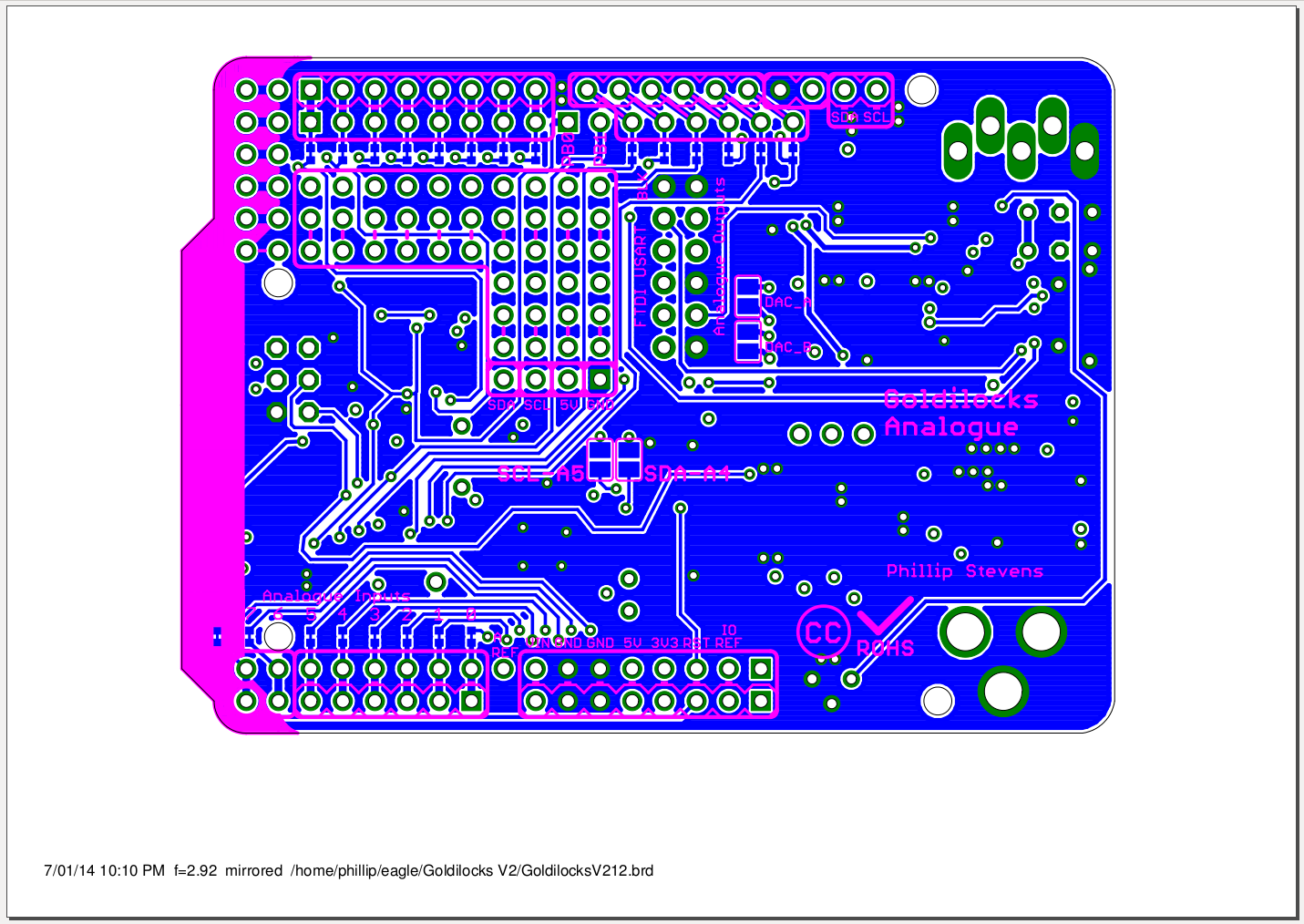
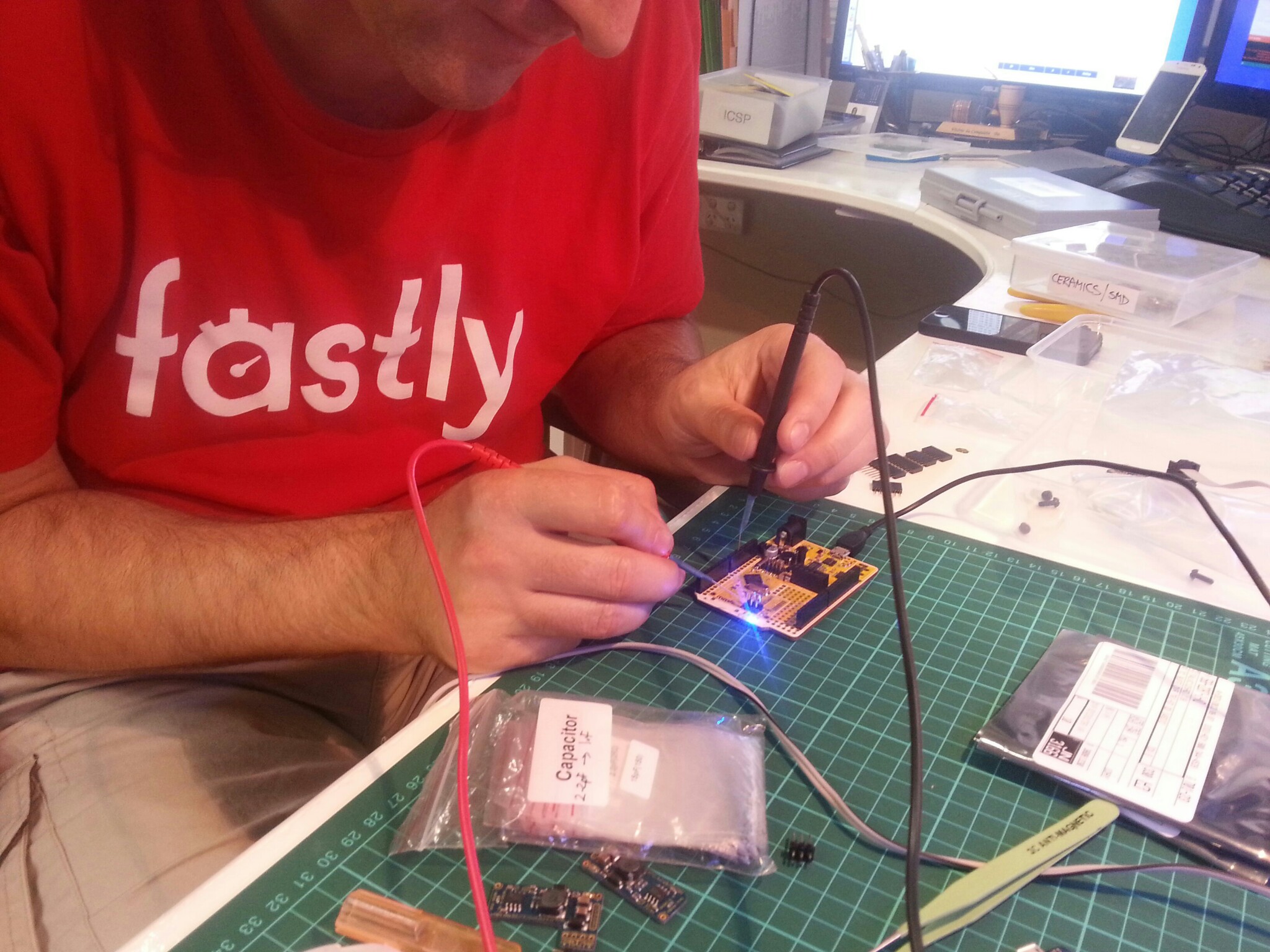
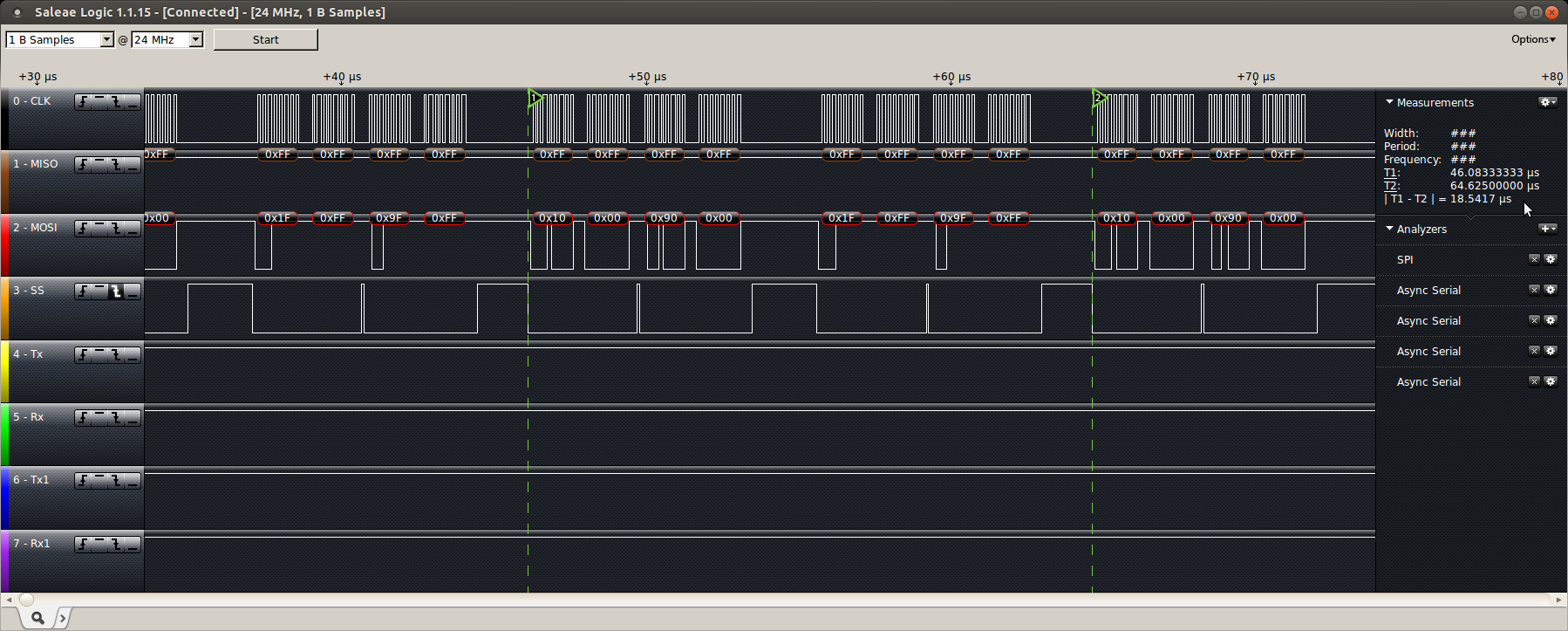

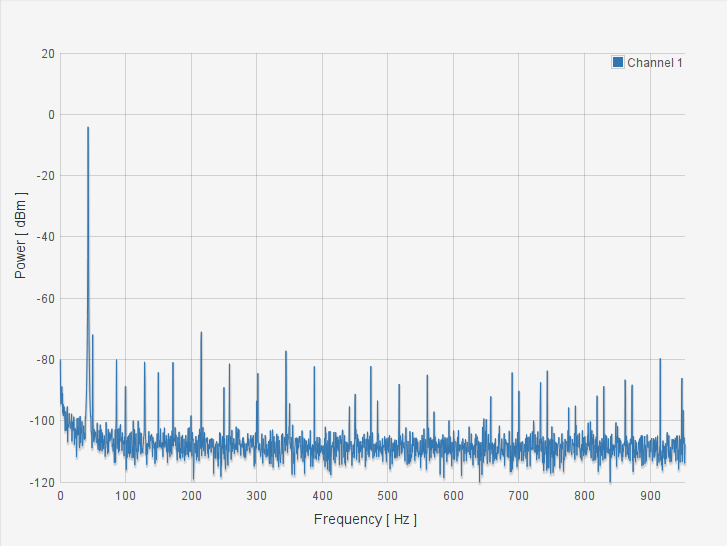
 Gone Bush